Activity summary
- downloads · 24h
- 5
- downloads · 7 days
- 129
- best Hot rank
- #11
- best Rising rank
- #236
Retail status unknown
Retail files
- 12.1.0, 12.1.5 released Oct 11, 2026 no required dependencies
From the author
Excerpt from the author's description on CurseForge
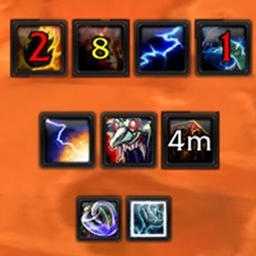
Displays target buffs.
Displays target buffs on the right side (Up to 7 during combat, up to 21 out of combat).
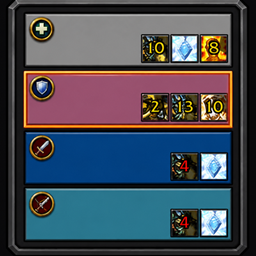
- Friendly (Out of Combat): Displays all buffs up to 21.
- Friendly (In Combat): Displays only buffs cast by you.
- Enemy (In/Out of Combat): Displays all buffs.
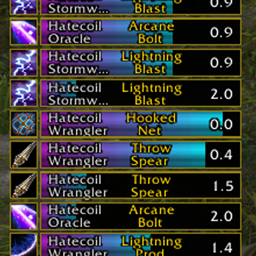
- Purgeable Buffs: Displays a white border when a buff can be dispelled or stolen.
Screenshots 1
Recent downloads
Downloads per hour over the last 48 hours.
Latest 0.997/h Oct 19, 2 AM
Peak 3.03/h Oct 17, 12 PM
Average 0.358/h last 48h
Recorded history
| List | Now | 24h | 7d | 30d |
|---|---|---|---|---|
| Hot | #11 | #435 | #929 | #637 |
| Rising | #236 | #809 | #1821 | #3140 |
Daily figures, Sep 19, 2026 – Oct 19, 2026
| Day | Downloads | Lifetime | Hot | Rising |
|---|---|---|---|---|
| +2 | 18,933 | #2564 | #3723 | |
| +4 | 18,931 | #5175 | #5720 | |
| +11 | 18,927 | #5076 | #5531 | |
| +9 | 18,916 | #3988 | #4788 | |
| +29 | 18,907 | #4263 | #5281 | |
| +18 | 18,878 | #3335 | #4478 | |
| +13 | 18,860 | #2988 | #3757 | |
| +46 | 18,847 | #2566 | #3162 | |
| +47 | 18,801 | #1914 | #2574 | |
| +7 | 18,754 | #4378 | #4354 | |
| +3 | 18,747 | #2530 | #2827 | |
| +1 | 18,744 | #3505 | #3361 | |
| +2 | 18,743 | #3547 | #3079 | |
| +75 | 18,741 | #4463 | #4238 | |
| +3 | 18,666 | #2056 | #2272 | |
| +5 | 18,663 | #4662 | #4720 | |
| +7 | 18,658 | #4365 | #4175 | |
| +4 | 18,651 | #2716 | #3046 | |
| +4 | 18,647 | #4297 | #4111 | |
| +4 | 18,643 | #4053 | #3804 | |
| +0 | 18,639 | — | — | |
| +0 | 18,639 | — | — | |
| +3 | 18,639 | #4106 | #3851 | |
| +3 | 18,636 | #3970 | #3822 | |
| +2 | 18,633 | #2372 | #2762 | |
| +7 | 18,631 | #3989 | #3848 | |
| +5 | 18,624 | #3874 | #3610 | |
| — | — | #3330 | #3732 | |
| — | — | #4476 | #4438 | |
| — | — | #2878 | #3474 | |
| — | — | #4486 | #4630 |
Downloads is the change in CurseForge's lifetime download total since the previous recorded day. Ranks are the last Now rank published that day; a dash means none was recorded.