Activity summary
- downloads · 24h
- 56
- downloads · 7 days
- 2.2K
- best Hot rank
- #2
- best Rising rank
- #124
Retail status unknown
Retail files
- 12.1.0, 12.1.5 released Oct 11, 2026 no required dependencies
From the author
Excerpt from the author's description on CurseForge
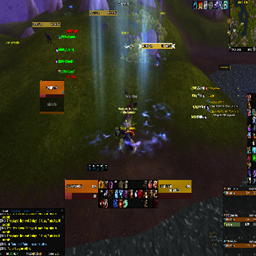
Displays the elapsed time after combat starts.
- Combat Time Tracking: The timer starts automatically when combat begins, displaying the elapsed time in MM:SS or MM:SS.T (tenths of a second) format.
Screenshots 1
Recent downloads
Downloads per hour over the last 48 hours.
Latest 2.03/h Oct 18, 10 AM
Peak 11.9/h Oct 16, 1 PM
Average 2.6/h last 48h
Recorded history
| List | Now | 24h | 7d | 30d |
|---|---|---|---|---|
| Hot | #2 | #24 | #24 | #393 |
| Rising | #124 | #181 | #716 | #1354 |
Daily figures, Sep 18, 2026 – Oct 18, 2026
| Day | Downloads | Lifetime | Hot | Rising |
|---|---|---|---|---|
| +24 | 26,499 | #1388 | #1640 | |
| +60 | 26,475 | #1642 | #2134 | |
| +79 | 26,415 | #1737 | #2060 | |
| +264 | 26,336 | #1303 | #1631 | |
| +402 | 26,072 | #808 | #1374 | |
| +273 | 25,670 | #240 | #571 | |
| +521 | 25,397 | #252 | #418 | |
| +626 | 24,876 | #84 | #212 | |
| +17 | 24,250 | #2184 | #3193 | |
| +15 | 24,233 | #2477 | #3037 | |
| +15 | 24,218 | #2424 | #3128 | |
| +13 | 24,203 | #4245 | #4114 | |
| +11 | 24,190 | #2649 | #3346 | |
| +15 | 24,179 | #2465 | #3138 | |
| +19 | 24,164 | #3039 | #3425 | |
| +25 | 24,145 | #4414 | #4447 | |
| +11 | 24,120 | #3587 | #3611 | |
| +18 | 24,109 | #1662 | #2319 | |
| +28 | 24,091 | #1957 | #2597 | |
| +16 | 24,063 | #4290 | #4159 | |
| +19 | 24,047 | #1852 | #2599 | |
| +29 | 24,028 | #1641 | #1843 | |
| +22 | 23,999 | #2540 | #2921 | |
| +20 | 23,977 | #2225 | #2766 | |
| +30 | 23,957 | #2170 | #2899 | |
| +35 | 23,927 | #361 | #898 | |
| +21 | 23,892 | #2425 | #3154 | |
| — | — | #2765 | #3556 | |
| — | — | #1643 | #1784 | |
| — | — | #2350 | #3309 | |
| — | — | #3220 | #3680 |
Downloads is the change in CurseForge's lifetime download total since the previous recorded day. Ranks are the last Now rank published that day; a dash means none was recorded.