Activity summary
- downloads · 24h
- 1
- downloads · 7 days
- 17
- best Hot rank
- #1042
- best Rising rank
- #978
Retail status unknown
Retail files
- 11.2.7, 12.0.1 released Feb 5, 2026 no required dependencies
From the author
Excerpt from the author's description on CurseForge
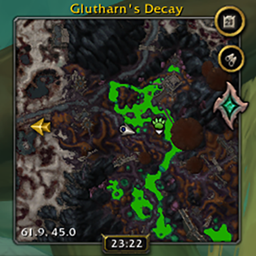
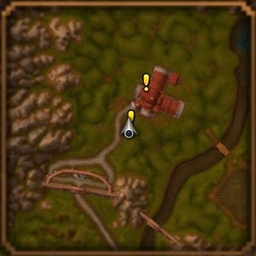
A simple, lightweight addon that brings TomTom-style waypoint functionality using the game's own pin setting system that's been built-in since Shadowlands.
Waypoint lets you set, manage, and navigate to custom points of interest on your map and minimap. It supports multiple active waypoints, custom descriptions, and zone-specific coordinates, making it great for quick navigation.
Screenshots 3
Recent downloads
Downloads per hour over the last 48 hours.
Latest 0/h Oct 19, 12 AM
Peak 2.97/h Oct 17, 5 PM
Average 0.0839/h last 48h
Recorded history
| List | Now | 24h | 7d | 30d |
|---|---|---|---|---|
| Hot | #1042 | #3083 | #4665 | #3596 |
| Rising | #978 | #3078 | #5174 | #2992 |
Daily figures, Sep 19, 2026 – Oct 19, 2026
| Day | Downloads | Lifetime | Hot | Rising |
|---|---|---|---|---|
| +0 | 7,446 | — | — | |
| +1 | 7,446 | #5282 | #5549 | |
| +3 | 7,445 | #3036 | #3758 | |
| +2 | 7,442 | #5105 | #5009 | |
| +2 | 7,440 | #4069 | #4652 | |
| +2 | 7,438 | #4735 | #5008 | |
| +3 | 7,436 | #4446 | #4388 | |
| +4 | 7,433 | #2405 | #2674 | |
| +4 | 7,429 | #4411 | #3877 | |
| +0 | 7,425 | #3972 | #3311 | |
| +2 | 7,425 | #4028 | #3384 | |
| +0 | 7,423 | — | — | |
| +1 | 7,423 | #3310 | #2619 | |
| +2 | 7,422 | #3845 | #3408 | |
| +0 | 7,420 | — | — | |
| +0 | 7,420 | #3466 | #3288 | |
| +2 | 7,420 | #3403 | #3175 | |
| +4 | 7,418 | #4298 | #3608 | |
| +0 | 7,414 | — | — | |
| +0 | 7,414 | — | — | |
| +6 | 7,414 | #3009 | #2654 | |
| +1 | 7,408 | #3701 | #2798 | |
| +4 | 7,407 | #4205 | #3541 | |
| +2 | 7,403 | #3952 | #3344 | |
| +0 | 7,401 | — | — | |
| +2 | 7,401 | #4363 | #3868 | |
| +1 | 7,399 | #3775 | #3012 | |
| — | — | #4423 | #3957 | |
| — | — | #4447 | #4145 | |
| — | — | #3336 | #3378 | |
| — | — | #3009 | #3229 |
Downloads is the change in CurseForge's lifetime download total since the previous recorded day. Ranks are the last Now rank published that day; a dash means none was recorded.