Activity summary
- downloads · 24h
- —
- downloads · 7 days
- —
- best Hot rank
- #9
- best Rising rank
- #35
Retail status unknown
Retail files
- 12.0.1, 12.0.5, 12.0.7, 12.1.0, 12.1.5 released Oct 14, 2026 requires PeaversCommons, PeaversConfig
From the author
Excerpt from the author's description on CurseForge
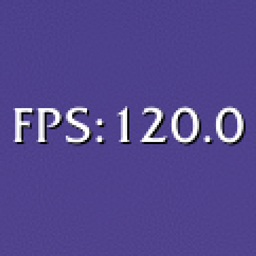
A World of Warcraft addon that displays FPS and latency as minimal, movable status bars.
Part of the Peavers Ultra Performance family: addons that hold themselves to a published budget, measured on every push.
Screenshots 1
Recent downloads
Downloads per hour over the last 48 hours.
Latest 0/h Oct 18, 8 AM
Peak 2/h Oct 17, 4 PM
Average 0.396/h last 48h
Recorded history
| List | Now | 24h | 7d | 30d |
|---|---|---|---|---|
| Hot | #9 | #600 | #221 | #194 |
| Rising | #35 | #518 | #206 | #418 |
Daily figures, Sep 18, 2026 – Oct 18, 2026
| Day | Downloads | Lifetime | Hot | Rising |
|---|---|---|---|---|
| +2 | 3,460 | #3200 | #1901 | |
| +10 | 3,458 | #3633 | #2513 | |
| +10 | 3,448 | #3112 | #2053 | |
| +26 | 3,438 | #3132 | #1997 | |
| +89 | 3,412 | #983 | #596 | |
| +2 | 3,323 | #3136 | #2378 | |
| +0 | 3,321 | — | — | |
| +2 | 3,321 | #3632 | #3408 | |
| +6 | 3,319 | #2670 | #1392 | |
| +0 | 3,313 | #3022 | #2588 | |
| +2 | 3,313 | #3416 | #3005 | |
| +5 | 3,311 | #2139 | #1348 | |
| +4 | 3,306 | #4072 | #3170 | |
| +1 | 3,302 | #3390 | #3027 | |
| +4 | 3,301 | #3187 | #2233 | |
| +3 | 3,297 | #3962 | #3334 | |
| +5 | 3,294 | #3235 | #1948 | |
| +4 | 3,289 | #3204 | #2077 | |
| +2 | 3,285 | #3547 | #2994 | |
| +1 | 3,283 | #3276 | #2455 | |
| +5 | 3,282 | #3795 | #3120 | |
| +5 | 3,277 | #2930 | #1836 | |
| +5 | 3,272 | #2662 | #1496 | |
| +5 | 3,267 | #2653 | #1495 | |
| +3 | 3,262 | #3730 | #3303 | |
| +6 | 3,259 | #3447 | #2636 | |
| +12 | 3,253 | #1154 | #590 | |
| — | — | #2540 | #1396 | |
| — | — | #2405 | #1127 | |
| — | — | #1702 | #687 | |
| — | — | #150 | #78 |
Downloads is the change in CurseForge's lifetime download total since the previous recorded day. Ranks are the last Now rank published that day; a dash means none was recorded.