Activity summary
- downloads · 24h
- 1
- downloads · 7 days
- 5
- best Hot rank
- #1382
- best Rising rank
- #350
Retail status unknown
Retail files
- 12.0.5 released Apr 22, 2026 no required dependencies
From the author
Excerpt from the author's description on CurseForge
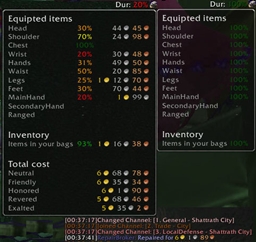
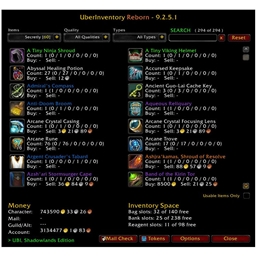
Hold a modifier key while hovering over any equipment slot on your character panel, and LootLens will show you every item that can drop in that slot from your enabled sources — Mythic+ dungeons, raids, or both. No more alt-tabbing to Wowhead or clicking through the Encounter Journal boss by boss.
- Open your character panel
- Hold CTRL (configurable) and hover over a gear slot
- A popup appears showing every item that drops in that slot, grouped by instance
Screenshots 3
Recent downloads
Downloads per hour over the last 48 hours.
Latest 0/h Oct 21, 10 AM
Peak 0.991/h Oct 20, 4 AM
Average 0.042/h last 48h
Recorded history
| List | Now | 24h | 7d | 30d |
|---|---|---|---|---|
| Hot | #1382 | #3624 | #5576 | #4664 |
| Rising | #350 | #1515 | #3844 | #3000 |
Daily figures, Sep 25, 2026 – Oct 21, 2026
| Day | Downloads | Lifetime | Hot | Rising |
|---|---|---|---|---|
| +0 | 1,093 | — | — | |
| +2 | 1,093 | #4156 | #2623 | |
| +0 | 1,091 | — | — | |
| +0 | 1,091 | — | — | |
| +0 | 1,091 | — | — | |
| +0 | 1,091 | #4822 | #3421 | |
| +2 | 1,091 | #5064 | #4109 | |
| +1 | 1,089 | #4366 | #4009 | |
| +0 | 1,088 | — | — | |
| +0 | 1,088 | — | — | |
| +0 | 1,088 | #3615 | #2339 | |
| +2 | 1,088 | #3952 | #2771 | |
| +1 | 1,086 | #3633 | #2372 | |
| +0 | 1,085 | — | — | |
| +0 | 1,085 | — | — | |
| +1 | 1,085 | #3138 | #1874 | |
| +0 | 1,084 | #2959 | #1482 | |
| +2 | 1,084 | #3202 | #1754 | |
| +0 | 1,082 | — | — | |
| +0 | 1,082 | — | — | |
| +3 | 1,082 | #2479 | #1083 | |
| +0 | 1,079 | #2259 | #923 | |
| +3 | 1,079 | #2350 | #939 | |
| +0 | 1,076 | — | — | |
| +0 | 1,076 | — | — | |
| +1 | 1,076 | #3535 | #2178 | |
| +4 | 1,075 | #3942 | #2086 |
Downloads is the change in CurseForge's lifetime download total since the previous recorded day. Ranks are the last Now rank published that day; a dash means none was recorded.