Trend Explorer
Recent download momentum
Hourly download deltas for the last 48 hours.
Latest hour +0 Jul 26, 5 AM
Peak hour +7 Jul 27, 10 PM
Average +2 per hour
About this addon
What it does
Looti - Loot Notification System
Looti is a lightweight, customizable loot notification system. Designed for simplicity and efficiency, it delivers clean, scrolling loot notifications using only core WoW and Lua commands. This ensures minimal performance impact and low risk of errors over time.
I want this project to be as community invovled as possible, so please feel free to comment or message me ideas!
Happy Looting!
📺 See Looti in action!
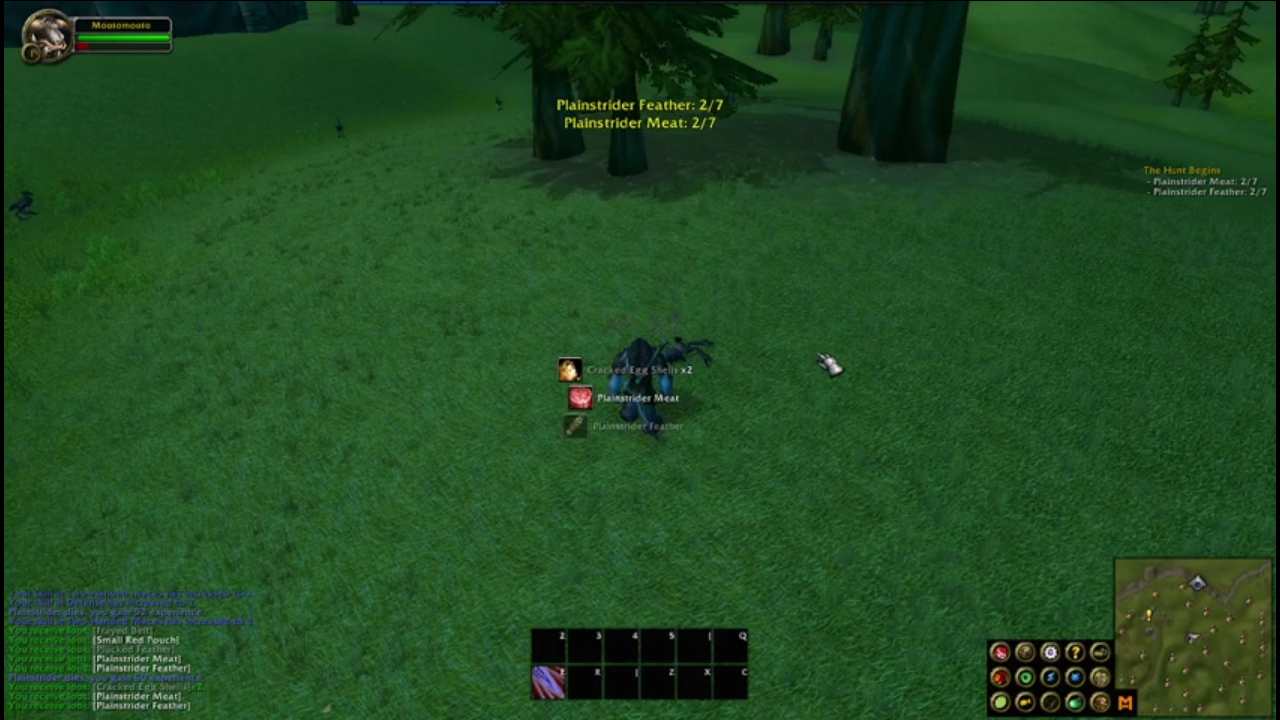
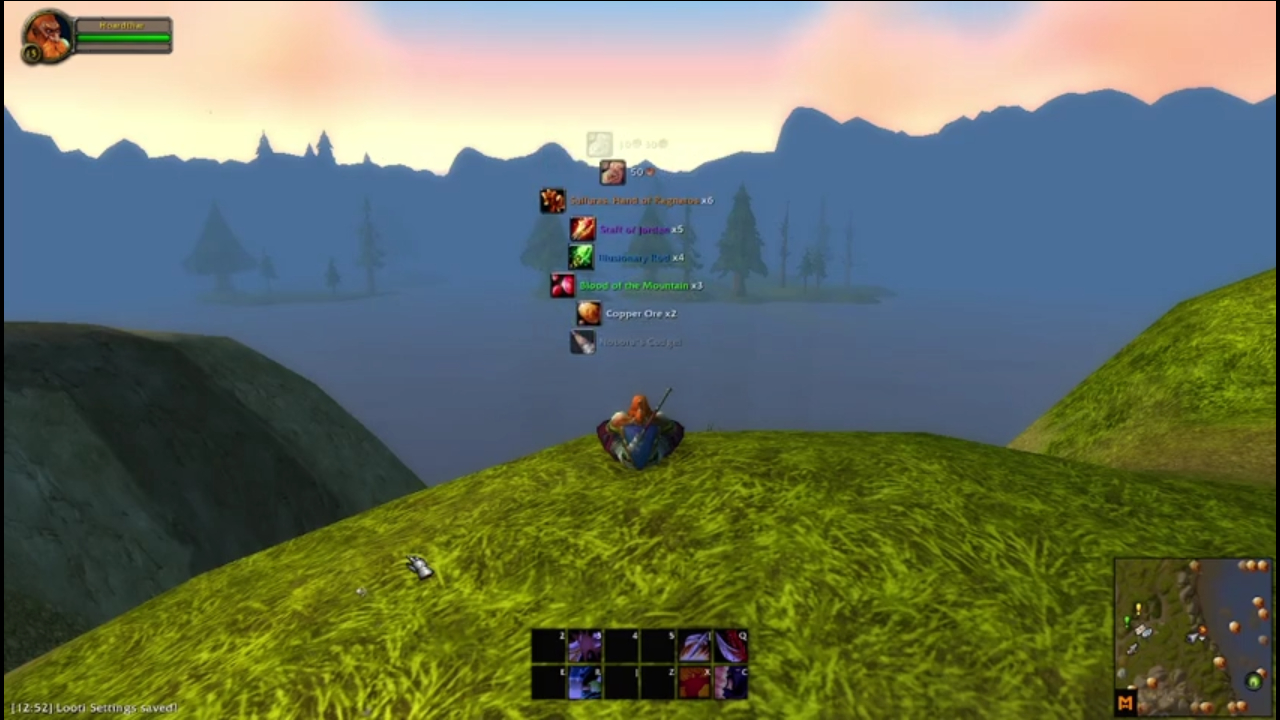
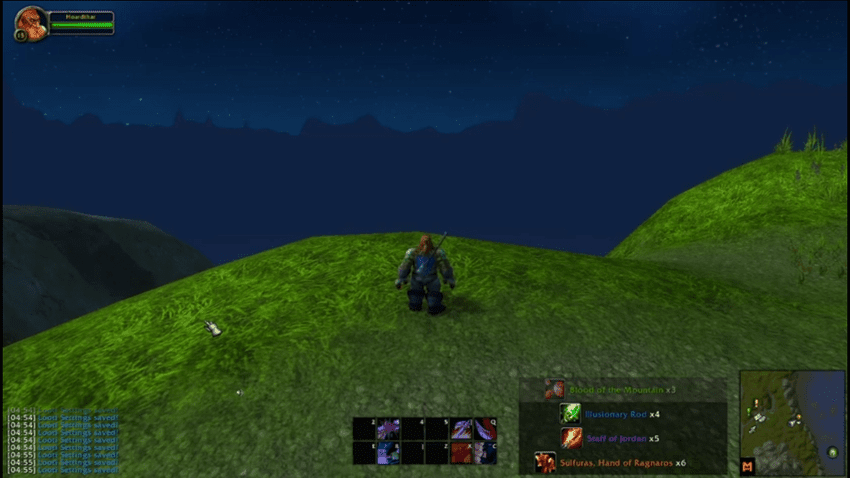
Features & Customization
Easy Setup & Access
To get started, simply use this command in the chat window:
/looti
Loot Notifications Your Way
- Enable/Disable Loot Alerts – Toggle notifications for item drops and currency (gold, silver, copper).
- Rarity Threshold – Set a minimum item rarity to filter what appears in notifications.
Customizable Display Settings
- Moveable Notification Frame – Drag and position notifications anywhere on your screen.
- Scroll Direction – Choose whether notifications scroll up or down.
- Background Transparency – Keep it clean or add a backdrop for visibility.
- Toggle Quantities – Display item counts for multi-stack loot.
- Toggle Icons – Remove item icons for a minimalist look.
- Customise Transparency – Stay focussed on the game while still being able to see your loot.
- Changable Scale - Make your loot notifications as big or small as you need.
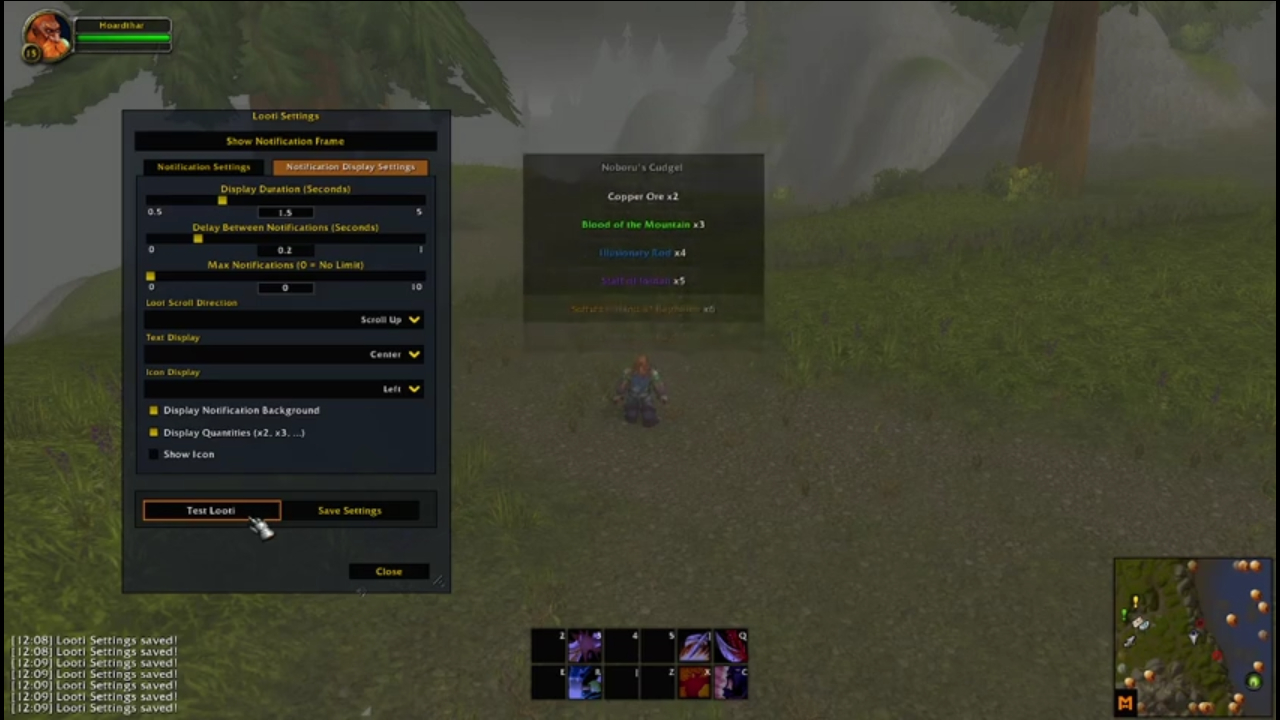
Advanced Customization Options
- Notification Duration – Control how long notifications remain on screen.
- Delay Between Notifications – Adjust the timing between each alert.
- Max Notifications on Screen – Prevent clutter by limiting the number of visible alerts.
- Notification Layout – Customize icon and text positioning to match your UI style.
Test Your Setup
Once you’ve configured Looti to your liking, use the "Test Looti" button to preview how notifications will appear.
📺 Watch the video demonstration here!
Project Plan
Here is what I have planned for Looti. Please feel free to comment or message me suggestions or ideas.
This list is subject to change and in no particular order:
- Whitelist/Blacklist System
- Implement a whitelist and blacklist system where users can specify which items should or shouldn’t trigger notifications. This allows for more targeted alerts, like only showing certain items of interest
At-a-glance numbers
Performance highlights
- Peaked at Hot #917 on Jul 22, 2026.
- Peaked at Rising #4541 on Jul 28, 2026.
- Featured on the Hot list across 6 distinct weeks.
- Shipped 1 release in the last 30 days.
- Averaging 40 new downloads per day over the past week.
Visuals
Screenshots 7
Use real gameplay shots to assess the addon before installing.