Trend Explorer
Recent download momentum
Hourly download deltas for the last 48 hours.
About this addon
What it does
You may enable/disable each module in the AddOn settings.
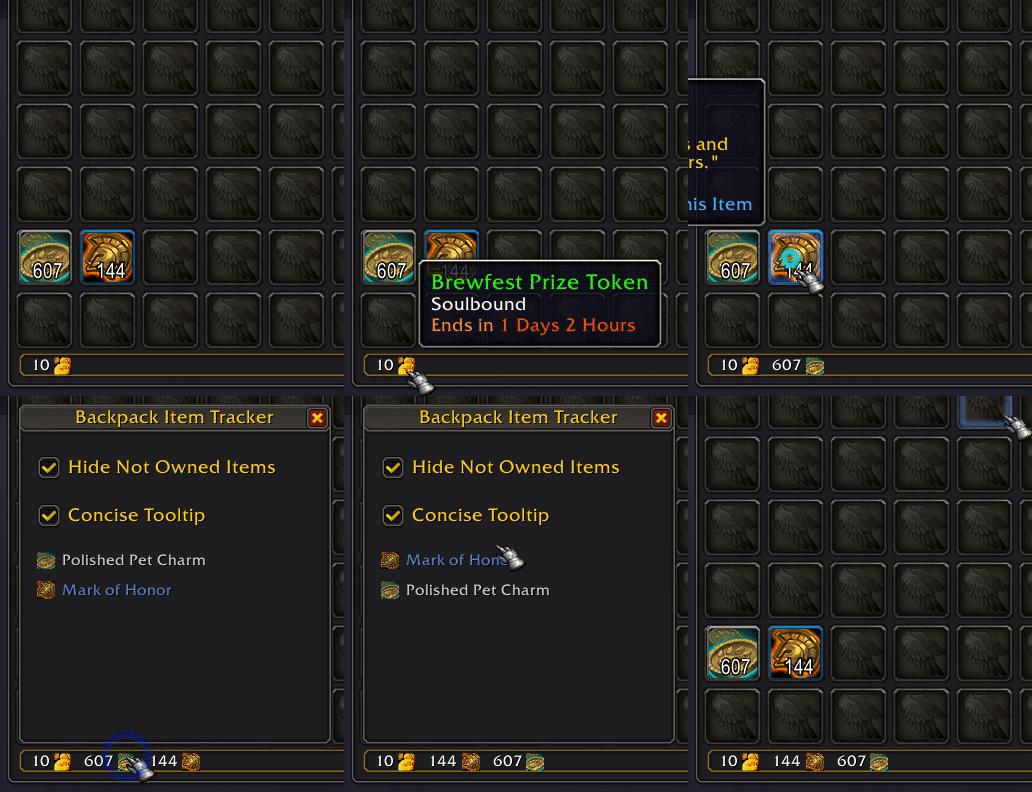
Backpack Item Tracker
Track stackable items on the Bag UI as if they were currencies. Holiday tokens are automatically tracked and pinned to the left.
The top-tier Dreaming Crest you have earned will be pinned to the bar.
Loot Window
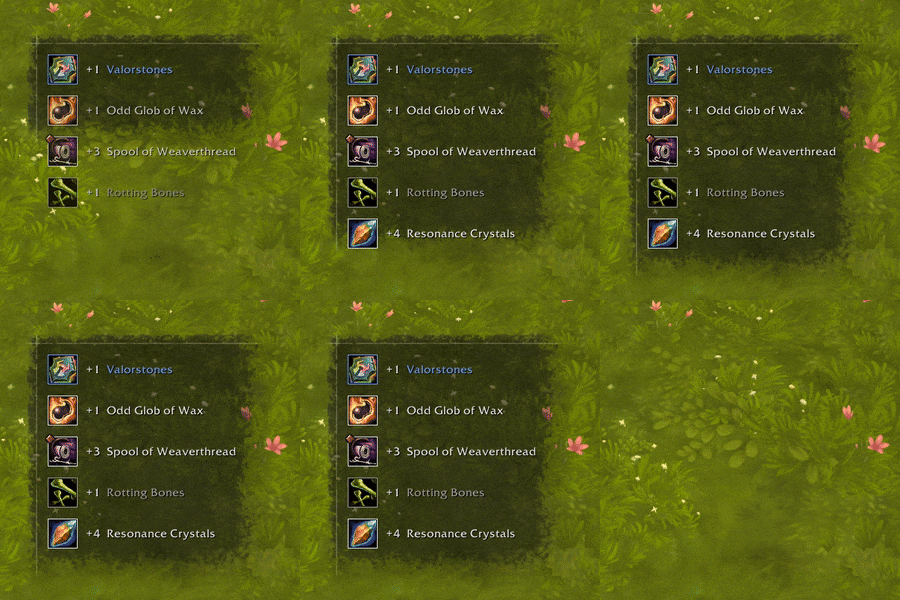
Loot items fast and fix the occasional Auto Loot failure bug.
This module is disabled by default and can be enabled in the addon settings.
Talking Head
Replace the default Talking Head UI with a clean, headless one.
You can hide the transcription if it's from a World Quest or you're in an instance.

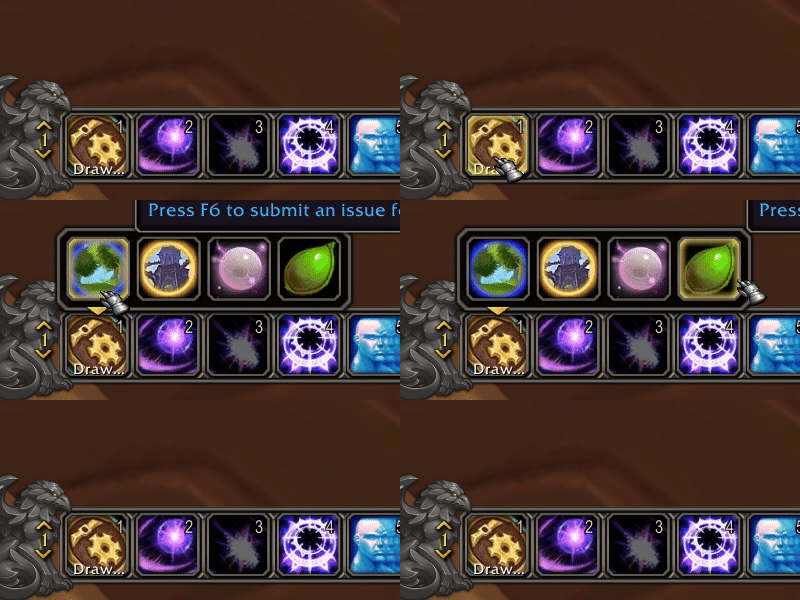
Drawer Macro
Create a custom flyout menu to manage your items, spells, pets, mounts, and toys.
To make a Drawer Macro, create a new macro first, then enter #plumber:drawer in the command editbox.
Expansion Summary UI
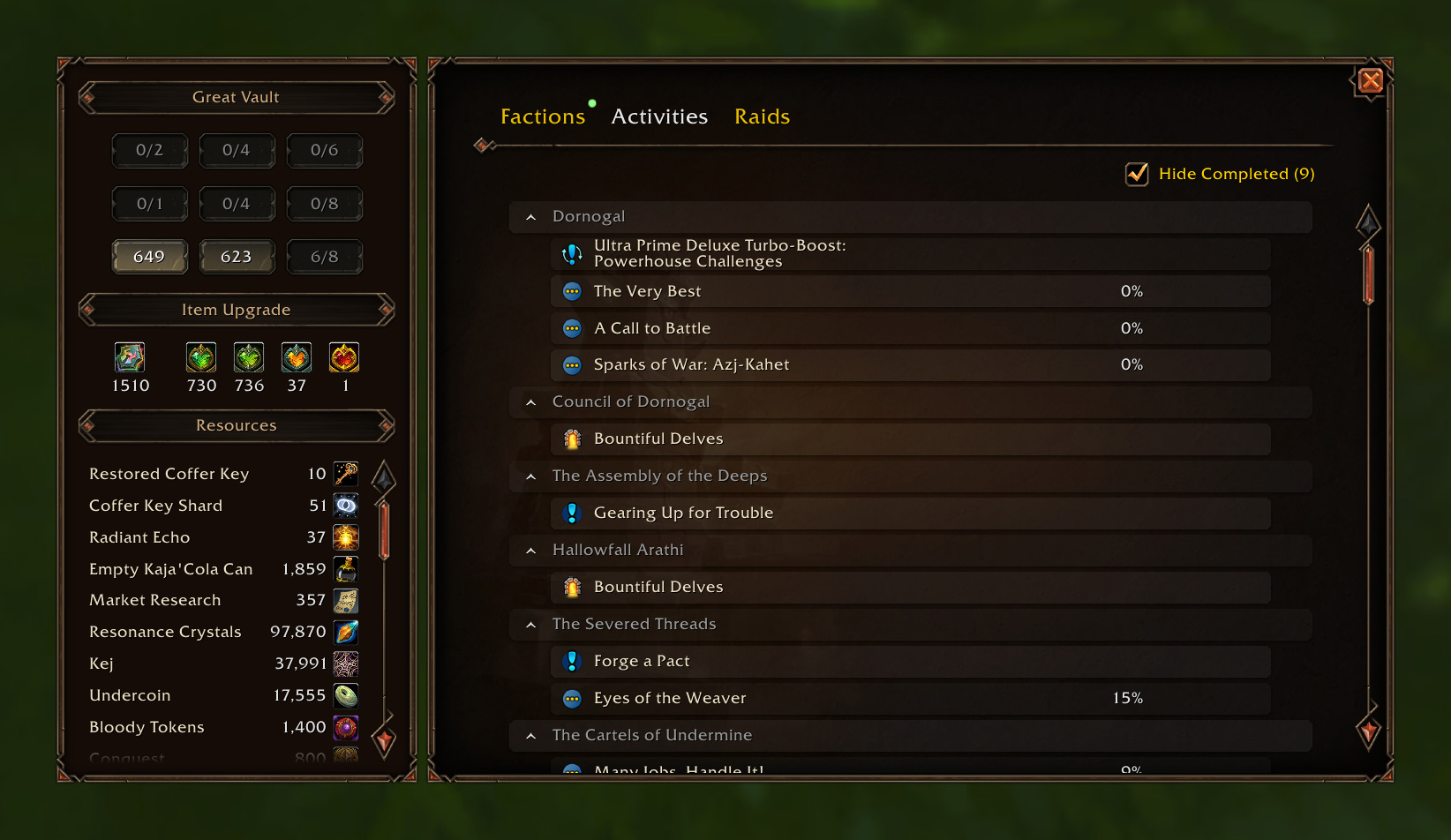
Show resource, reputations, weekly activities, and raid lockouts in a single window.
Instance Difficulty Selector
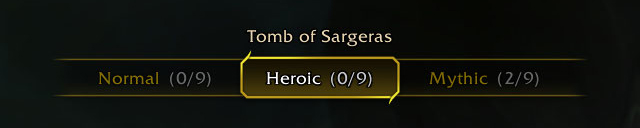
Show a Difficulty Selector when you are at the entrance of a raid or dungeon.
This module is disabled by default and can be enabled in the addon settings.
Click to see 8 more modules 👇
Dragonriding Race Dialog
Replace the default dialog icon with the medal you earn. It may take a brief moment to acquire your records when you interact with the NPC.

Handy Lockpick for Rogue & Mechagnome
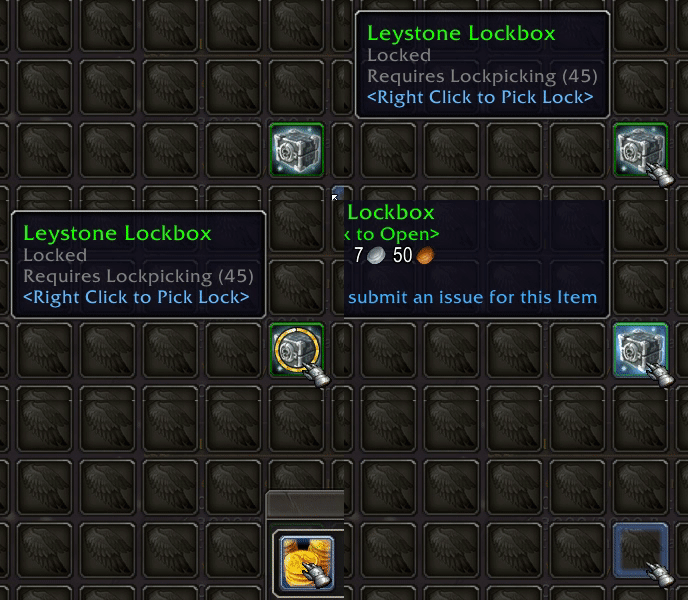
You can right click a lockbox in your bag or Trade UI to unlock it directly.
Chat Channel Options
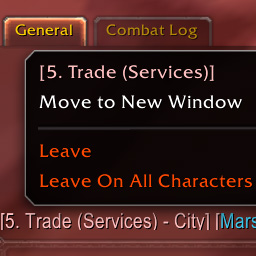
Add Leave buttons to the menu that appears when you right-click on the channel name in the chat window.
"Leave On All Characters" allows you to automatically leave a channel when you log in.
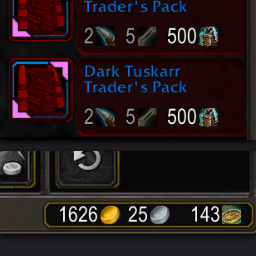
Merchant Price
Show all required items in the coin box.
Grey out only the insufficient currencies.
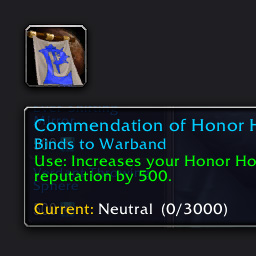
Reputation Token
Show the faction info on the tooltip if the item can be used to increase reputation.
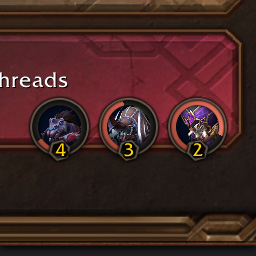
Severed Threads
Display Severed Threads Pact levels on Khaz Algar Summary page.
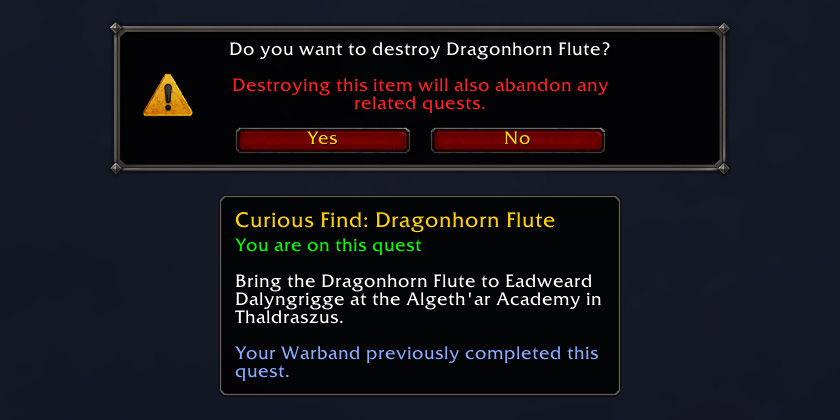
Show Quest Info When Destroying Quest-starting Items
Display the associate quest info when you attempt to destroy an item that starts a quest.
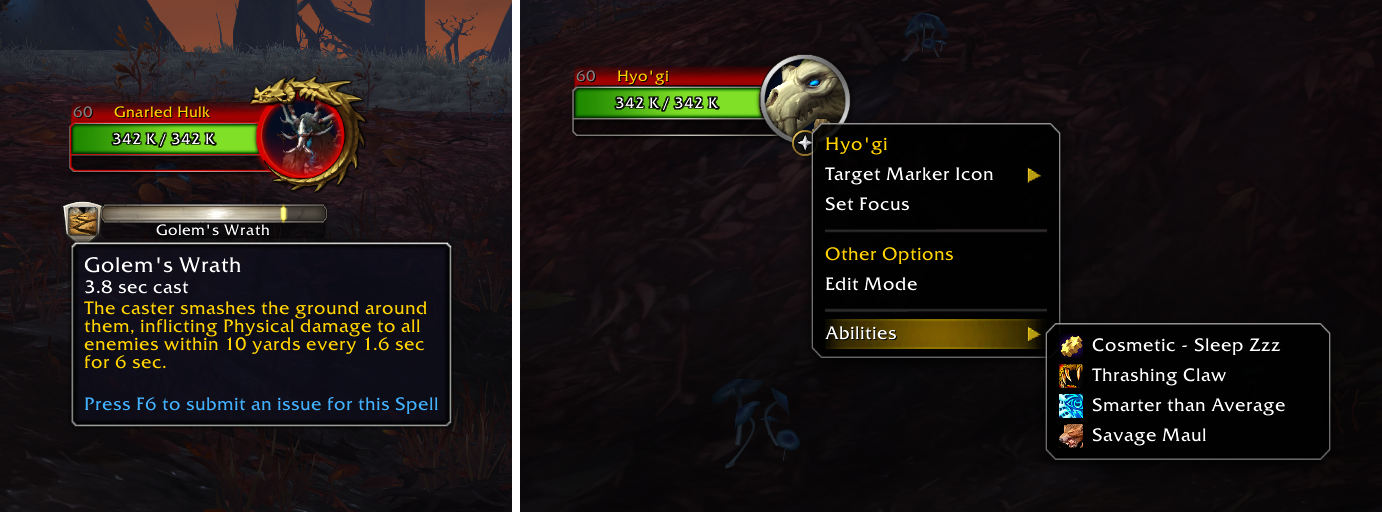
Target Spellcasting Info
Show the spell tooltip when hovering over the Cast Bar on the Target Frame.
Save the monster's abilities that can be later viewed by right-clicking on the Target Frame.
At-a-glance numbers
Performance highlights
- Peaked at Hot #5 on Jun 29, 2026.
- Featured on the Hot list across 6 distinct weeks.
- Shipped 4 releases in the last 30 days.
- Averaging 2.6K new downloads per day over the past week.
Visuals
Screenshots 20
Use real gameplay shots to assess the addon before installing.