Trend Explorer
Recent download momentum
Hourly download deltas for the last 48 hours.
About this addon
What it does





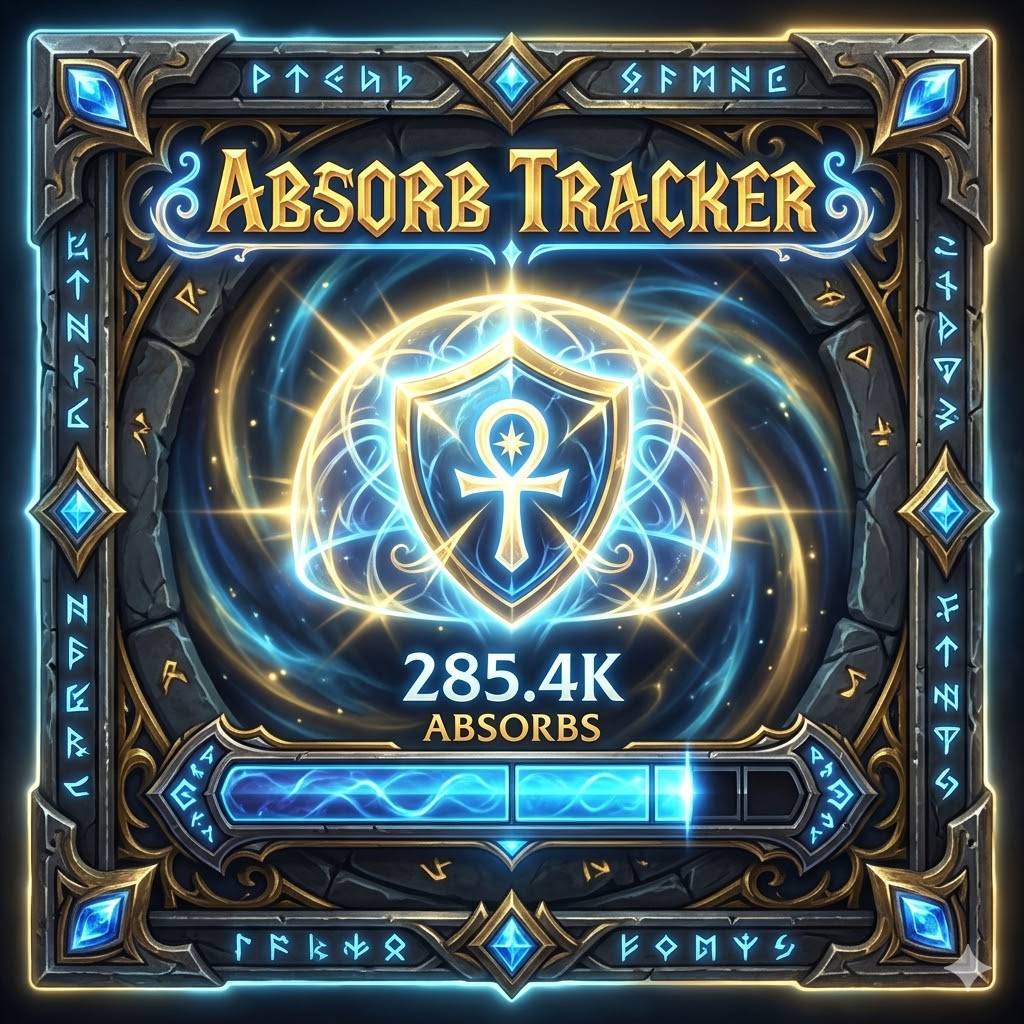
Ka0s Absorb Tracker shows your current absorb shield as a movable bar, so you can see at a glance how much damage you can soak up. Move the bar anywhere on screen and restyle almost everything about it — its size, the bar and background textures and colors, the border, and the font. The bar fill, background, and border can each follow your class color if you prefer.
Set it all up in the WoW Settings panel, or with the /at slash command.
What's new in 1.9.0
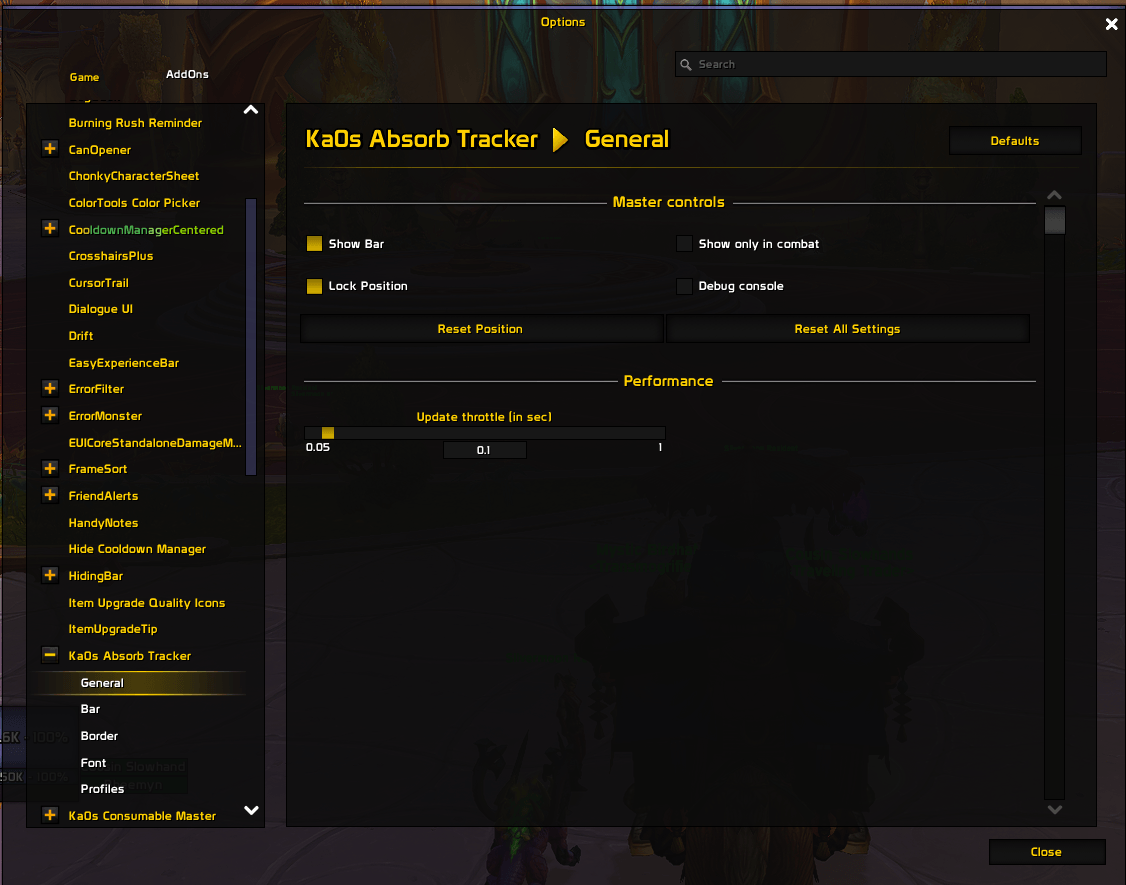
- Show the bar only in combat. A new General option hides the bar out of combat and brings it back the moment you're fighting.
- The bar now updates the instant a shield changes instead of ticking on a timer, so it tracks your absorbs more smoothly.
- A proper on-screen debug window.
/at debugopens a styled window instead of spamming chat;/at debug on/offstarts and stops logging, and each line is tagged with what triggered it. - A Debug console toggle on the General page to show or hide that window without a slash command.
Screenshots
Absorb Tracker in Action
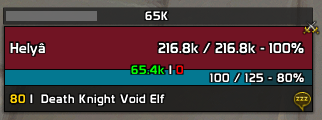
Settings Panel
Usage
Slash commands
Use either /at or the longer /absorbtracker for any of these. Messages from the addon show up in chat with a cyan [AT] tag.
| Command | What it does |
|---|---|
/at or /at help |
Show the list of commands |
/at config |
Open the settings panel |
/at list |
Show every setting and its current value |
/at get <name> |
Show one setting's value |
/at set <name> <value> |
Change one setting. Examples: /at set barWidth 250, /at set useClassColorBar true |
/at reset <general|bar|border|font> |
Reset one settings page to its defaults |
/at resetall |
Reset every setting and move the bar back to center |
/at resetposition |
Move the bar back to the center of the screen |
/at lock / /at unlock |
Lock or unlock the bar so you can drag it |
/at toggle |
Show or hide the bar |
/at update |
Refresh the bar now |
/at version |
Show the addon version |
/at test [value] [seconds] |
Fill the bar with a test value so you can preview your styling (default 50000 for 5 seconds) |
/at debug |
Toggle the debug window; /at debug on / off turns logging on or off |
/at profile <subcommand> |
Manage profiles: list, current, use <name>, new <name>, copy <name>, delete <name>, reset |
Settings panel
Five pages under Ka0s Absorb Tracker:
| Tab | Covers |
|---|---|
| General | Show or hide the bar, show it only in combat, lock the bar, show or hide the debug console, and the repaint throttle (how fast the bar may redraw during a burst of changes). Buttons to reset the position or all settings. |
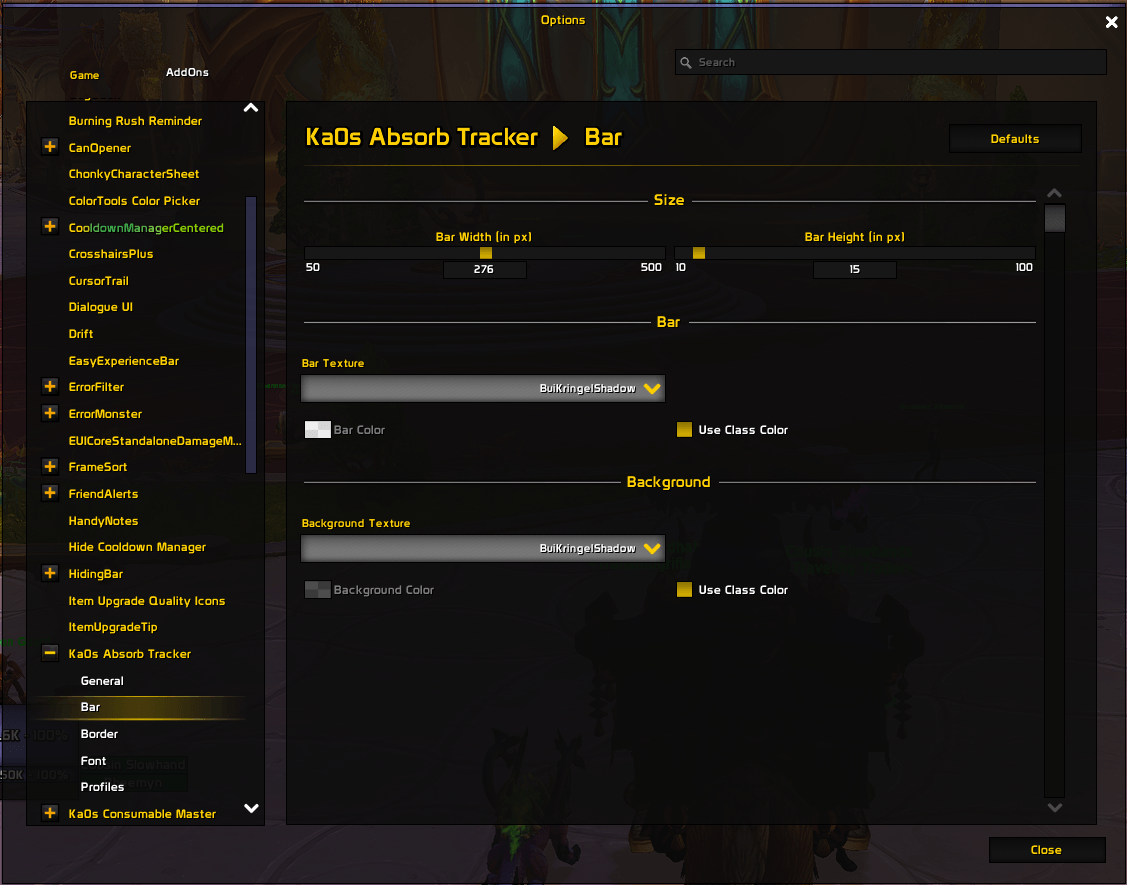
| Bar | Bar width and height, plus the bar and background textures and colors. |
| Border | Border style, thickness, and color. |
| Font | Font face, size, and outline. |
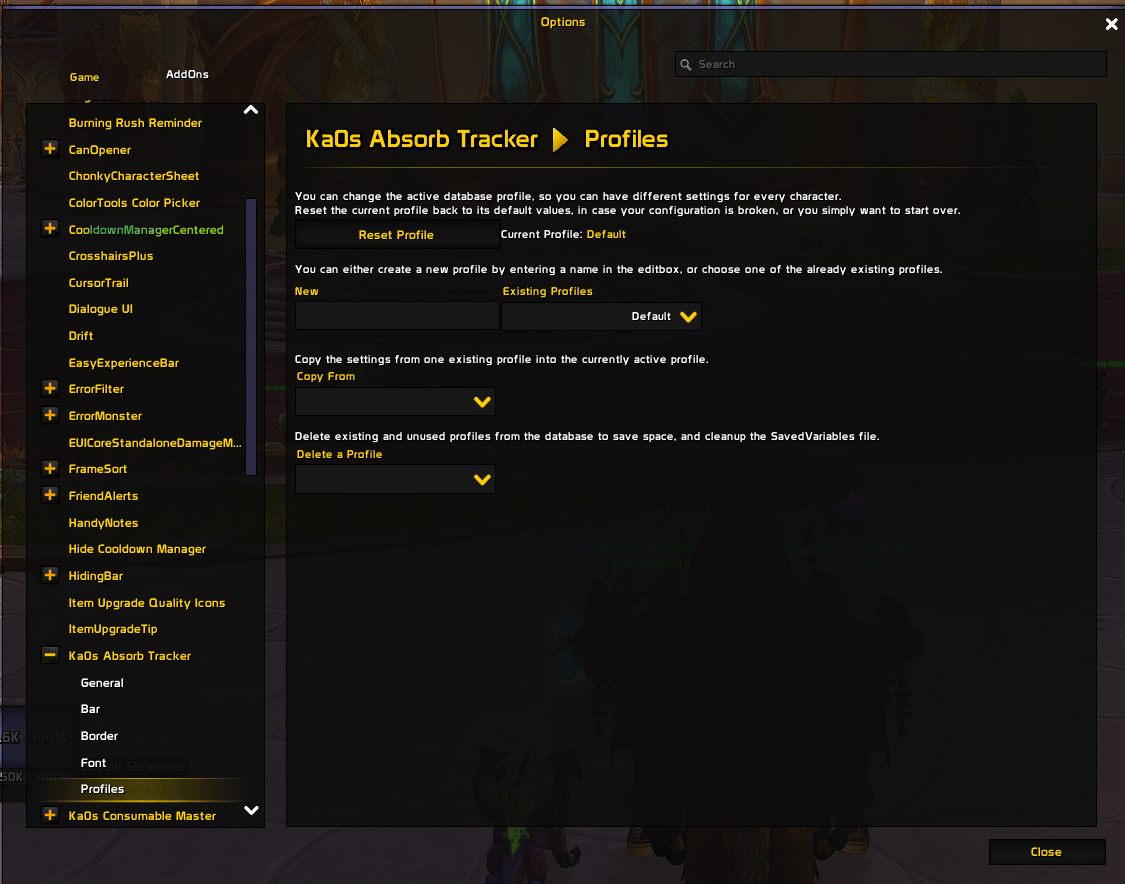
| Profiles | Save different setups and switch between them. |
To move the bar, type /at unlock, drag it into place, then /at lock to fix it there.
Class colors. The bar fill, background, and border can each follow your class color instead of a fixed color — just turn on the matching Use Class Color toggle on the Bar or Border page. While a toggle is on, its color picker greys out; turn the toggle off to pick a color by hand again.
How the bar works
The addon watches every absorb shield on you at once — Power Word: Shield, Ice Barrier, trinket procs, and the rest — and adds them into a single total. That total is what the bar shows:
- Whenever you gain or lose a shield, the addon works out how much absorb you have left.
- The bar fills to match that amount, and the text shows the number in short form (like
1.2M). - As your shields soak up damage or wear off, the bar drains toward 0.
- With no shield up, the bar reads 0 and sits nearly empty.
So the bar is always a live picture of how much damage you can take before your health starts dropping.
FAQ
| Question | Answer |
|---|---|
| Do I need to install anything else? | No. Everything the addon needs is bundled, so it works on its own. Install a media pack (such as one that includes SharedMedia) if you want extra textures and fonts in the dropdowns. |
| Does this replace the shield display on my unit frames? | No. This is a separate movable bar. Blizzard's shield overlay on the player and target frames is left alone — hide it in Edit Mode if you don't want to see both. |
| How do I move the bar? | Type /at unlock, drag the bar where you want it, then /at lock. Your position is remembered. Use /at resetposition to snap it back to center. |
| Can I show the bar only while I'm fighting? | Yes. Turn on Show only in combat on the General page. The bar hides out of combat and reappears the instant you enter combat. |
| Can I have different setups? | Yes. Use the Profiles page in the settings panel to save and switch between setups. New characters start on the shared Default profile, so your changes carry over until you choose a separate setup. |
| Why is my bar empty? | The fill only shows a value when you have an active absorb shield — Power Word: Shield, Ice Barrier, a trinket proc, and so on. With no shield the fill sits empty, but you'll still see the bar's background and border where you placed it. |
| Why won't the settings panel open in combat? | WoW doesn't let addons change settings screens while you're fighting, so /at config is ignored until combat ends. Run it again once you're out of combat and it opens normally. |
| What is the "Update throttle" setting for? | The bar redraws the moment a shield changes rather than on a timer. The throttle only caps how fast it can repaint during a burst of rapid changes — the default suits almost everyone, so you rarely need to touch it. |
| How do I see debug logs? | /at debug toggles the on-screen debug window; /at debug on / off starts and stops logging there instead of in chat. You can also toggle the window with the Debug console checkbox on the General page. Logging resets to off every reload. |
| An addon CPU profiler shows Absorb Tracker using a lot of CPU — is that real? | Almost certainly not. Its actual cost is tiny (~0.18% of one core). Wow addon profilers blame all of a shared library's work on whichever addon loaded it first, and because AbsorbTracker sorts near the top alphabetically it "owns" the shared Ace event frame and gets billed for every Ace addon's event traffic. Disabling Absorb Tracker just moves that CPU to the next addon in line. Read the full investigation. |
Troubleshooting
| Problem | Fix |
|---|---|
| The bar never shows up | Check three things: it isn't hidden (/at toggle, or Show Bar on the General page), the addon is enabled on the character-select screen, and — if Show only in combat is on — that you're actually in combat. The background and border show even with no shield, so if you see nothing at all the bar is hidden, not just empty. |
| The bar disappears when I leave combat | You have Show only in combat turned on. Turn it off on the General settings page. |
/at test does nothing |
The bar has to be visible to preview a test value. If it's hidden, run /at toggle (or turn on Show Bar) first, then try /at test again. |
| The bar won't stay where I put it | Lock it after positioning: /at lock, or turn on Lock Position on the General page. Unlock again whenever you want to drag it. |
| My class color isn't showing | The bar has to be visible and have an active shield for the color to appear. Check that the matching Use Class Color toggle is on. When it's on the color picker greys out — that's normal. |
| Custom textures or fonts aren't in the dropdowns | Install a media pack addon (one that includes SharedMedia). Without one, only WoW's built-in options show. |
| The bar position resets after I log out | WoW only saves your settings on a clean logout. A crash or a force-quit can drop the last position. Log out through the menu and it will stick. |
| I want detailed logs | /at debug toggles a log window; /at debug on starts logging there instead of in chat. You can also open it from the Debug console checkbox on the General page. It resets to off every time you reload. |
Issues and feature requests
Bugs, feature requests, and planned work are all tracked on GitHub: https://github.com/tusharsaxena/absorbtracker/issues. Please file new reports there rather than in comments, so nothing gets lost.
Version History
| Version | Date | Highlights |
|---|---|---|
| 1.9.0 | 2026-07-20 | Added a Show only in combat option that hides the bar out of combat The bar now redraws the instant a shield changes instead of on a fixed timer, for smoother tracking Added an on-screen debug window — /at debug opens it, /at debug on/off turns logging on or off (no more chat spam), with each line tagged by what triggered itAdded a Debug console toggle on the General page to show or hide that window |
| 1.8.0 | 2026-05-03 | Redesigned the settings panel with breadcrumb navigation and an About page Added a hold-time to /at test (/at test <value> <seconds>) and reshaped the Bar and Border pages |
| 1.7.0 | 2026-04-24 | Rebranded to Ka0s Absorb Tracker with new artwork Split the settings into separate pages Chat messages now use a cyan [AT] tag |
| 1.6.0 | 2026-02-14 | Added /at commands for the class-color options |
| 1.5.0 | 2026-02-14 | Added class colors for the bar fill, background, and border |
| 1.4.0 | 2026-02-05 | Long dropdowns now scroll and jump to the current selection |
| 1.3.0 | 2026-01-31 | Bundled everything the addon needs, so nothing has to be installed separately Added screenshots for the public release |
| 1.1.0 | 2026-01-31 | Dependencies install automatically |
| 1.0.0 | 2026-01-31 | Initial release: movable absorb bar with configurable size, textures, colors, border, and font, plus saved setups |
At-a-glance numbers
Performance highlights
- Peaked at Hot #1307 on Jul 21, 2026.
- Peaked at Rising #210 on Jul 21, 2026.
- Featured on the Hot list across 6 distinct weeks.
- Shipped 2 releases in the last 30 days.
- Averaging 15 new downloads per day over the past week.
Visuals
Screenshots 5
Use real gameplay shots to assess the addon before installing.