Activity summary
- downloads · 24h
- 1
- downloads · 7 days
- 7
- best Hot rank
- #18
- best Rising rank
- #55
From the author
Excerpt from the author's description on CurseForge
A World of Warcraft addon for Battle.net style alerts when friends/guildies change gamess, changes zones, or levels their World of Warcraft character.
Displays a Battle.net style message in the chat window to indicate that a friend has launched a new game.
Displays a Battle.net style message in the chat window to indicate that a friend has logged into a different WoW character.
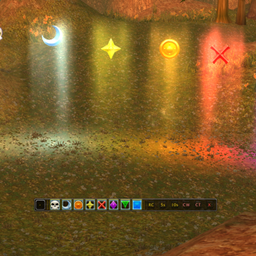
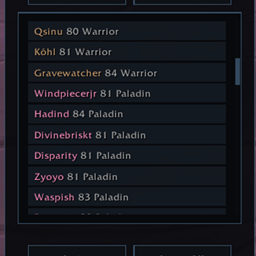
Screenshots 2
Recent downloads
Downloads per hour over the last 48 hours.
Latest 0/h Oct 18, 6 PM
Peak 1/h Oct 17, 8 PM
Average 0.0212/h last 48h
Recorded history
| List | Now | 24h | 7d | 30d |
|---|---|---|---|---|
| Hot | #18 | #1539 | #1291 | #1817 |
| Rising | #55 | #619 | #723 | #1931 |
Daily figures, Sep 18, 2026 – Oct 18, 2026
| Day | Downloads | Lifetime | Hot | Rising |
|---|---|---|---|---|
| +0 | 2,526 | #3955 | #4046 | |
| +1 | 2,526 | #4138 | #4228 | |
| +1 | 2,525 | #4300 | #4118 | |
| +1 | 2,524 | #3457 | #3249 | |
| +0 | 2,523 | — | — | |
| +2 | 2,523 | #2748 | #1787 | |
| +0 | 2,521 | — | — | |
| +2 | 2,521 | #3937 | #3214 | |
| +7 | 2,519 | #2148 | #1280 | |
| +0 | 2,512 | — | — | |
| +0 | 2,512 | — | — | |
| +0 | 2,512 | #3742 | #2939 | |
| +3 | 2,512 | #3795 | #2987 | |
| +1 | 2,509 | #3335 | #2206 | |
| +3 | 2,508 | #3115 | #2061 | |
| +1 | 2,505 | #3577 | #2787 | |
| +1 | 2,504 | #3745 | #2953 | |
| +3 | 2,503 | #3234 | #2347 | |
| +5 | 2,500 | #2318 | #1464 | |
| +3 | 2,495 | #2193 | #1368 | |
| +1 | 2,492 | #2914 | #2144 | |
| +1 | 2,491 | #3247 | #2611 | |
| +6 | 2,490 | #3473 | #2644 | |
| +5 | 2,484 | #3625 | #2727 | |
| +14 | 2,479 | #3793 | #3128 | |
| +7 | 2,465 | #2032 | #1067 | |
| +14 | 2,458 | #1698 | #695 | |
| — | — | #1378 | #440 | |
| — | — | #4423 | #3390 | |
| — | — | #3241 | #1802 | |
| — | — | #4341 | #2952 |
Downloads is the change in CurseForge's lifetime download total since the previous recorded day. Ranks are the last Now rank published that day; a dash means none was recorded.