Activity summary
- downloads · 24h
- 0
- downloads · 7 days
- 7
- best Hot rank
- #2325
- best Rising rank
- #1763
Retail status unknown
Retail files
- 10.0.0 released Oct 28, 2022 no required dependencies
From the author
Excerpt from the author's description on CurseForge
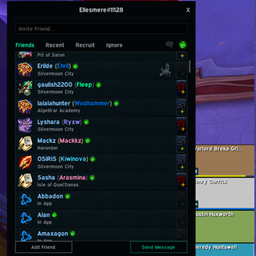
Currently broken for retail! Since the chat frame movement have been moved into the EditMode, this plugin is broken in retail until I can work around this and reimplement my own movement system.
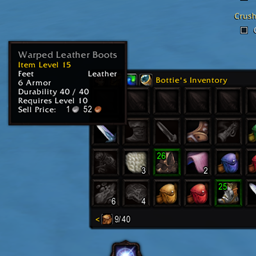
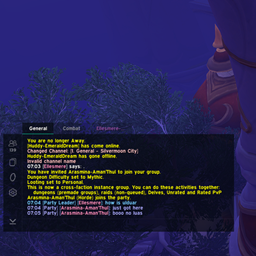
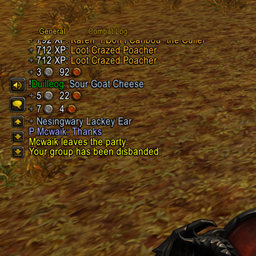
This is an extension for the RPG inspired custom user interface DiabolicUI that adds movement and resizing to the chat frames, something not usually allowed there. This extension requires DiabolicUI to be present.
Recent downloads
Downloads per hour over the last 48 hours.
Latest 0/h Oct 19, 11 AM
Peak 0/h Oct 17, 12 PM
Average 0/h last 48h
Recorded history
| List | Now | 24h | 7d | 30d |
|---|---|---|---|---|
| Hot | #2325 | #4162 | #6617 | #6923 |
| Rising | #1763 | #3907 | #8679 | #4193 |
Daily figures, Sep 20, 2026 – Oct 19, 2026
| Day | Downloads | Lifetime | Hot | Rising |
|---|---|---|---|---|
| +0 | 6,157 | — | — | |
| +0 | 6,157 | — | — | |
| +5 | 6,157 | #3791 | #3841 | |
| +1 | 6,152 | #5029 | #4746 | |
| +0 | 6,151 | — | — | |
| +0 | 6,151 | #4586 | #4472 | |
| +1 | 6,151 | #4372 | #4219 | |
| +0 | 6,150 | #3816 | #3410 | |
| +1 | 6,150 | #3963 | #3572 | |
| +0 | 6,149 | — | — | |
| +0 | 6,149 | — | — | |
| +1 | 6,149 | #3896 | #3356 | |
| +0 | 6,148 | — | — | |
| +0 | 6,148 | — | — | |
| +0 | 6,148 | — | — | |
| +0 | 6,148 | — | — | |
| +0 | 6,148 | — | — | |
| +0 | 6,148 | — | — | |
| +0 | 6,148 | — | — | |
| +0 | 6,148 | — | — | |
| +0 | 6,148 | — | — | |
| +2 | 6,148 | #2878 | #2609 | |
| +0 | 6,146 | — | — | |
| +0 | 6,146 | — | — | |
| +0 | 6,146 | — | — | |
| +0 | 6,146 | — | — | |
| +0 | 6,146 | #3912 | #3332 | |
| — | — | #4377 | #3866 | |
| — | — | #4084 | #3312 | |
| — | — | #4343 | #3932 |
Downloads is the change in CurseForge's lifetime download total since the previous recorded day. Ranks are the last Now rank published that day; a dash means none was recorded.