Activity summary
- downloads · 24h
- 5
- downloads · 7 days
- 19
- best Hot rank
- #363
- best Rising rank
- #683
From the author
Excerpt from the author's description on CurseForge
Type "/da u" or "/da unlock"
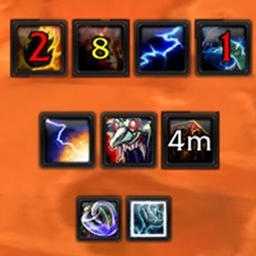
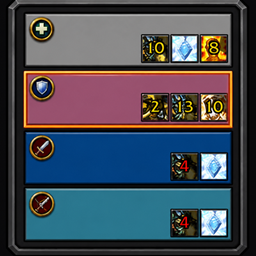
Once unlocked you should see the DejaAuras text in the top third of your screen and or your currently tracked auras.
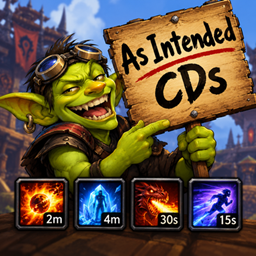
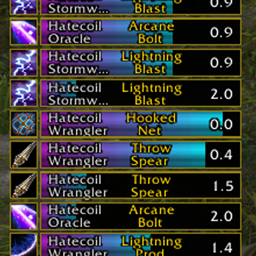
To track new abilities, spells or items open your spellbook or bags and drag and drop them onto the screen and right click to place them. Once placed, drag as needed to position. Currently only abilities, spells or items that have the same name as the buff they give will display once locked.
Screenshots 5
Recent downloads
Downloads per hour over the last 48 hours.
Latest 0/h Oct 19, 2 AM
Peak 2.99/h Oct 18, 4 PM
Average 0.169/h last 48h
Recorded history
| List | Now | 24h | 7d | 30d |
|---|---|---|---|---|
| Hot | #363 | #2068 | #3579 | #2518 |
| Rising | #683 | #1675 | #3964 | #5553 |
Daily figures, Sep 19, 2026 – Oct 19, 2026
| Day | Downloads | Lifetime | Hot | Rising |
|---|---|---|---|---|
| +0 | 11,828 | #4880 | #4871 | |
| +5 | 11,828 | #3913 | #4727 | |
| +3 | 11,823 | #5126 | #5307 | |
| +7 | 11,820 | #5384 | #5246 | |
| +4 | 11,813 | #3010 | #4058 | |
| +0 | 11,809 | — | — | |
| +0 | 11,809 | — | — | |
| +0 | 11,809 | #3643 | #3294 | |
| +2 | 11,809 | #4208 | #3904 | |
| +5 | 11,807 | #4442 | #4113 | |
| +3 | 11,802 | #2918 | #3004 | |
| +0 | 11,799 | #4055 | #3612 | |
| +2 | 11,799 | #4139 | #3738 | |
| +2 | 11,797 | #4500 | #4067 | |
| +2 | 11,795 | #2762 | #2413 | |
| +4 | 11,793 | #4371 | #4052 | |
| +0 | 11,789 | — | — | |
| +3 | 11,789 | #3492 | #3215 | |
| +2 | 11,786 | #4109 | #3547 | |
| +6 | 11,784 | #3414 | #3243 | |
| +5 | 11,778 | #4212 | #3745 | |
| +2 | 11,773 | #4211 | #3857 | |
| +0 | 11,771 | — | — | |
| +0 | 11,771 | #3744 | #3180 | |
| +2 | 11,771 | #4152 | #3735 | |
| +2 | 11,769 | #2598 | #2233 | |
| +3 | 11,767 | #3917 | #3377 | |
| — | — | #4725 | #4257 | |
| — | — | #638 | #847 | |
| — | — | #4501 | #4363 |
Downloads is the change in CurseForge's lifetime download total since the previous recorded day. Ranks are the last Now rank published that day; a dash means none was recorded.