Activity summary
- downloads · 24h
- 4
- downloads · 7 days
- 143
- best Hot rank
- #82
- best Rising rank
- #79
Retail status unknown
Retail files
- 12.1.5 released Oct 14, 2026 no required dependencies
From the author
Excerpt from the author's description on CurseForge
It monitors all available expansions, raids and dungeon difficulties (Normal/Heroic) and alerts you the second a "Call to Arms" bonus (satchel) becomes available for your specific roles.
"Instantly see which dungeons or raids are offering bonus rewards for Tank, Healer, or DPS."
Don't waste time navigating menus. Click the role icon directly on the addon window to instantly queue for that specific dungeon/raid and role.
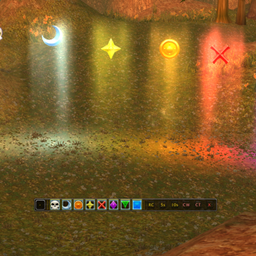
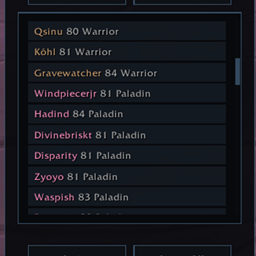
Screenshots 2
Recent downloads
Downloads per hour over the last 48 hours.
Latest 0/h Oct 18, 4 PM
Peak 3.06/h Oct 17, 1 AM
Average 0.23/h last 48h
Recorded history
| List | Now | 24h | 7d | 30d |
|---|---|---|---|---|
| Hot | #82 | #490 | #1652 | #405 |
| Rising | #79 | #161 | #763 | #684 |
Daily figures, Sep 18, 2026 – Oct 18, 2026
| Day | Downloads | Lifetime | Hot | Rising |
|---|---|---|---|---|
| +3 | 1,875 | #4331 | #3881 | |
| +7 | 1,872 | #4387 | #3972 | |
| +13 | 1,865 | #4532 | #3847 | |
| +37 | 1,852 | #2170 | #651 | |
| +80 | 1,815 | #298 | #152 | |
| +3 | 1,735 | #3202 | #2121 | |
| +2 | 1,732 | #3555 | #2715 | |
| +1 | 1,730 | #3540 | #2956 | |
| +0 | 1,729 | — | — | |
| +0 | 1,729 | #3049 | #2429 | |
| +1 | 1,729 | #3349 | #2652 | |
| +0 | 1,728 | #3321 | #2433 | |
| +1 | 1,728 | #3649 | #2752 | |
| +4 | 1,727 | #3812 | #2630 | |
| +6 | 1,723 | #2573 | #1369 | |
| +1 | 1,717 | #3811 | #2978 | |
| +4 | 1,716 | #2076 | #989 | |
| +1 | 1,712 | #3502 | #2524 | |
| +1 | 1,711 | #3701 | #2785 | |
| +0 | 1,710 | — | — | |
| +3 | 1,710 | #3714 | #2775 | |
| +0 | 1,707 | — | — | |
| +1 | 1,707 | #3279 | #2436 | |
| +4 | 1,706 | #3647 | #2504 | |
| +1 | 1,702 | #3083 | #2134 | |
| +0 | 1,701 | #3529 | #2667 | |
| +1 | 1,701 | #3662 | #2882 | |
| — | — | #3653 | #2906 | |
| — | — | #3744 | #2883 | |
| — | — | #3423 | #2989 | |
| — | — | #3449 | #2547 |
Downloads is the change in CurseForge's lifetime download total since the previous recorded day. Ranks are the last Now rank published that day; a dash means none was recorded.