BugSackBlock

Development Tools

BugSackBlock blocks BugSack bug-report whispers (and optionally sending) to prevent lag and spam, with configurable receive modes and optional auto-replies.

WoW 12.0.5 Maintained

Trend Explorer

Recent download momentum

Hourly download deltas for the last 48 hours.

Latest hour +0 Jun 2, 11 AM
Peak hour +14 Jun 3, 11 AM
Average +0 per hour

About this addon

What it does

BugSackBlock - Control BugSack bug-report whispers and reduce chat spam

BugSackBlock is a lightweight companion addon for BugSack that helps you control (or completely block) incoming BugSack bug-report whispers and optionally prevent outgoing bug-report sending. It’s designed to reduce unwanted whisper spam and keep your UI responsive during gameplay.

Main Features

  • Optional: Disable BugSack sending - Prevents BugSack from sending bug reports to other players.
  • Receiving modes - Choose when to accept incoming bug-report whispers: Allow, Block always, Block in combat, or Allow only in open world.
  • Optional auto-reply - If receiving is blocked, BugSackBlock can whisper a configurable message back to the sender (with a per-sender throttle).
  • Verbose mode - Optional debug output to chat.
  • Restore “Alt-click wipe” behavior (optional) - Re-enables classic behavior: Alt-click the BugSack minimap/LDB icon to wipe stored bugs.
  • Extended tooltip (optional) - Adds BugSackBlock status lines to the BugSack minimap/LDB tooltip.

Chat Commands

BugSackBlock provides two slash command aliases:

  • /bsb
  • /bugsackblock

Run /bsb help (or just /bsb) to print the built-in help. Available commands:

  • /bsb status - Prints current key settings.
  • /bsb disablesend on|off - Toggle blocking outgoing BugSack sending.
  • /bsb receive off|always|combat|openworld - Set the receiving mode.
  • /bsb reply on|off - Toggle auto-reply behavior.
  • /bsb verbose on|off - Toggle verbose debug output.
  • /bsb altwipe on|off - Toggle “Alt-click wipe” behavior integration.
  • /bsb tooltip on|off - Toggle the extended tooltip lines.

Configuration

BugSackBlock integrates into the Blizzard AddOn Options and provides clear inline descriptions for each setting.


BugSackBlock - BugSack-Fehler-Whispers kontrollieren und Chat-Spam reduzieren

BugSackBlock ist ein schlankes Begleit‑Addon für BugSack, mit dem du eingehende BugSack‑Fehlerreport‑Whispers gezielt steuern oder komplett blockieren kannst. Optional lässt sich außerdem das Senden von BugSack‑Fehlerberichten unterbinden - für weniger Whisper‑Spam und ein ruhigeres UI.

Hauptfunktionen

  • Optional: BugSack-Senden deaktivieren - Verhindert, dass BugSack Fehlerberichte an andere Spieler sendet.
  • Empfangsmodi - Lege fest, wann BugSack‑Whispers angenommen werden: Erlauben, Immer blockieren, Im Kampf blockieren, Nur Open‑World erlauben.
  • Optionaler Auto‑Reply - Bei blockiertem Empfang kann BugSackBlock dem Absender eine frei definierbare Whisper‑Antwort schicken.
  • Reply‑Drossel (Throttle) - Mindestzeit (Sekunden) zwischen Antworten an denselben Absender, um Spam zu vermeiden.
  • Verbose/Debug‑Modus - Optionaler Debug‑Output im Chat.
  • Alt‑Klick‑Löschen wiederherstellen (optional) - Alt‑Klick auf das BugSack Minimap/LDB‑Icon löscht gespeicherte Fehler.
  • Tooltip‑Erweiterung (optional) - Zusätzliche Statuszeilen im BugSack‑Tooltip (Minimap/LDB), um Send/Receive‑Status schnell zu sehen.

Chatbefehle

BugSackBlock bietet zwei Slash‑Aliases:

  • /bsb
  • /bugsackblock

Mit /bsb help (oder einfach /bsb) wird die integrierte Hilfe ausgegeben. Verfügbare Befehle:

  • /bsb status - Zeigt wichtige aktuelle Einstellungen an.
  • /bsb disablesend on|off - Schaltet das Blockieren des BugSack‑Versands um.
  • /bsb receive off|always|combat|openworld - Setzt den Empfangsmodus.
  • /bsb reply on|off - Schaltet Auto‑Reply ein/aus.
  • /bsb verbose on|off - Schaltet Debug‑Ausgaben ein/aus.
  • /bsb altwipe on|off - Schaltet die Alt‑Klick‑Lösch‑Integration ein/aus.
  • /bsb tooltip on|off - Schaltet die Tooltip‑Erweiterung ein/aus.

Konfiguration

BugSackBlock integriert sich in die Blizzard AddOn‑Optionen und zeigt zu jeder Einstellung eine Inline‑Beschreibung.

At-a-glance numbers

Performance highlights

  • Peaked at Hot #2053 on May 31, 2026.
  • Peaked at Rising #258 on May 4, 2026.
  • Featured on the Hot list across 5 distinct weeks.
  • Shipped 1 release in the last 30 days.
  • Averaging 6 new downloads per day over the past week.

Visuals

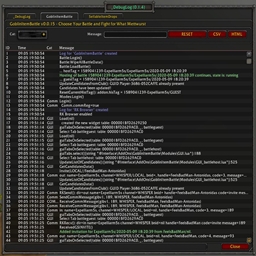
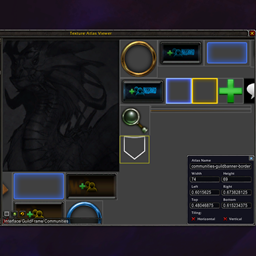
Screenshots 2

Use real gameplay shots to assess the addon before installing.

Discover more

Keep exploring

Similar addons you might also want to check out.