Trend Explorer
Recent download momentum
Hourly download deltas for the last 48 hours.
About this addon
What it does
DebugLog collects and displays debug logs.
Writing to debug logs during addon development is nice for finding bugs and to see what's going on in your addon, but the code to display the logs doesn't necessarily have to be in your addon itself.
The addon DebugLog is useful for this. It displays one or more scrollable and searchable debug logs that are independent of your addon.
Since the log content of each debug log is created in the memory space of this addon, there is no bad memory impact in your addon when writing to a debug log.
The interface opens with /dl or by clicking on the provided LDB header (Titan Panel, Bazooka etc.)
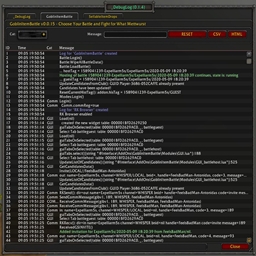
Example Log:
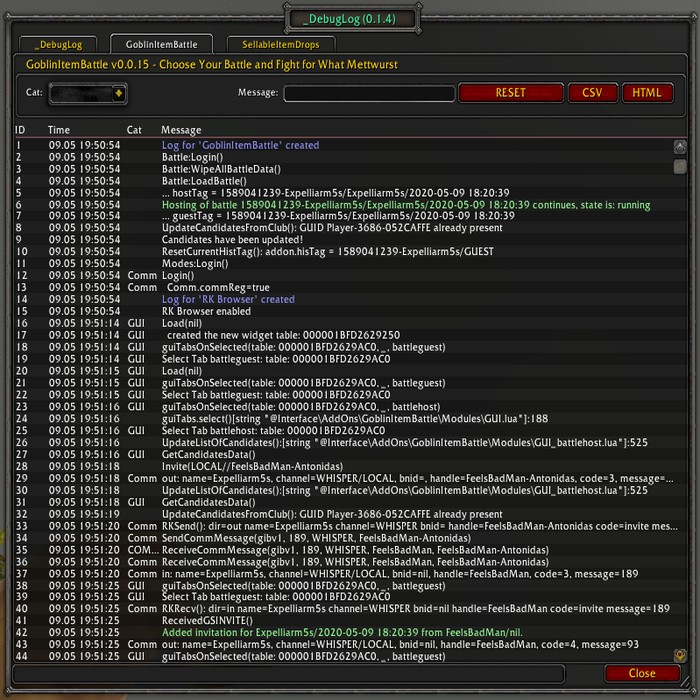
If required, each log can be exported to CSV or HTML or Markdown for later review (last 500 lines).
How to use:
To create a debug log and write to it just write anywhere in your addon source code:
if DLAPI then DLAPI.DebugLog(addonName, ...) end
where
addonName may be a variable to hold the name of your addon (or just use a static string value) and
"..." is anything that works correctly as argument to format().
If not already there, a new log is created and it's window can be displayed -- given DebugLog is loaded -- with /dl.
You can create addional tabs, e.g. a "Testing" tab by writing:
if DLAPI then DLAPI.DebugLog("Testing", ...) end
Example 1:
if DLAPI then DLAPI.DebugLog("Testing", "Check this value: %s", tostring(v)) end
Debug messages can have categories and/or verbosity levels, which are detected by the addon (e.g. "UI~Debug message", "1~Debug message", "UI~3~Debug message" etc).
Verbosity levels are numbers from "1" to "9", a category may be any short text string.
If you add "OK~...", "WARN~..." and "ERR~...." to your message, it will be displayed in green, blue and red (e.g. "OK~Comm~1~Incoming addon message via Battle.NET" is detected as category "Comm", verbosity level 1 and "Incoming addon message via Battle.NET" is displayed in green).
If you want to be really safe in calling the API, you can encapsulate the call:
local function DebugPrintf(...)
local status, res = pcall(format, ...)
if status then
if DLAPI then DLAPI.DebugLog(addonName, res) end
end
end
Example 2: Change Column Width
You can adapt column widths of the default format by:
-- more space for category column
if DLAPI and DLAPI.GetFormat and DLAPI.IsFormatRegistered then
local fmt = DLAPI.IsFormatRegistered(DLAPI.GetFormat(addonName))
if fmt and fmt.colWidth then
fmt.colWidth = { 0.05, 0.12, 0.11, 0.03, 1 - 0.05 - 0.12 - 0.11 - 0.03, }
end
end
Addon Options:
The Verbosity Level option is 6 by default. Any message with a higher verbosity level isn't going to be displayed at first.
The Time Format option is used to provide the displayed time format (as valid argument for date(), e.g."%m-%d %H:%M:%S").
To make it simple, "Search" and "Export" is only displayed if there is at least one category or one verbosity level entry. With the "Show Search/Export" option this can be modified.
Special Tabs:
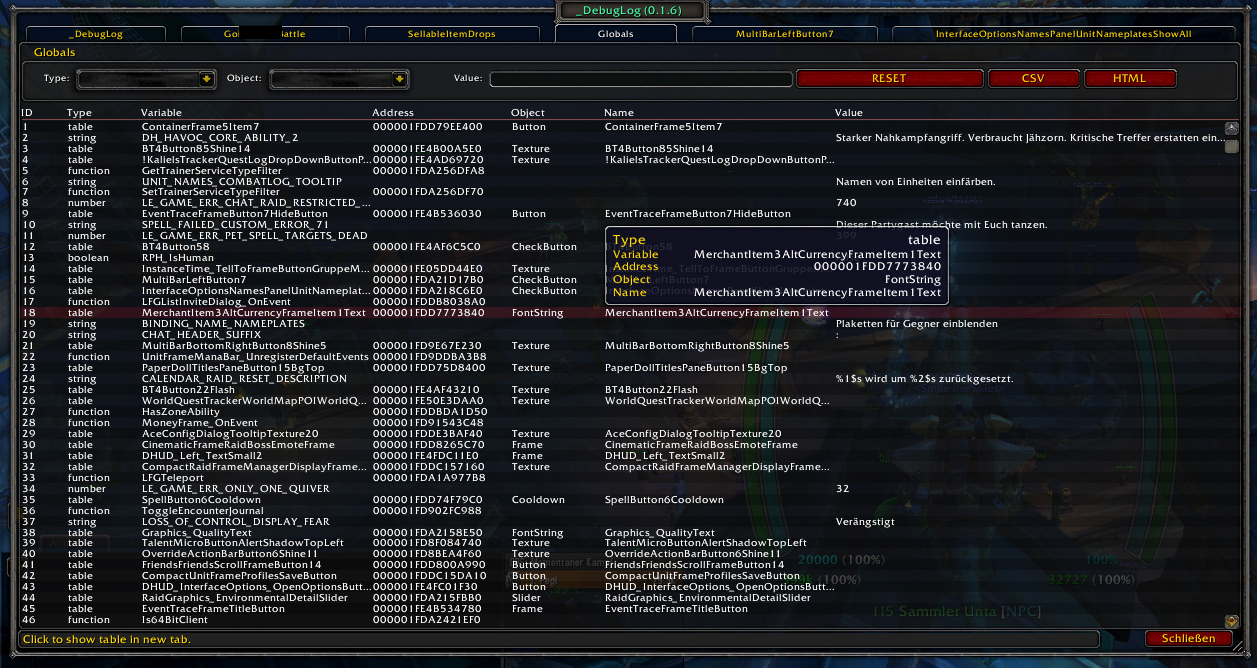
(v0.1.6) Some special tabs can be created: /dlg to browse game globals, /dle to browse registered events and /dlc to browse chat events.
(v1.1.17) "/dl table abc" opens a tab with global table "abc" if it exists, so /dlg is equivalent with /dl table _G.
(v1.1.27) "/dla" will show all present AddOns and some info about the AddOns. Left-/Right-Click on an AddOn will show it's data table and it's object table.
Browsing globals with /dlg:
Log Format:
The default log format -- the specification of the scroll table columns and it's content -- can be changed to support other debug content.
See the examples in GUI_debuglog_fmt_*.lua and the API in GUI_debuglog_api.lua.
Troubleshooting:
Please report any bugs you may find or any suggestions you might have to the ƇurseFȯrɡe Project Page
If you wish, you can send me a PM to Expelliarm5s on ƇurseFȯrɡe.
ATTENTION: The only original source for my addons is the ƇurseFȯrɡe site or the ƇurseFȯrɡe updater app. Do not download my addons from another website or with other download apps as they are likely to be out of date and may contain malware.
My other addons (may or may not be useful to you):
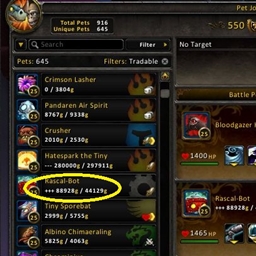
- Rematch_TSMPetValues - Add TSM market values to the Rematch pet list
- TradeSkillFluxCapacitor - Let the trade skills window remember the last recipe and salvage item
- RinseOBags - Move items between bags and banks (fast)
- LevelTimingsGold - Statistics for Character Level Challenges
- BioBreakTimer - Onscreen AFK Timer for bio breaks and other most important things
- IMODIT_FarmingBar - Add Items in Bank, Guild Bank and AH to the FarmingBars
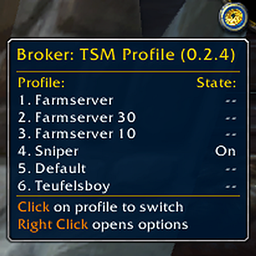
- Broker_TSMProfile - Displays the current TSM profile and lets you switch between profiles
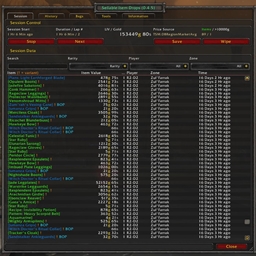
- SellableItemDrops - Logging your sellable item drops with location, time and market value
- DeTrashLoot - Delete or sell items in bags based on their sell or market value
- MakeMeGetMyMain - Notifies you when something happens to your character
- DebugLog - Collect and View Debug Logs
At-a-glance numbers
Performance highlights
- Peaked at Hot #1704 on Jul 15, 2026.
- Peaked at Rising #5321 on Jul 23, 2026.
- Featured on the Hot list across 6 distinct weeks.
- Shipped 1 release in the last 30 days.
- Averaging 15 new downloads per day over the past week.
Visuals
Screenshots 5
Use real gameplay shots to assess the addon before installing.