Activity summary
- downloads · 24h
- 0
- downloads · 7 days
- 19
- best Hot rank
- #1082
- best Rising rank
- #328
Retail status unknown
Retail files
- 12.0.1 released Feb 27, 2026 no required dependencies
From the author
Excerpt from the author's description on CurseForge
A simple tool to see how much time each of your addons takes to load.
When you log in, the UI will automatically pop up with the results.
Just disable the addon once you are done profiling.
The addon folder is named !!AddonLoadingTime so that the game loads it first. This allows it to track the loading time of every other addon that follows.
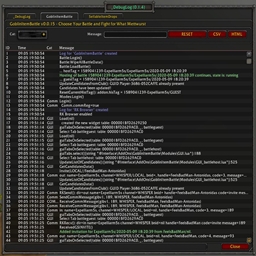
Screenshots 1
Recent downloads
Downloads per hour over the last 48 hours.
Latest 0/h Oct 18, 5 PM
Peak 1.01/h Oct 17, 1 AM
Average 0.105/h last 48h
Recorded history
| List | Now | 24h | 7d | 30d |
|---|---|---|---|---|
| Hot | #1082 | #2463 | #4024 | #1779 |
| Rising | #328 | #896 | #1911 | #635 |
Daily figures, Sep 19, 2026 – Oct 18, 2026
| Day | Downloads | Lifetime | Hot | Rising |
|---|---|---|---|---|
| +0 | 1,294 | — | — | |
| +4 | 1,294 | #5150 | #3799 | |
| +2 | 1,290 | #4866 | #3704 | |
| +2 | 1,288 | #3869 | #2410 | |
| +2 | 1,286 | #4541 | #4110 | |
| +4 | 1,284 | #3180 | #1886 | |
| +4 | 1,280 | #4223 | #2810 | |
| +1 | 1,276 | #3705 | #2697 | |
| +3 | 1,275 | #2356 | #775 | |
| +5 | 1,272 | #1530 | #535 | |
| +3 | 1,267 | #2667 | #1280 | |
| +3 | 1,264 | #3968 | #2462 | |
| +0 | 1,261 | #3874 | #2408 | |
| +7 | 1,261 | #4015 | #2477 | |
| +5 | 1,254 | #4304 | #2992 | |
| +2 | 1,249 | #3165 | #1521 | |
| +3 | 1,247 | #3398 | #1803 | |
| +4 | 1,244 | #2610 | #1154 | |
| +2 | 1,240 | #3067 | #1627 | |
| +4 | 1,238 | #4112 | #2568 | |
| +2 | 1,234 | #3928 | #2466 | |
| +3 | 1,232 | #3973 | #2508 | |
| +4 | 1,229 | #2795 | #1237 | |
| +1 | 1,225 | #3628 | #2390 | |
| +1 | 1,224 | #3506 | #2223 | |
| +0 | 1,223 | — | — | |
| +1 | 1,223 | #3633 | #2074 | |
| — | — | #4206 | #2775 | |
| — | — | #4289 | #3000 | |
| — | — | #3118 | #1481 |
Downloads is the change in CurseForge's lifetime download total since the previous recorded day. Ranks are the last Now rank published that day; a dash means none was recorded.