Trend Explorer
Recent download momentum
Hourly download deltas for the last 48 hours.
About this addon
What it does

 TomoMod — Your Whole Interface, Reimagined
One addon instead of fifteen. A clean, dark, teal-accented UI that just works.
Stop bolting together a dozen addons just to get a tidy interface. TomoMod replaces Blizzard's default UI with one cohesive, modern look — unit frames, party & raid frames, nameplates, castbars, action bars, bags, chat, tooltips, the objective tracker, a full Mythic+ toolkit, and 40+ quality-of-life features — all from a single settings panel.
Built specifically for Midnight (12.x): lightweight, taint-free, and tuned for serious raiding and Mythic+. Nothing to script, nothing to import — install it, pick a preset, and play.
Author: TomoAniki • Project ID: 1446255
Get Started in 60 Seconds
- Install and log in — TomoMod opens a quick presets-first setup.
- Pick the profile that matches how you play: Recommended, Tank, Healer, DPS, Minimal, or Custom.
- That's it — you're playing. Everything stays adjustable later.
Type /tm any time to open the full settings panel, or /tm install to run the setup again. Prefer to choose every option yourself? Pick Custom and walk through each category.
What You Get Out of the Box
| Category | What's inside |
|---|---|
| Frames | Unit Frames (oUF), Party Frames, Raid Frames, Nameplates, Resource Bars, Aura Tracker, Cooldown Manager |
| Castbars | Standalone castbars for every unit — spark animations, channel ticks, empowered casts, GCD spark |
| Action Bars | 5 skin styles, per-bar fade & opacity, display conditions, click-through, extra action button |
| Skins | Chat, Bags, Tooltips, Buffs/Debuffs, Game Menu, Character, Objective Tracker, Reputation |
| Mythic+ | M+ Tracker, end-of-run Scoreboard, M+ overview panel, group keystones, dungeon teleports |
| Navigation | Waypoint system, on-screen Compass, World Quest browser, Loot browser |
| Housing | Decor info on hover, editor clock, one-key teleport home (Midnight) |
| Quality of Life | 40+ automation & convenience features |
| Profiles | Named profiles, per-spec assignment, import/export |
Frames
Unit Frames (powered by oUF)
A clean, minimal replacement for your player, target, focus and pet frames.
- Player, Target, Target-of-Target, Pet, Focus, and Boss 1–5
- Health bars with class/faction colors, absorb shields, and centered percentage text
- A slim info bar under each health bar — power on the left, total HP on the right
- Buffs & debuffs with timers, stacks, and a grow direction you choose
- Non-interruptible cast shading, threat glow on your target, raid & leader icons
- Health text your way: current, percent, current+percent, current/max, or deficit
- Drag anything anywhere in Layout Mode, then lock it back down
Party Frames
Group frames built for Mythic+ and Arena.
- Health with class-color / green / gradient modes, absorbs, and heal prediction
- Healer-only power bars, role icons, raid markers, and ready-check icons
- Dispel highlighting — the frame border glows by debuff type (Magic, Curse, Disease, Poison)
- HoT tracking with class-colored icons for every healer
- Always-visible interrupt & battle-rez cooldown trackers per teammate — ready, or greyed out with a recharge swipe
- Out-of-range fading, role sorting, hover tooltips, and a movable layout
- Arena enemy frames with PvP trinket cooldowns and spec icons
Raid Frames
Scales cleanly from a 5-player key to a 40-player raid.
- Grid or list layout — health, absorbs, heal prediction
- HoT tracking, debuff icons, dispel highlighting, and active defensive cooldown icons
- Range fading, role icons, raid markers, ready-check
- Per-size layouts (10 / 25 / 40) — frame width and height adapt automatically as your group grows
- A movable Battle Rez counter (how many combat reses are left and when the next one is up — works on any class) and incoming-resurrection icons that appear while someone is being rezzed
Standalone Castbars
Full castbars for Player, Target, Focus, Pet and Boss 1–5.
- Four spark styles (Comet, Pulse, Helix, Glitch) with custom colors
- Channel tick marks, empowered cast stages for Evoker, and class-colored bars
- Interrupt feedback text when you land a kick, a latency indicator, and an optional GCD spark
- Target/Focus/Pet/Boss bars anchor under their frame; the player bar moves freely with
/tm layout
Resource Bars
Class resources for all 13 classes, with spec-aware logic.
- Segmented points for Combo Points, Holy Power, Chi, Arcane Charges, Soul Shards, Essence, and DK Runes
- Aura-tracked resources: Soul Fragments, Tip of the Spear, Maelstrom Weapon — plus Frost Mage Icicles (with a glow when Glacial Spike is ready) and Brewmaster Stagger
- Druid form-aware — switches between Mana, Energy, Rage, and Astral Power as you shift
- Visibility modes (Always / Combat / Target / Hidden) and fully editable size, font, and colors
Aura Tracker
A tidy watch panel for the buffs you actually care about — trinket and weapon-enchant procs, personal and defensive cooldowns — with cooldown sweeps, stack counts, timers, glow on new procs, and a fully editable spell list.
Nameplates
- Class colors for players, reaction & classification colors for NPCs (Boss, Elite, Rare, Normal, Trivial)
- Integrated castbars with interrupt indicators, and auras with an "only mine" filter
- Tank mode threat coloring, friendly name-only mode, and role icons above players in dungeons/delves
- Performance-tuned with frame pooling and optimized aura updates for big pulls
Cooldown Manager
Reskins Blizzard's cooldown icons with clean borders, a class-colored overlay when an ability is active, smart cooldown text, center-outward buff placement, and a 3-level combat/target/idle opacity system.
Action Bars & Skins
Action Bars
- 5 visual styles: Classic, Flat, Outlined, Glass, and Minimal
- Per-bar opacity, fade-on-hover, and display conditions (combat only, modifier held, in group, hostile target, or your own macro)
- Click-through, adjustable spacing, "show empty buttons," Shift-to-reveal hidden bars, and out-of-range coloring
- The extra action button and zone ability button are part of the system too — reposition and scale them in Layout Mode
- Covers Action Bars 1–8, Pet Bar, and Stance Bar
Chat, Bags & More
| Skin | Highlights |
|---|---|
| Chat | Sidebar + window layout, unread flash, timestamps, short channel names, class-colored names, clickable URLs, copy-per-message, history that survives reloads |
| Bags | Combined / categories / separate layouts, 5 sort modes, quality borders, item-level badges, junk icons, live search, gold & tracked currencies, resizable |
| Tooltips | Dark, semi-transparent, class-colored names, optional hiding of health bar / server / title |
| Buffs/Debuffs | Rounded borders, optional glow, dark backgrounds, clean duration & stack text |
| Game Menu | Dark theme with teal accents — even skins buttons other addons add |
| Character | Dark character sheet, inspect window, item level & gems on slots |
| Objective Tracker | Quests color-coded by type for instant recognition — campaign, dungeon, raid, world, weekly, delves, and more |
Mythic+ Toolkit
- M+ Tracker — in-dungeon HUD with a 3-chest timer (+3/+2/+1), an enemy-forces gradient, per-boss split times, and a death breakdown on hover.
- TomoScore — an end-of-run scoreboard showing damage, healing, interrupts, rating and key level for the whole group; click a dungeon name to teleport.
- MythicHub — an overview panel on your character sheet with season ratings, best times, and a Great Vault preview.
- Mythic Keys — see everyone's keystone at a glance (reads the common key addons) plus a teleport tab for the current season's dungeons.
Navigation & Exploration
- Waypoint System — an on-screen beacon and an off-screen arrow with live distance and arrival time.
/tm way x yto drop one,/tm way clearto remove it. - Compass — a heading bar with cardinal directions and markers that point toward your tracked quest or waypoint (localized for all six languages).
- World Quest Tab — a sortable side panel on the map listing every world quest with reward, zone, faction and time left; click to navigate.
- Loot Browser — a searchable loot table for M+ dungeons and raid bosses with correct item levels per difficulty and a favorites list.
Housing (Midnight)
Quality-of-life tools for the new Housing system:
- Decor info on hover — in Basic Decor mode, see a decor's name, placement cost and remaining stock, with a one-key shortcut to duplicate it.
- Editor clock — an analog/digital clock that also tracks how long you've spent decorating, this session and in total.
- Teleport home —
/tm homesends you straight to your house, or out of it if you're visiting someone else's.
Quality of Life — 40+ Features
A grab-bag of things that quietly make the game nicer. Enable only what you want.
| Feature | What it does |
|---|---|
| Consumable Bar | At-a-glance flask, well-fed and weapon-oil icons with live timers — never get caught unbuffed |
| Rare Alert | A sound and a clickable banner when a rare NPC is near (open world only) — click to target, mark & ping |
| Merchant Tools | Already-owned mounts/pets/toys/transmog/recipes are dimmed at vendors, plus extended merchant pages |
| CVar Optimizer | One click applies recommended performance settings — fully revertible |
| Recipe Tracker | Track crafting recipes and see reagent prices & total cost at the Auction House |
| Combat Text | Lightweight scrolling damage & healing, incoming and outgoing |
| Class Reminder | A pulsing alert when you're missing your class buff, form, stance or aura |
| CoTank Tracker | Keep an eye on your co-tank's health, debuffs and defensives in raids |
| LustSound | A custom sound when Bloodlust/Heroism goes out — plays even if the game is muted |
| Profession Helper | Batch-disenchant your bags with quality filters |
| Skyriding Bar | Vigor charges, speed %, and surge/ascent indicators while dragonriding |
| Leveling Bar | Session XP, XP/hour, and rested XP at a glance |
| Minimap & Info Panel | Square class-colored minimap, plus durability, clock and FPS in a movable bar |
| AFK Screen | A cinematic AFK screen with your 3D character, a timer, and whisper/guild counters |
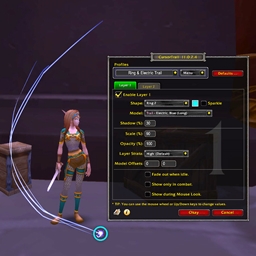
| Cursor Ring | An animated ring around your cursor so you never lose it |
| Diagnostics | Quiet background error capture with a clean export — open with /tmdiag |
| Tooltip IDs | Spell, item, NPC and quest IDs in tooltips — Midnight-safe |
Automations
Set-and-forget helpers: auto-accept invites from friends & guild, auto-accept summons, auto-fill "DELETE" prompts, auto-sell greys & repair, fast loot, hide the default castbar, hide the Talking Head, and auto-accept/turn-in quests (hold Shift to override).
Layout Mode
One toggle (/tm layout) unlocks everything movable at once — unit, party and raid frames, castbars, the aura tracker, resource bars, the minimap, the M+ tracker and more — with an optional alignment grid and a cursor "flashlight" for pixel-perfect placement.
Profiles
- Named profiles — create, rename, duplicate, delete
- Per-spec assignment — switch spec and your assigned profile loads automatically
- Import / export — share a compressed string, or import one as a new profile without overwriting yours
- Auto-saves before every switch, so you never lose your tweaks
Handy Commands
| Command | Action |
|---|---|
/tm |
Open the settings panel |
/tm install |
Run the setup wizard again |
/tm layout |
Toggle Layout Mode |
/tm home |
Teleport to (or out of) your house |
/tm way x y |
Drop a waypoint |
/tm key |
Show group keystones |
/tm loot |
Open the Loot Browser |
/tm prof |
Open the Profession Helper |
/tmdiag |
Open the Diagnostics console |
/tm reset |
Reset everything + reload |
/rl |
Reload the UI |
Languages
Full support for English, French, German, Spanish, Italian, and Portuguese (Brazil).
Built for Midnight
TomoMod is written from scratch for Midnight's new rules. It handles Blizzard's protected "secret" values natively, avoids the taint pitfalls that break other UIs, and pools its frames and reuses memory so it stays smooth even in a packed 40-player raid or a high key. In short: it's designed to be fast, stable, and Edit-Mode friendly, so it stays out of your way when it matters most.
Built On
oUF · LibStub · LibDeflate · LibSerialize · LibSharedMedia-3.0 · LibOpenRaid · LibDispel
Feedback & Bug Reports
Found a bug or have an idea? Drop a comment on the project page. When reporting an issue, it helps to include:
- Your class and specialization
- What you did right before it happened
- A diagnostics export (
/tmdiag export) — it bundles your environment, loaded addons, and any captured errors
At-a-glance numbers
Performance highlights
- Peaked at Hot #1252 on Jul 7, 2026.
- Peaked at Rising #435 on Jul 13, 2026.
- Featured on the Hot list across 6 distinct weeks.
- Shipped 12 releases in the last 30 days.
- Averaging 12 new downloads per day over the past week.
Visuals
Screenshots 13
Use real gameplay shots to assess the addon before installing.