Trend Explorer
Recent download momentum
Hourly download deltas for the last 48 hours.
Latest hour +5 Jul 26, 2 AM
Peak hour +5 Jul 26, 10 AM
Average +1 per hour
About this addon
What it does
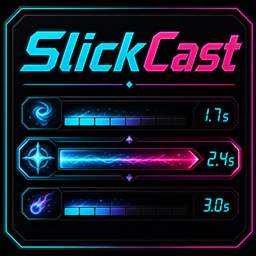
SlickCast
SlickCast is a modern, lightweight castbar replacement for World of Warcraft. It provides polished, highly customizable castbars for Player, Target, Focus, Pet, and Mirror timers, with themes, gradients, profiles, edit-mode previews, and quality-of-life tools built for current WoW.
Features
- Modern Castbar Replacement: Replaces Blizzard’s default Player, Target, Focus, Pet, and Mirror timer bars with clean, customizable SlickCast bars.
- Full Bar Coverage: Supports Player, Target, Focus, Pet, and Mirror bars with independent settings for each.
- Built-In Themes: Choose from built-in themes or customize castbar gradient colors with start, middle, and end swatches.
- Gradient Cast Colors: Optional gradient mode for normal casts and channels, with clear UI feedback when the standard normal cast color is not active.
- Channel Tick Markers: Optional tick markers for supported channeled spells, including glow flashes as ticks pass.
- Cast Result Feedback: Optional interrupted and failed cast feedback, including shake, result text, slash flash, and a customizable result flash color.
- Blizzard Bar Suppression: Hides default Blizzard castbars and mirror timers so SlickCast can fully replace them.
- Edit Mode: Preview, move, and position bars with realistic class-aware cast, channel, interrupt, failed, and mirror timer previews.
- Deep Customization: Adjust textures, texture tiling, fonts, colors, labels, timers, backgrounds, borders, icon placement, alpha, fade timing, cast trail display, safe zone, and reverse growth.
- Player Safe Zone: Optional latency safe-zone display for player casts.
- Profiles & Layout Tools: Save profiles, import/export profile strings, copy settings between bars, and apply quick layout templates.
- Per-Character Live Settings: Each character keeps its own active layout while profiles remain account-wide for intentional sharing.
- Smarter Interrupt Coloring: Uses Blizzard’s native renderer to color protected interrupt data without exposing the underlying value.
- Lightweight & Standalone: No required dependencies.
How to Use
/sc: Opens the Options & Customization menu./scast: Also opens the Options & Customization menu./slickcast: Also opens the Options & Customization menu./slcast: Also opens the Options & Customization menu./scast wipeconfig: Resets all bars and settings to default.- Edit Mode: Toggle Edit Mode in the options panel to preview and move bars.
- Right-Click Edit Bars: Resets an edit-mode bar to the center before saving its position.
Latest Updates
1.6.7 - 2026-07-21
- Fixed: Opening SlickCast from Blizzard's AddOns settings no longer prevents the map or Escape menu from opening after the options panel is closed.
- Fixed: New installations now enable Cast Trail and Match Cast Gradient by default.
- Fixed: Changing the options panel UI Scale no longer makes dropdowns and profile controls appear sunken or dark.
At-a-glance numbers
Performance highlights
- Peaked at Hot #800 on Jul 11, 2026.
- Peaked at Rising #132 on Jun 30, 2026.
- Featured on the Hot list across 6 distinct weeks.
- Shipped 12 releases in the last 30 days.
- Averaging 45 new downloads per day over the past week.
Visuals
Screenshots 15
Use real gameplay shots to assess the addon before installing.