Trend Explorer
Recent download momentum
Hourly download deltas for the last 48 hours.
About this addon
What it does
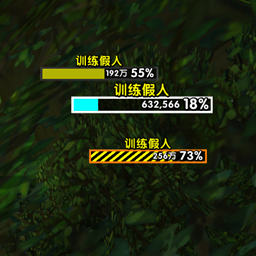
RPG Boss Bar adds a large, RPG-inspired boss health display to the World of Warcraft interface. It presents active boss units in a single decorative bar designed to be readable without taking attention away from the encounter.
Features
- Displays up to five active bosses in one segmented bar
- Shows each boss's name, current health, and health percentage
- Automatically appears when supported boss units are active and hides afterward
- Integrates with Blizzard Edit Mode for positioning and configuration
- Supports horizontal and vertical boss bar layouts
- Supports Blizzard atlas textures, LibSharedMedia fonts, status bars, and borders
- Includes configurable profile skins for Alliance, Horde, covenant, and Vigor-inspired themes
- Configurable dimensions, colors, fonts, font outlines, textures, sparks, accents, borders, power bars, and text offsets
- Includes a test mode for configuring the display outside an encounter
- Provides account-wide profiles with per-character profile selection
- Supports creating, copying, renaming, deleting, importing, and exporting profiles
Compatibility
The current release supports World of Warcraft: Midnight, including interface versions 12.0.5 and 12.0.7.
All required libraries are included with the addon.
Getting Started
Open Blizzard Edit Mode and select RPG Boss Bar. The addon automatically displays two test boss bars while Edit Mode is active.
The Edit Mode panel provides controls for:
- Profile skin selection and skin application
- Frame position, width, height, background color, border appearance, and vertical layout
- Boss name font, size, outline, color, and vertical offset
- Health font, size, outline, color, visibility, and vertical offset
- Health bar texture, color, and desaturation
- Percentage visibility and horizontal offset
- Spark texture, color, blend mode, width, and height
- Power bar texture, color, border, text, size, and visibility
- Decorative accent selection, color, offsets, custom atlas, scaling, rotation, and mirroring
Outside Edit Mode or a boss encounter, use /rpgbb test [1-5] to preview the display with between one and five boss bars.
Vertical layout stacks boss bars instead of splitting the frame horizontally. Skins are designed primarily for horizontal layouts, so vertical mode may require manual adjustment. Center Accent settings control the accents used on secondary vertical bars.
Profiles
Profiles are stored account-wide, while each character selects which profile to use. Frame position and appearance settings are stored in the active profile.
Open profile management with /rpgbb settings or the Manage Profiles button in Edit Mode. From there you can:
- Apply a bundled profile skin to the active profile
- Create a new profile from a bundled profile skin
- Create an empty profile
- Switch the current character to another profile
- Copy settings from another profile
- Rename or delete profiles
- Export the active profile as text
- Import settings into the active profile
Importing or copying a profile overwrites the active profile's current settings.
Commands
| Command | Description |
|---|---|
/rpgbb |
Display command help |
/rpgbb test [1-5] |
Toggle test mode, optionally using the specified number of bars |
/rpgbb settings |
Open profile management |
/rpgbb debug |
Toggle diagnostic chat messages |
/rpgbb reset |
Clear stored settings from the active profile and use defaults |
Short aliases are available for test (t), settings (s), and debug (d).
Author
Yvairel
At-a-glance numbers
Performance highlights
- Peaked at Hot #1520 on Jun 29, 2026.
- Peaked at Rising #352 on Jun 27, 2026.
- Featured on the Hot list across 6 distinct weeks.
- Shipped 1 release in the last 30 days.
- Averaging 2 new downloads per day over the past week.
Visuals
Screenshots 17
Use real gameplay shots to assess the addon before installing.