Trend Explorer
Recent download momentum
Hourly download deltas for the last 48 hours.
Latest hour +0 Jul 26, 12 AM
Peak hour +12 Jul 27, 2 PM
Average +0 per hour
About this addon
What it does
Raid Frame Settings
This is a forked version of Raid Frame Settings with added features.
(I got permission from slothpala, thank you very much slothpala.)
Raid Frame Settings is an efficient AddOn that extends the default World of Warcraft Raid Frames.
It consists of several modules that you can fully disable. Each module can work independently.
You can pick what you want depending on your demands.
Basic Modules of RFS:
HealthBars
- Use custom textures (SharedMedia) for Health Bar, Health Bar Background and Power Bar.
- Customize the color for Health Bar, Health Bar Background & Border
Fonts
- Adjust Font, Outline-mode, Font Size, Font Color and position on the Health Bar for Name- and Status Text
Role Icon
- Reposition the Role Icon
Range
- Use custom alpha values for Health Bar and Health Bar Background for group members that are out of range\.
Buff frame
- Change the size, growth direction and position of the buff frame
- crop the border of icons for a cleaner look (optional)
- Detach auras from the buff frame and place them anywhere on the frame.
- Add and customise a duration timer
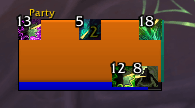
Debuff frame
- Change the size, growth direction and position of the debuff frame
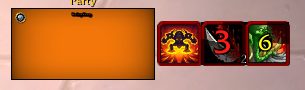
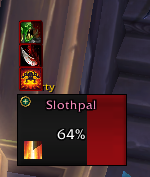
Overabsorb
- Display over absorbs
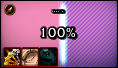
Dispel Color
- Color health bars based on dispellable debuff type.

Modules I Added:
Aura Filter
- By modifying Blizzard's default settings, you can choose to have your aura hidden or visible, prioritize it when it is visible, whether it is visible in combat, and whether other people's buffs are visible.
- The priority setting only applies to Buffs/Debuffs modules.
- It also replaces the blacklist feature of the existing Buffs/Debuffs module.
Raid Mark
- The raid frame displays the RaidMark.
Solo
- Shows raid frames even when you're not in a party.
Buff/Debuff (Enhanced)
- Create and display a group of auras
Sort
- Change the order of players in a group
At-a-glance numbers
Performance highlights
- Peaked at Hot #678 on Jul 9, 2026.
- Peaked at Rising #4886 on Jul 11, 2026.
- Featured on the Hot list across 6 distinct weeks.
- Shipped 1 release in the last 30 days.
- Averaging 6 new downloads per day over the past week.
Visuals
Screenshots 11
Use real gameplay shots to assess the addon before installing.