Activity summary
- downloads · 24h
- 25
- downloads · 7 days
- 163
- best Hot rank
- #94
- best Rising rank
- #2341
From the author
Excerpt from the author's description on CurseForge
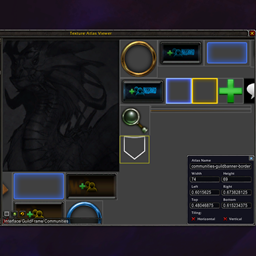
Shows exact coordinates and alignment grid, to the physical pixel on your WoW window
Can be used for alignment or measurement of your UI, or before pretty screenshot or just to enjoy the sight of exactly 1 pixel grid/crosses rendered.
The optional cursor coordinates are shown in both the actual pixel coordinates and the UIParent coordinate spaces (and raw worldframe coordinates in 1.5+).
Screenshots 10
Recent downloads
Downloads per hour over the last 48 hours.
Latest 0/h Oct 18, 10 AM
Peak 9.98/h Oct 16, 6 PM
Average 1.93/h last 48h
Recorded history
| List | Now | 24h | 7d | 30d |
|---|---|---|---|---|
| Hot | #94 | #1131 | #1551 | #1177 |
| Rising | #2341 | #5435 | #9296 | #11678 |
Daily figures, Sep 18, 2026 – Oct 18, 2026
| Day | Downloads | Lifetime | Hot | Rising |
|---|---|---|---|---|
| +7 | 508,693 | #2801 | — | |
| +42 | 508,686 | #3369 | #6100 | |
| +55 | 508,644 | #1687 | #5480 | |
| +15 | 508,589 | #3026 | #6412 | |
| +9 | 508,574 | #3604 | #5326 | |
| +25 | 508,565 | #2030 | #5015 | |
| +10 | 508,540 | #3351 | — | |
| +10 | 508,530 | #4552 | #4310 | |
| +9 | 508,520 | #2415 | — | |
| +13 | 508,511 | #1609 | #4380 | |
| +10 | 508,498 | #2373 | — | |
| +17 | 508,488 | #2370 | #4568 | |
| +15 | 508,471 | #2479 | #4880 | |
| +12 | 508,456 | #4547 | — | |
| +15 | 508,444 | #4121 | #5232 | |
| +19 | 508,429 | #4138 | #4074 | |
| +17 | 508,410 | #3101 | #4458 | |
| +22 | 508,393 | #2360 | #4573 | |
| +7 | 508,371 | #4633 | — | |
| +17 | 508,364 | #3986 | #4706 | |
| +21 | 508,347 | #2891 | #4735 | |
| +9 | 508,326 | #4492 | #4738 | |
| +29 | 508,317 | #2035 | #4362 | |
| +21 | 508,288 | #1867 | #4540 | |
| +120 | 508,267 | #2688 | #4838 | |
| +17 | 508,147 | #2005 | #4163 | |
| +16 | 508,130 | #2578 | #5307 | |
| — | — | #2127 | #5117 | |
| — | — | #2526 | #5136 | |
| — | — | #332 | #3933 | |
| — | — | #2114 | #4778 |
Downloads is the change in CurseForge's lifetime download total since the previous recorded day. Ranks are the last Now rank published that day; a dash means none was recorded.