Activity summary
- downloads · 24h
- 1
- downloads · 7 days
- 5
- best Hot rank
- #448
- best Rising rank
- #166
Retail status unknown
Retail files
- 12.1.5 released Sep 30, 2026 no required dependencies
From the author
Excerpt from the author's description on CurseForge
Auto-records every M+ run. Just play.
Open with the minimap button or /mm.
- Each row is a recorded run — date, dungeon, level, time, affix, bonus, your role
- Click a row to see per-player stats (damage, healing, deaths, interrupts, etc.)
- Right-click a row to favourite, move to another table, or delete it
- Bonus column is colour-coded: green = timed well, red = depleted
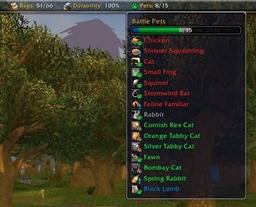
Screenshots 1
Recent downloads
Downloads per hour over the last 48 hours.
Latest 0/h Oct 18, 11 PM
Peak 2.02/h Oct 17, 1 AM
Average 0.0628/h last 48h
Recorded history
| List | Now | 24h | 7d | 30d |
|---|---|---|---|---|
| Hot | #448 | #1165 | #3675 | #5604 |
| Rising | #166 | #283 | #1593 | #3724 |
Daily figures, Sep 19, 2026 – Oct 18, 2026
| Day | Downloads | Lifetime | Hot | Rising |
|---|---|---|---|---|
| +1 | 1,262 | #4227 | #3902 | |
| +2 | 1,261 | #3057 | #1511 | |
| +0 | 1,259 | — | — | |
| +0 | 1,259 | — | — | |
| +0 | 1,259 | — | — | |
| +0 | 1,259 | — | — | |
| +0 | 1,259 | — | — | |
| +3 | 1,259 | #3416 | #2589 | |
| +1 | 1,256 | #3506 | #2252 | |
| +4 | 1,255 | #3473 | #2347 | |
| +0 | 1,251 | #3079 | #2152 | |
| +1 | 1,251 | #3363 | #2358 | |
| +1 | 1,250 | #3086 | #2348 | |
| +2 | 1,249 | #3288 | #2372 | |
| +3 | 1,247 | #3079 | #1735 | |
| +0 | 1,244 | #3634 | #2248 | |
| +4 | 1,244 | #3148 | #1618 | |
| +6 | 1,240 | #3418 | #2056 | |
| +17 | 1,234 | #1011 | #264 | |
| +0 | 1,217 | — | — | |
| +1 | 1,217 | #3831 | #2644 | |
| +0 | 1,216 | — | — | |
| +0 | 1,216 | — | — | |
| +0 | 1,216 | — | — | |
| +0 | 1,216 | — | — | |
| +0 | 1,216 | — | — | |
| +0 | 1,216 | — | — | |
| — | — | #3900 | #2806 | |
| — | — | #4108 | #3165 |
Downloads is the change in CurseForge's lifetime download total since the previous recorded day. Ranks are the last Now rank published that day; a dash means none was recorded.