Trend Explorer
Recent download momentum
Hourly download deltas for the last 48 hours.
About this addon
What it does
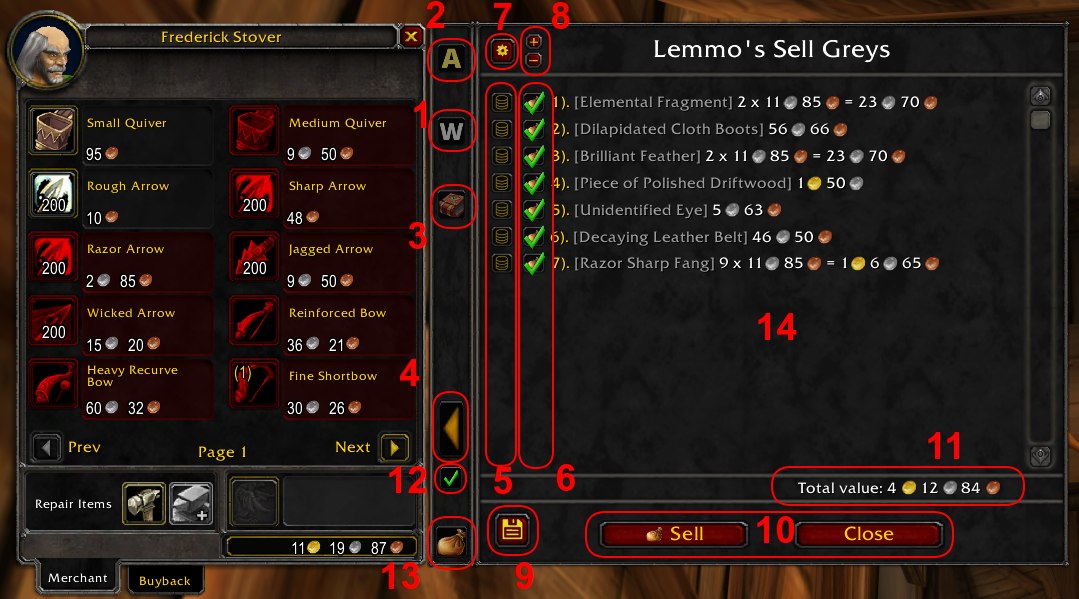
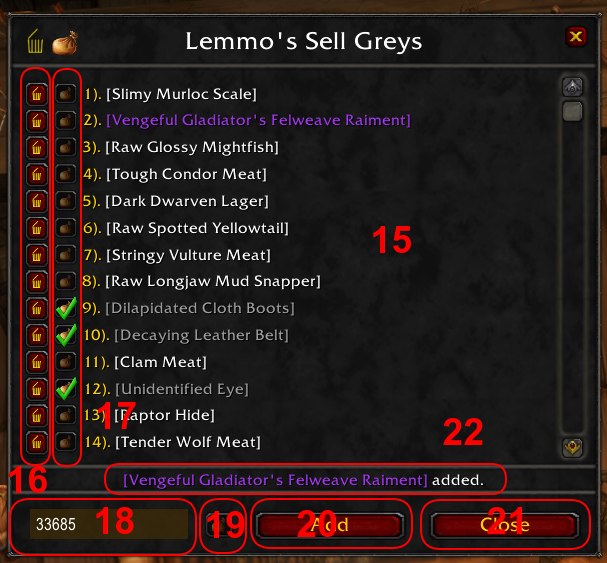
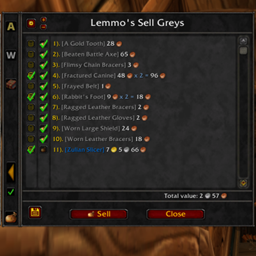
This add-on makes it easy to sell trash. The main features and functions are:
1. This option enables or disables common items to be shown in the list.
2. This function sells automatically all defined items. On default it just sells all grey items without asking.
If 3. is set it includes all readable items else this items will stay in the inventory.
If you selected 5 this item will be sold if it is marked for it (6).
3. This function selects all grey items include readable (books etc.).
It is helpful if you are using Lemmo's BookStore Reborn and don't want to miss something.
4. Here you can open and close the main window.
5. This is a item specific action saving function. I recommend this for white trash items only.
6. Here you can select which Items should be sold. if you want this setting to be permanently set it with 4.
7. Here you can open the database management window (11).
8. Here you can select or deselect all currently shown items.
9. This button saves the settings of 5 and 6 (they will be saved too if you press the "Sell" button).
10. This buttons closing this window. Sell additionaly sales the selected items ans saves the settings.
11. Here you can see the total value of the selected items.
12. This option allows you to use the basic mode. If checked the item configuration window (14) will be shown if there are items marked for sale in the inventory.
13. This is the "Quick sell" button. It has the same functionality as the "Sell" button (10).
14. This is the main item configuration window.
15. The database management window.
16. In this column you can delete the items in this list bei pressing the small "trash" button,
17. Here you can select if this item will be allways sold or not.
18. Here you can input a item-ID to add a item with 20
19. Here you can select if the added item will be allways sold or not.
20. This button adds the item to the database (it can take some seconds).
21. This button close the database management
New in Version 2.1:
- Added option to remove the 12 items limitation (please use carefully)
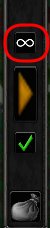
This option allows all selected items to sell at once.
!!! Caution !!!
Blizzard only allows a maximum of 12 items to be bought back.
All items sold beyond this cannot be bought back.
Furthermore, it can sometimes cause problems to sell a large number of objects at once.
- the selling process is now slowed down a little to prevent errors by selling big amount of items
At-a-glance numbers
Performance highlights
- Peaked at Hot #2145 on Jul 19, 2026.
- Featured on the Hot list across 6 distinct weeks.
- Shipped 1 release in the last 30 days.
- Averaging 7 new downloads per day over the past week.
Visuals
Screenshots 4
Use real gameplay shots to assess the addon before installing.