Trend Explorer
Recent download momentum
Hourly download deltas for the last 48 hours.
Latest hour +0 Jul 26, 6 AM
Peak hour +33 Jul 26, 9 PM
Average +2 per hour
About this addon
What it does
ItemLock allows you to lock items in your inventory.
A locked item can be configured to behave differently based on what you want:
- You can have locked items become non-interactive in the vendor window so you don't accidentally sell your precious items.
- You can have locked items' position be locked (so it is not moved around by bag sorting)
- You can have items in your equipment sets be automatically locked.
Using ItemLock
- Set a custom keybind (i.e. ALT-L) of your choice in Blizzard's keybinding menu under 'ItemLock' OR if you want to use click keybinds (i.e. Alt-Left-Click) configure this in /il config
- Hover the cursor over any item in your inventory and press the keybind you set
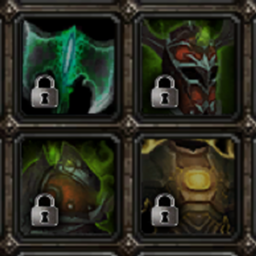
- The item should now be locked! Locked items will have a small lock icon in the bottom left (you can change the appearance of locked items in the config UI)
- To unlock an item simply hover over it and press your keybind again.
Commands (/il can be replaced with /itemlock for any of the below)
- /il - opens the configuration UI
- /il list or /il ls - list out all items you have tracked to be locked
- /il lock - locks the item the cursor is hovered over if it is currently unlocked, unlocks the item if it is already locked.
- /il reset - unlock all items
- /il version - display the current addon version
Notes/Disclaimer
This addon currently has support added for the following bags
- Default Blizzard Bag UI (*)
- Bagnon
- Combuctor
- ElvUI
- LiteBag (*)
- ArkInventory (*)
- AdiBags (*)
Things may not work or explode if you are using any other bag addon as they all handle their frames a bit differently :).
(*) The position lock feature is currently not supported for these.
At-a-glance numbers
Performance highlights
- Peaked at Hot #910 on Jul 27, 2026.
- Featured on the Hot list across 6 distinct weeks.
- Shipped 1 release in the last 30 days.
- Averaging 39 new downloads per day over the past week.
Visuals
Screenshots 3
Use real gameplay shots to assess the addon before installing.


