![[ItemEra] Expansion, Reagents, Profession, mats Tooltip & Filter (Bagnon / Baganator support) & SmexyMats alternative (outdated) addon logo](https://media.forgecdn.net/avatars/thumbnails/1356/409/256/256/638881147963873012.png)
Trend Explorer
Recent download momentum
Hourly download deltas for the last 48 hours.
About this addon
What it does


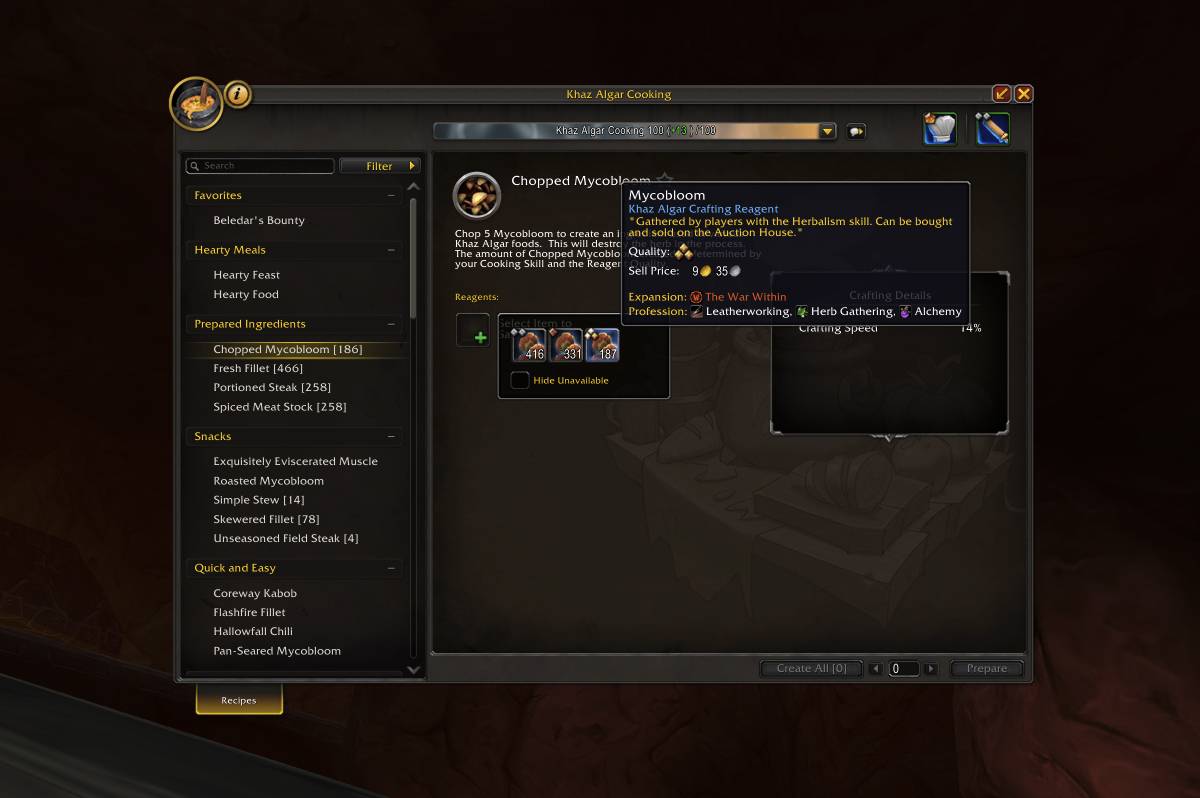
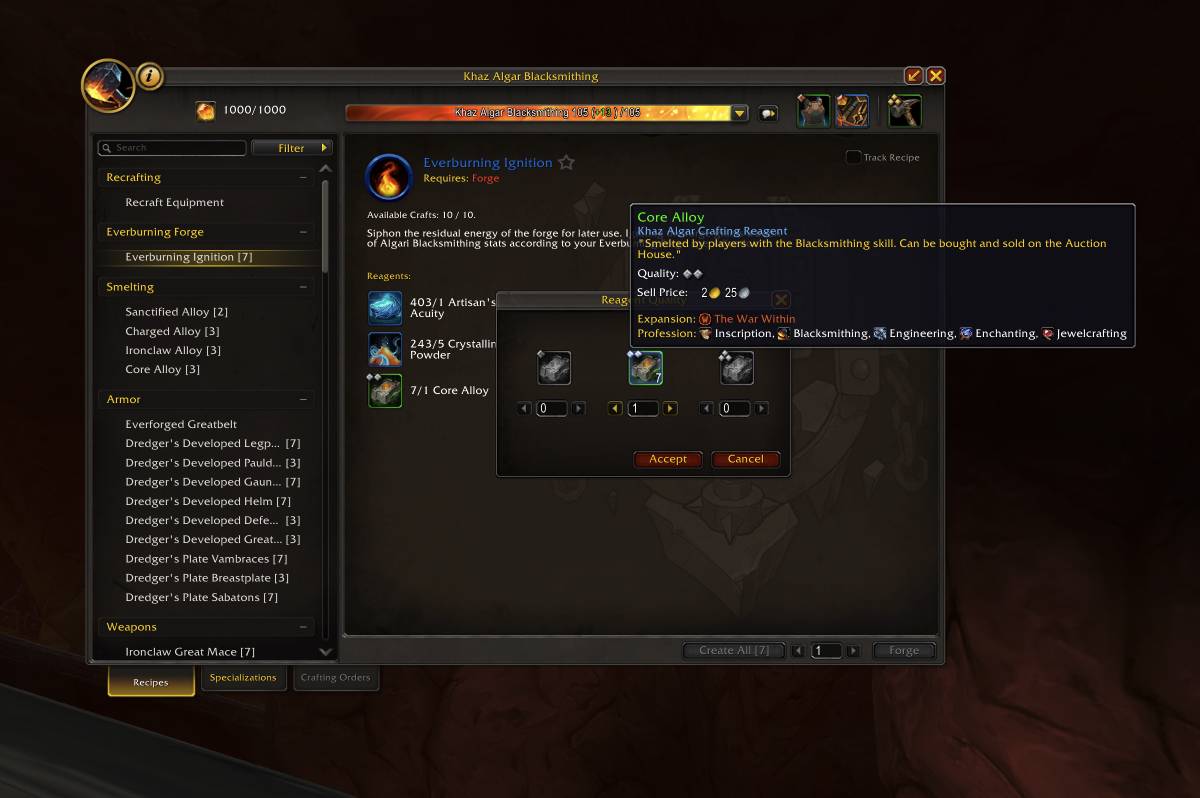
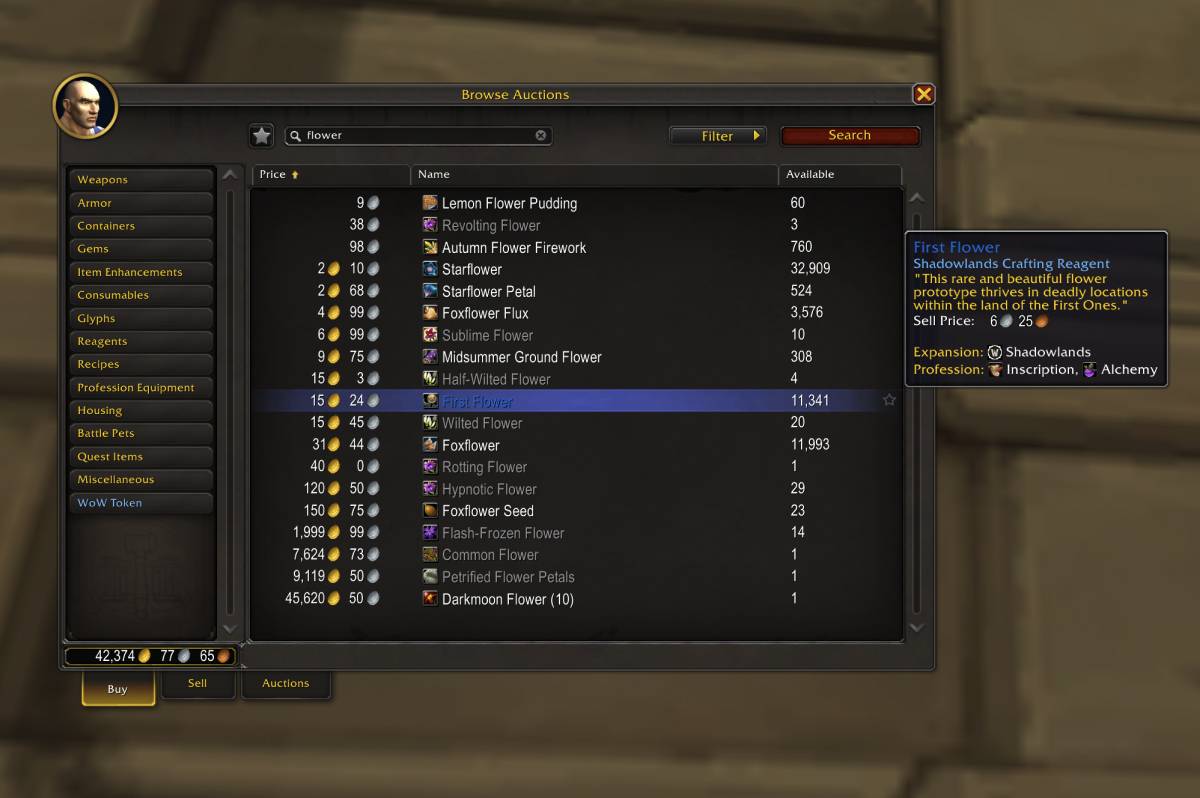
ItemEra adds expansion information to all item tooltips with color-coded names and visual icons for instant recognition. Works seamlessly across inventory, bank, guild bank, and merchant interfaces, making it easy to identify item origins at a glance.
Features
- Expansion info on item tooltips with icons and color-coded text
- Crafting reagent profession display - Shows which professions use each reagent
- Filter inventory, bank, and guild bank by expansion
- Full integration with Baganator and Bagnon bag addons
- Search query support for bag addon filtering
- Configurable tooltip display (show/hide name, logo, expansion text)
- Configurable profession display (icon + name, name only, or icon only)
- Modifier key support (show expansion info only when holding a key)
- Multi-language support (EN, ES, FR, IT, PT, RU, ZH)
Bag Addon Integration
ItemEra integrates seamlessly with popular bag addons:
| Addon | Features |
|---|---|
| Baganator | Expansion filter dropdown with search query support |
| Bagnon | Expansion filter dropdown with search query support |
When using these addons, ItemEra adds a dropdown selector to filter items by expansion using the addon's native search system.
Inventory Filtering
Filter your bags, bank, guild bank, and reagent bank by expansion to find specific items instantly. Non-matching items are visually dimmed for clarity, making inventory organization effortless and intuitive.
Bank Organization
Show bank interface with expansion filtering active and display the filter dropdown menu
Enhanced Tooltips
Show an item tooltip with expansion information displayed and include the expansion icon and color-coded text
Crafting Reagents & Professions
ItemEra now shows which professions use each crafting reagent directly in the tooltip. Based on all in-game recipes and linked to their respective profession. The database supports reagent ranks for accurate profession matching.
Customize how professions are displayed: icon + name, name only, or icon only.
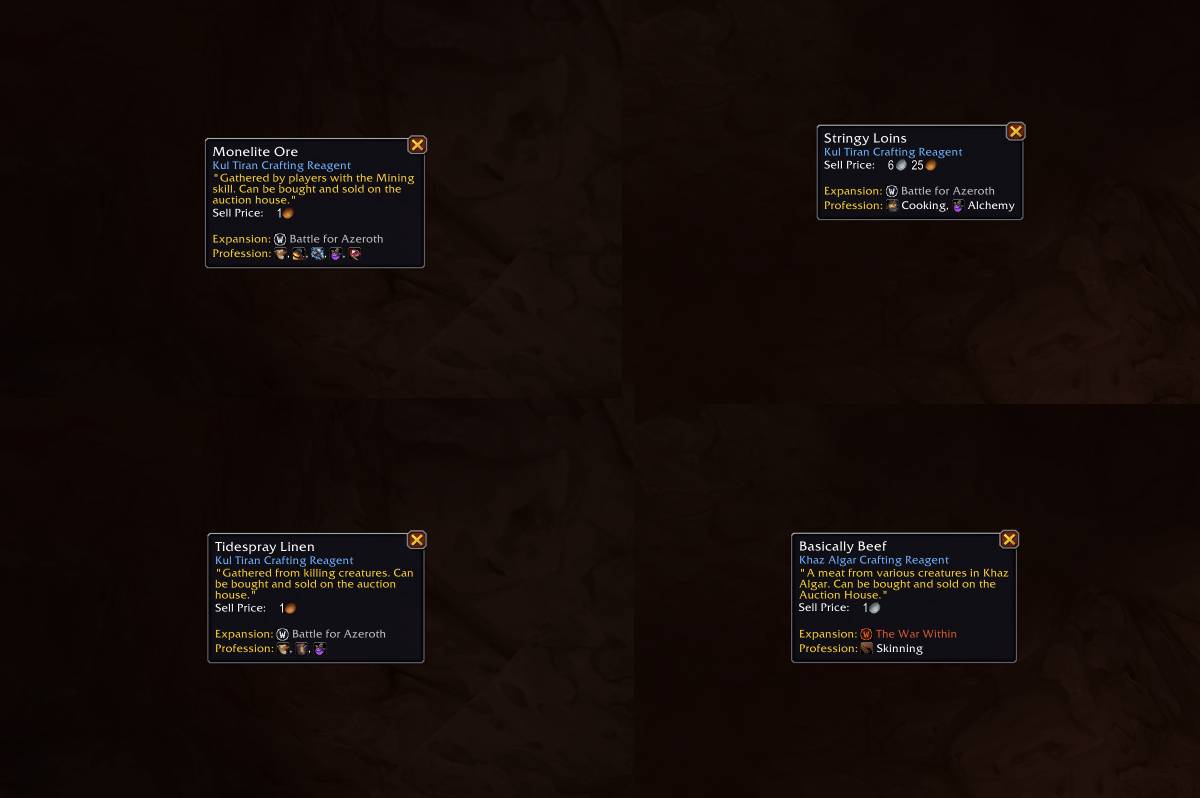
Mounts Tooltips
Configuration
Access settings via /itemera or through the AddOns settings panel:
Expansion Display:
- Show/hide expansion name
- Show/hide expansion logo
- Show/hide "Expansion:" text prefix
- Configure modifier key (Shift, Ctrl, Alt) to show expansion info
Profession Display:
- Show/hide profession name
- Show/hide profession icon
- Show/hide "Profession:" text prefix
- Enable/disable text wrapping for long profession lists
Filter Options:
- Enable/disable filters for inventory, bank, and guild bank
- Enable/disable Baganator integration
- Enable/disable Bagnon integration
Perfect For
- Crafters - Instantly see which professions use each reagent
- Transmog collectors - Quickly identify gear from specific expansions
- Achievement hunters - Find items needed for expansion-specific achievements
- Inventory managers - Organize bags and bank by expansion
- Auction House traders - Know reagent value by seeing profession demand
- New players - Learn about item origins and WoW history
- Completionists - Track items from all expansions
Support
Join our Discord community for support, suggestions, and updates.
At-a-glance numbers
Performance highlights
- Peaked at Hot #580 on Jul 16, 2026.
- Featured on the Hot list across 6 distinct weeks.
- Shipped 1 release in the last 30 days.
- Averaging 36 new downloads per day over the past week.
Visuals
Screenshots 11
Use real gameplay shots to assess the addon before installing.


