
Trend Explorer
Recent download momentum
Hourly download deltas for the last 48 hours.
About this addon
What it does



GudaBags is a lightweight, all-in-one bag replacement for World of Warcraft. It combines all your bags into one clean window with smart categories, one-click sorting, search and filters, item protection, cross-character tracking, and full support for Classic Era, TBC, MoP Classic, and Retail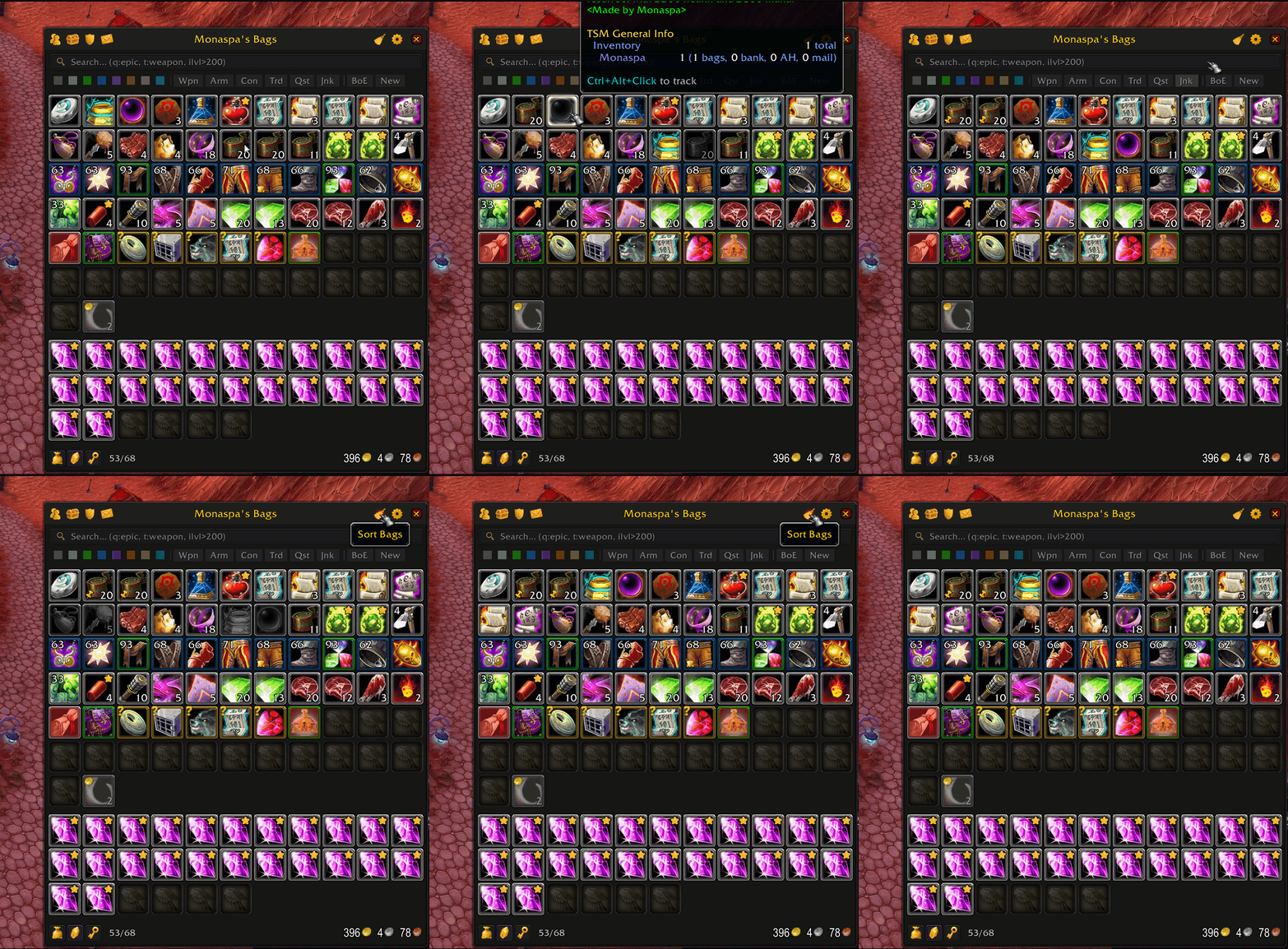
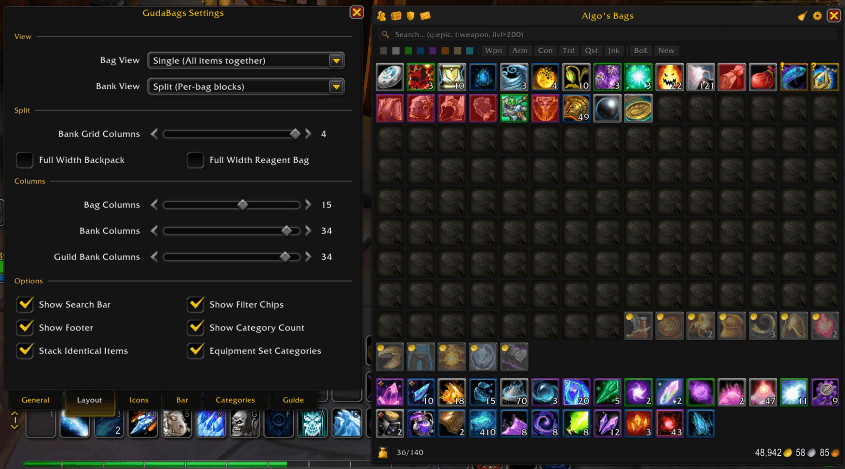
Key Features
Three View Modes
- Category View — Items are automatically sorted into smart groups like Equipment, Consumables, Trade Goods, Quest Items, and more. Click any category to collapse or expand it.
- Single View — A classic flat grid. All your items in one clean window, just like the default bags but better.
- Split View — Your bags shown as separate side-by-side columns. You can set how many columns to display and choose which bags get full-width rows (backpack, reagent bag, or keyring).
Switch between views anytime from the settings. Bag and bank views are configured independently.
Smart Sorting
One click to organize everything:
- Groups items by type, subtype, quality, and name
- Automatically restacks partial stacks to free up space
- Smooth, lag-free sorting — no freezing, no UI lockup
- Optional right-to-left and reverse stack sorting
- On Retail: choose between Blizzard's native sort or GudaBags' custom sort engine
Category System
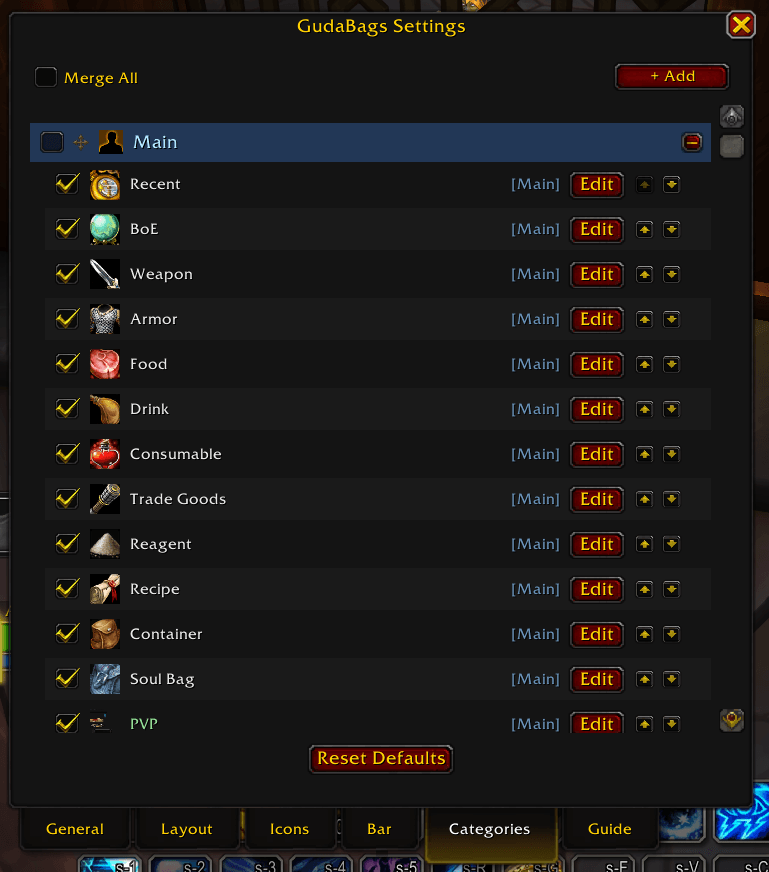
22 built-in categories with full customization:
- Recent Items, Quest, Junk, BoE, Warbound, Weapons, Armor, Consumables, Trade Goods, and more
- Recent Items — A special category that highlights items you picked up recently. You can set how long items stay there (1–60 minutes)
- Category Groups — Categories are organized into groups (Main, Other, Class) with collapsible headers
- Merge Groups — Combine all categories in a group into one section for a cleaner layout
- Custom Categories — Create your own using 16 rule types: item type, name pattern, quality, tooltip text, and more
- Drag-and-drop — Reorder categories and move them between groups
- Match modes: "Any rule matches" (OR) or "All rules match" (AND)
- Group Identical Items — Stack identical items visually in category view for a tidier look
Search & Filtering
- Search Bar — Start typing to instantly find items by name. Only matching items are shown.
- Filter Chips — Quick filter buttons right below the search bar. Filter by quality (Uncommon, Rare, Epic…), item type (Weapon, Armor, Consumable…), or special tags like BoE and Recently Picked Up. Click a chip to toggle it on or off.
Quick Access Bars
Two floating bars that stay visible outside the bag window:
Quest Item Bar
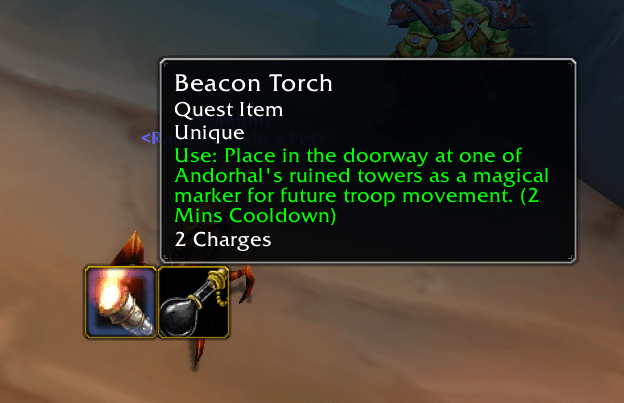
All your usable quest items in one place — no more digging through bags mid-quest.
- Click to use items directly
- Hover to reveal additional quest items
- Auto-hides in battlegrounds (you can turn this off)
- Adjustable icon size and column count
Tracked Item Bar
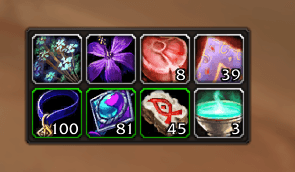
Pin any item you want to keep an eye on. Great for farming herbs, ores, cloth, or reputation items.
- Ctrl+Alt+Click any item to start or stop tracking it
- Shows the combined count from all your bags
- Your tracked items are saved between sessions
Bank Support
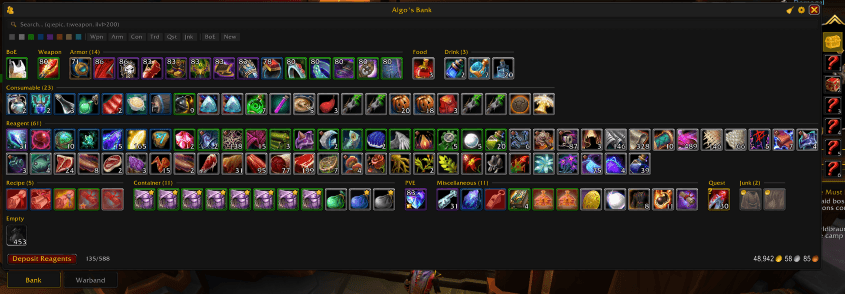
Full bank management with the same clean interface:
- All three view modes available — category, single, or split
- Offline bank viewing for any saved character
- Retail: Character bank tabs + Warband bank tabs with deposit and withdraw
- Classic: Traditional bank bag slots with purchase support
Mailbox Viewer
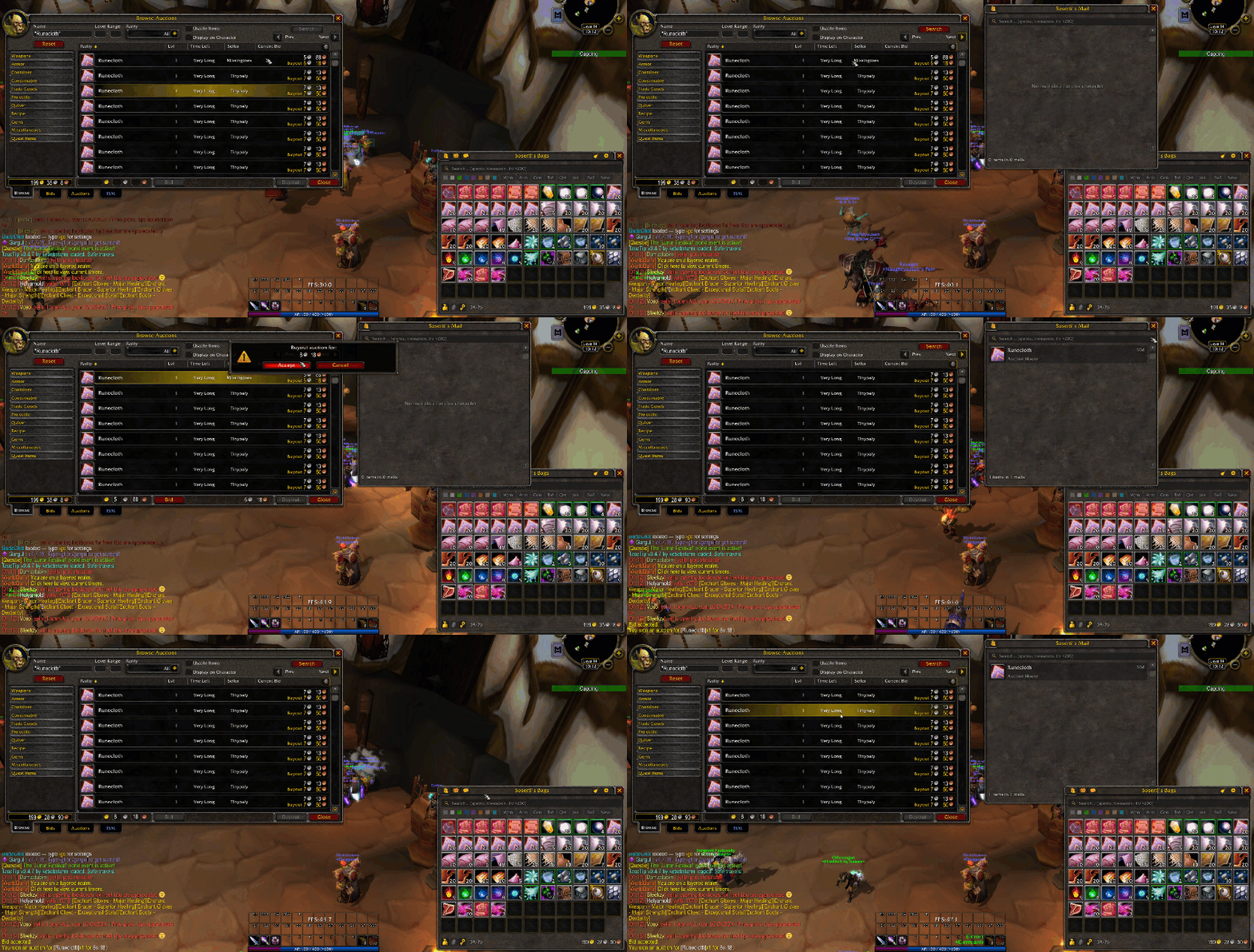
View mailbox contents in the same clean GudaBags style:
- Offline mail viewing — See your mail items after leaving the mailbox
- Cross-character mail — View any saved character's mailbox
- AH purchase prediction — Items you buy from the auction house appear in your mail view before the mail arrives
- Alt mail prediction — Mail sent to your alts shows up in their mailbox view right away
- Money totals across all mail
Bulk Mail Sending
Send every copy of an item to another character with one click.
Open a mailbox, type the name of the person you want to send to, then Shift + Right Click an item in your bags. GudaBags finds every copy of that item in your bags and attaches them. When a mail is full with 12 attachments, it sends that mail and starts a new one. It keeps going until there are no copies left.
Sending 40 stacks of cloth to your bank alt used to take 40 clicks and 4 separate mails. Now it takes one click.
- Confirmation first: Before anything is sent, a window shows you how many items will go, how many mails it will take, and how much the postage will cost.
- Attach only mode: If you leave the recipient field empty, the addon only attaches the items and stops. You can then type a name and send the mail yourself.
- Protected items stay in your bags: Locked items and equipment set items are never sent. Soulbound items and anything else that cannot be mailed are skipped, and the addon tells you how many were skipped.
- Safe to stop: If you walk away from the mailbox or enter combat, the addon stops and tells you how many mails it sent. It also refuses to start if you have a COD amount in the mail, or if you do not have enough money for the postage.
You can turn this feature off in the settings, on the General tab under Automation.
Guild Bank
Full guild bank replacement with tab navigation, search, and offline data saving. Available on TBC Classic and later.
Cross-Character Tracking
- Tooltip item counts — Hover over any item to see how many you have across all characters on the realm, broken down by bags, bank, mail, and equipped
- Warband Bank counts — On Retail, tooltip counts also include your Warband Bank (shown as a separate line)
- Offline character viewing — Browse other characters' bags, bank, and mail without logging in
- Total gold display — See your combined gold across all characters in the footer
- Currency display — Relevant currencies for your expansion are shown in the footer
Item Protection
- Item Locking — Lock any item to prevent it from being sold, deleted, or disenchanted by accident. Locked items show a lock icon and are protected when you visit a merchant.
- Equipment Set Protection — Items that belong to an equipment set are automatically protected from being sold. You can turn this on or off in settings.
Automation
- Auto Open/Close Bags — Bags open automatically when you visit a merchant, mailbox, auction house, bank, or trade window, and close when you leave. Both can be toggled separately.
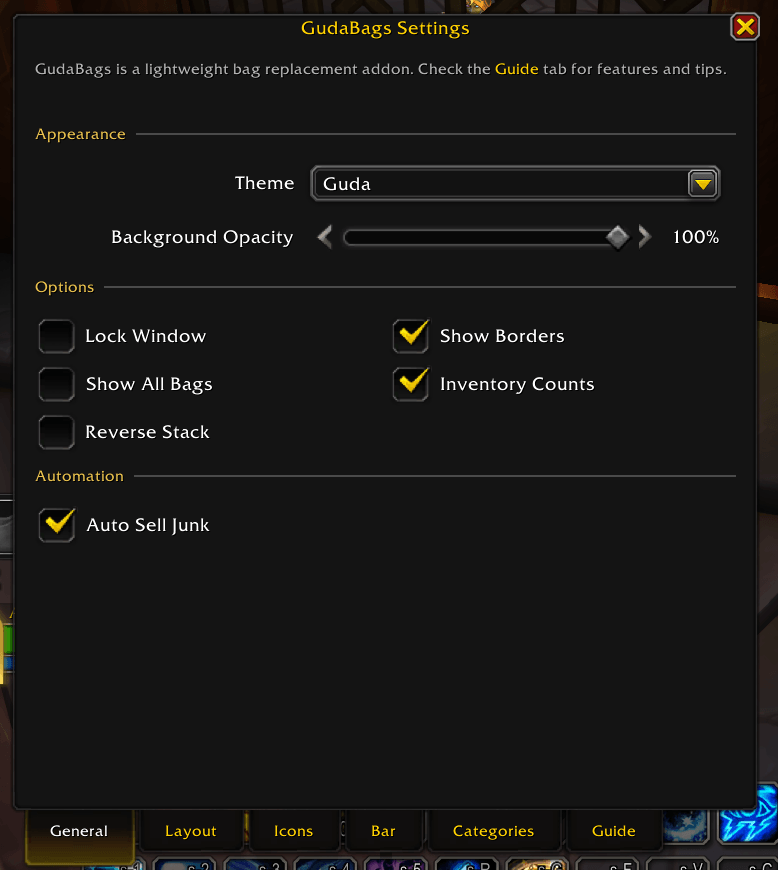
- Auto Sell Junk — Gray items are sold automatically when you visit a merchant. Locked and equipment set items are always protected.
- Auto Repair — Your gear is repaired automatically when you visit a merchant that can repair. Disabled by default — enable it in settings.
- Bulk Mail Attach: Shift + Right Click an item at a mailbox to send every copy of it to another character. See the Bulk Mail Sending section above for how it works. Turned on by default.
Customization
Open settings with /gb config or click the gear icon.
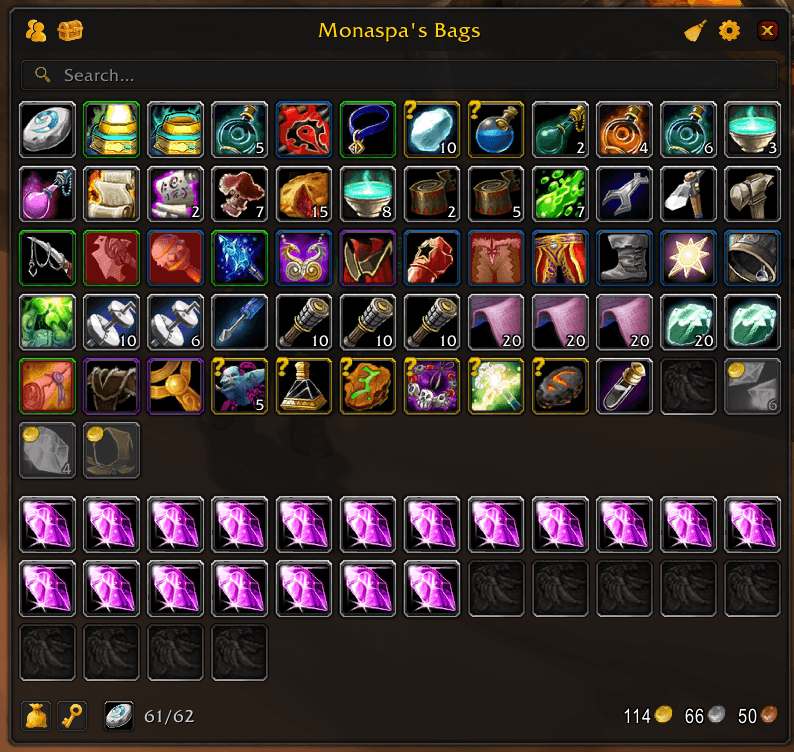
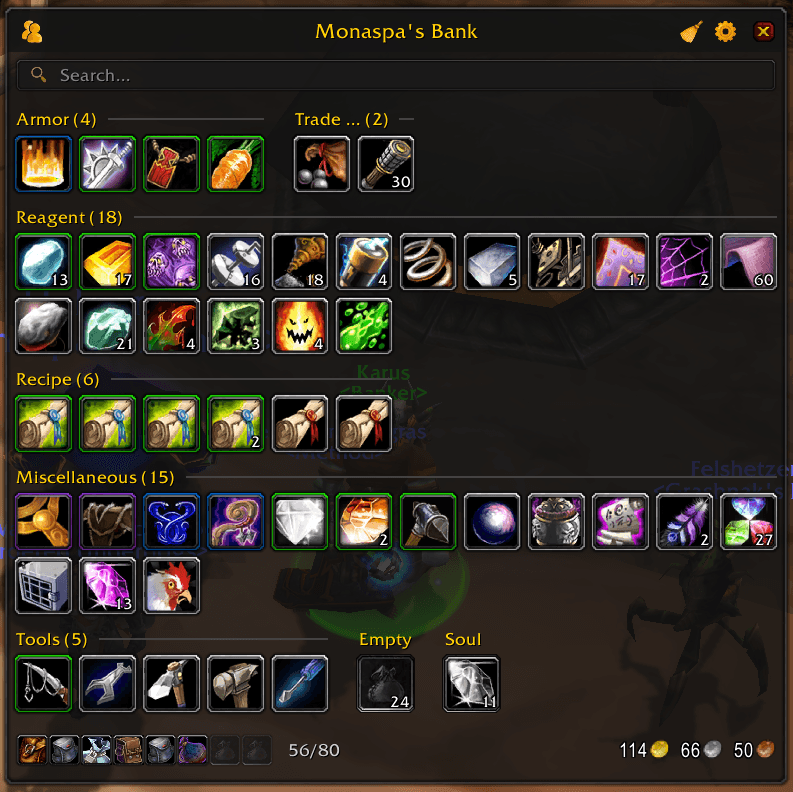
Appearance
- Two themes: Guda (dark, minimal) and Blizzard (native WoW look)
- Icon size (22–64px), font size, spacing
- Background opacity (0–100%)
- Window locking to prevent accidental moves
Item Display
- Quality color borders (separate toggles for equipment and other items)
- Unusable item marking
- Junk graying (with an option to include white equippable items)
- Equipment set indicators
- Item level on icons (Retail)
Layout
- Configurable columns: 5–22 for bags, 5–36 for bank, 10–36 for guild bank
- Show or hide the search bar, filter chips, footer, and category item counts
- Group identical items in category view
- Equipment sets shown as named categories
Profiles
- Save your current settings as a named profile
- Load, delete, or reset profiles at any time
- Import and export profiles to share with friends or transfer between characters
Multi-Expansion Support
GudaBags automatically detects your WoW version and enables the right features:
| Expansion | Special Features |
|---|---|
| Classic Era | Keyring, quiver & ammo bags, soul bags |
| TBC Classic | Keyring, quiver & ammo bags, guild bank |
| MoP Classic | Gem bags, inscription bags, guild bank, currency display |
| Retail (TWW) | Reagent bag, character & warband bank tabs, item level display, currency display, native sorting |
Equipment Set Integration
Works with multiple equipment set addons:
- Blizzard Equipment Manager (Retail/Wrath+)
- ItemRack (Classic/TBC)
- Outfitter
Equipment set items are visually marked, and each set can appear as its own category in category view.
Slash Commands
| Command | Description |
|---|---|
/gb or /guda |
Toggle bags |
/gb sort |
Sort your bags |
/gb bank |
Toggle bank (when at banker) |
/gb config |
Open settings |
/gb chars |
List saved characters |
/gb count <itemID> |
Count an item across all characters |
/gb save |
Force-save bags to database |
/gb status |
Show detected expansion and enabled features |
/gb help |
Show all commands |
Localization
GudaBags supports 11 languages: English, French, German, Russian, Portuguese, Spanish (Spain & Mexico), Chinese (Traditional & Simplified), Korean, and Italian.
Installation
From CurseForge
- Use the CurseForge app to install automatically
- Or download and extract to:
World of Warcraft/_anniversary_/Interface/AddOns/
Manual Install
- Download the latest release
- Extract the
GudaBagsfolder to your AddOns directory - Restart WoW or type
/reload
Feedback
Found a bug or have a feature request? Open an issue on Github!
At-a-glance numbers
Performance highlights
- Peaked at Hot #148 on Jul 13, 2026.
- Peaked at Rising #378 on Jul 16, 2026.
- Featured on the Hot list across 6 distinct weeks.
- Shipped 7 releases in the last 30 days.
- Averaging 127 new downloads per day over the past week.
Visuals
Screenshots 16
Use real gameplay shots to assess the addon before installing.