Trend Explorer
Recent download momentum
Hourly download deltas for the last 48 hours.
About this addon
What it does
Makes tracking gathered components easier from professions.
This addon allows you to set up quotas for the amount of gathered profession components you need (ore, herbs, skinning etc). Simply adding in the amount you're looking to gather, then off you go to collect, while keeping it tracked!
Instead of deleting quotas if the amount you need changes, you can update the amount on the open quota.
You can find the items you need in the search bar, either by item name or finding it in your inventory.
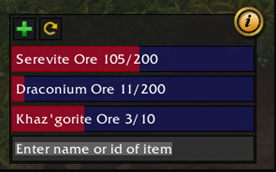
Quota
Items
The overview of the quota you've set up to follow. Find the items you need by searching for item in your inventory, then follow up with adding the amount you want to track.
Make separate quotas for the same item but with different qualities, or make a single quota with all desired qualities.
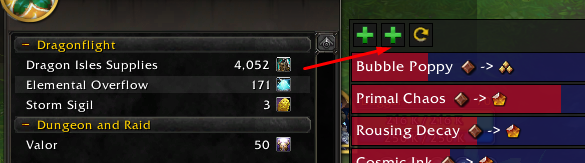
Currencies
You can also track currencies in your currency tab, simply press the "Add Currency" button and then click whichever currency you would like to track.
Factions/Renown
Additionally you can track faction/renown progress by pressing the "Add Faction" button and click on the faction/renown you want to track.
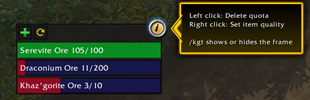
Info panel
Choose to delete quota or change the quality of the items you're gathering.
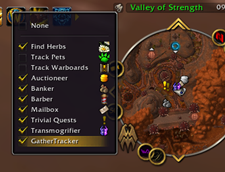
Open the frame with /kgt
You can also open the GatherTracker widget under the minimap tracking tool.
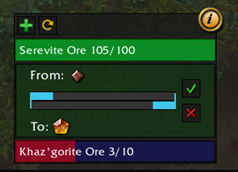
Quality
Manually choose the quality of the items you are tracking.
At-a-glance numbers
Performance highlights
- Peaked at Hot #3501 on Jul 27, 2026.
- Peaked at Rising #5705 on Jul 27, 2026.
- Featured on the Hot list across 6 distinct weeks.
- Shipped 1 release in the last 30 days.
- Averaging 3 new downloads per day over the past week.
Visuals
Screenshots 6
Use real gameplay shots to assess the addon before installing.