Trend Explorer
Recent download momentum
Hourly download deltas for the last 48 hours.
About this addon
What it does
DRTracker
A lightweight, customizable diminishing returns (DR) tracker for World of Warcraft arenas. Extracts and displays DR icons from Blizzard’s native arena frames with full visual customization.
Requires WoW Midnight (12.0.0+)
✨ Key Features
- Arena DR Tracking: Automatically displays DR icons for all 3 arena opponents
- Target-based Display: Shows DRs only for your current target
- Actual Spell Icons: See the exact spell that triggered the DR (Blinding Sleet, Polymorph, Kidney Shot, etc.)
- DR Reset Timers: Countdown timers showing when each DR will reset (18 seconds)
- Test Mode: Preview your settings outside of arena with sample icons and timers
- Full Customization: Scale, opacity, growth direction, and more
- Blizzard Settings Integration: Native settings menu (ESC → Options → AddOns → DRTracker)
🎨 Customization Options
- Icon Scale: Adjust from 0.5x to 3.0x
- Opacity: Set transparency from 10% to 100%
- Growth Direction: Icons grow left-to-right or right-to-left
- Moveable Frame: Drag and position anywhere on your screen
- Class Color Border: Optional class-colored mover border
- Real-time Updates: All changes apply instantly
📋 Visual DR Levels
- Green Border = 50% duration (first DR)
- Yellow Border = 25% duration (second DR)
- Red Border = Immune (third DR)
🎮 In Game Commands
/drt config   - Open settings menu
/drt test     - Toggle test mode (preview icons)
/drt unlock   - Unlock frame to move it
/drt lock     - Lock frame in place
/drt toggle   - Toggle lock/unlock
/drt reset    - Reset position to center
🎮 How to Use
Enter an arena match (Rated, Skirmish, or Solo Shuffle)
Target any of the 3 arena opponents
DR icons appear showing active diminishing returns
Each icon displays a countdown timer (18s → 0s)
Icons update automatically when you switch targets
🧪 Test Mode
Use /drt test to preview your settings outside of arena:
- Creates 3 sample DR icons (Kidney Shot, Fear, Polymorph)
- Shows countdown timers at different stages (18s, 15s, 12s)
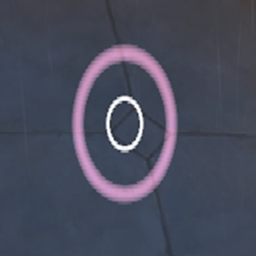
- Displays all 3 DR levels (Green, Yellow, Red)
- Perfect for adjusting scale, opacity, and positioning
📦 Tracked DR Categories
All standard WoW diminishing return categories:
- Stun: Kidney Shot, Hammer of Justice, Storm Bolt, etc.
- Incapacitate: Polymorph, Sap, Hex, Repentance, etc.
- Disorient: Fear, Psychic Scream, Blind, Scatter Shot, etc.
- Root: Entangling Roots, Frost Nova, Earthgrab, etc.
- Silence: Silence, Garrote, Strangulate, etc.
- Disarm: Dismantle, Disarm, etc.
❓ FAQ
Q: Why don’t I see any icons?
A: Make sure you’re in an arena match and have targeted an enemy player.
Q: Can I use this in battlegrounds or world PvP?
A: No, this addon only works in arena as it uses Blizzard’s arena-specific DR frames.
Q: Will this work with other arena addons?
A: Yes! DRTracker is compatible with other arena addons and can run alongside them.
Q: How do I move the frame?
A: Use /drt unlock, drag the frame, then /drt lock to lock it in place.
🔧 Requirements
- WoW Version: Midnight (12.0.0) or later
- Game Mode: Arena (Rated, Skirmish, Solo Shuffle)
- Dependencies: None
📝 License
Copyright © 2026 TimeMeansNothing. All Rights Reserved.
This addon is proprietary software for personal, non-commercial use only.
💬 Support
Report bugs or request features on the Issues page
At-a-glance numbers
Performance highlights
- Peaked at Hot #2985 on Jul 26, 2026.
- Peaked at Rising #4156 on Jun 28, 2026.
- Featured on the Hot list across 6 distinct weeks.
- Shipped 1 release in the last 30 days.
- Averaging 4 new downloads per day over the past week.
Visuals
Screenshots 4
Use real gameplay shots to assess the addon before installing.