Activity summary
- downloads · 24h
- 36
- downloads · 7 days
- 1.0K
- best Hot rank
- #3
- best Rising rank
- #106
Retail status unknown
Retail files
- 12.1.5 released Oct 14, 2026 no required dependencies
From the author
Excerpt from the author's description on CurseForge
Automatically applies your preferred Auction House and Crafting Orders filters every time you open those UIs. No more manually clicking "Current Expansion Only" or "Usable Only" every session.
- Current Expansion Only — auto-enables for Auction House, Crafting Orders, or both
- Usable Items Only — auto-enables for Auction House, Crafting Orders, or both
- Per-surface toggles — enable each filter independently for AH and CO
- Lightweight — no libraries, no dependencies, minimal performance impact
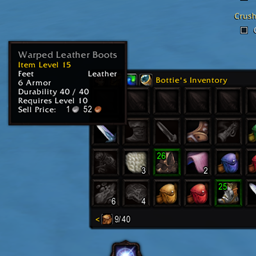
Screenshots 1
Recent downloads
Downloads per hour over the last 48 hours.
Latest 2.99/h Oct 18, 5 PM
Peak 6.99/h Oct 16, 8 PM
Average 1.92/h last 48h
Recorded history
| List | Now | 24h | 7d | 30d |
|---|---|---|---|---|
| Hot | #3 | #28 | #82 | #1093 |
| Rising | #106 | #160 | #758 | #1679 |
Daily figures, Sep 18, 2026 – Oct 18, 2026
| Day | Downloads | Lifetime | Hot | Rising |
|---|---|---|---|---|
| +27 | 12,047 | #1598 | #1319 | |
| +43 | 12,020 | #1801 | #1647 | |
| +105 | 11,977 | #835 | #752 | |
| +573 | 11,872 | #312 | #319 | |
| +273 | 11,299 | #10 | #148 | |
| +3 | 11,026 | #4563 | #4515 | |
| +1 | 11,023 | #4161 | #3981 | |
| +5 | 11,022 | #4254 | #3980 | |
| +3 | 11,017 | #4243 | #4084 | |
| +3 | 11,014 | #4025 | #3621 | |
| +3 | 11,011 | #4033 | #3725 | |
| +4 | 11,008 | #4122 | #3705 | |
| +0 | 11,004 | #3933 | #3471 | |
| +5 | 11,004 | #2897 | #3020 | |
| +1 | 10,999 | #4168 | #4139 | |
| +10 | 10,998 | #3567 | #3369 | |
| +8 | 10,988 | #4045 | #3512 | |
| +14 | 10,980 | #2031 | #1942 | |
| +1 | 10,966 | #3635 | #3281 | |
| +1 | 10,965 | #3931 | #3476 | |
| +4 | 10,964 | #3161 | #3169 | |
| +2 | 10,960 | #3987 | #3769 | |
| +6 | 10,958 | #4033 | #3541 | |
| +2 | 10,952 | #4032 | #3741 | |
| +4 | 10,950 | #4434 | #4140 | |
| +1 | 10,946 | #3927 | #3759 | |
| +1 | 10,945 | #3704 | #3048 | |
| — | — | #4604 | #4291 | |
| — | — | #2804 | #3105 | |
| — | — | #3394 | #3797 | |
| — | — | #4397 | #3876 |
Downloads is the change in CurseForge's lifetime download total since the previous recorded day. Ranks are the last Now rank published that day; a dash means none was recorded.