Trend Explorer
Recent download momentum
Hourly download deltas for the last 48 hours.
About this addon
What it does
On-screen / sound / TTS cooldown reminders for World of Warcraft Mythic+ and raids.
A Mythic+ tool that auto-builds a 5-player cooldown plan from the top teams on Warcraft Logs, then plays it back in game on each boss's dangerous casts.
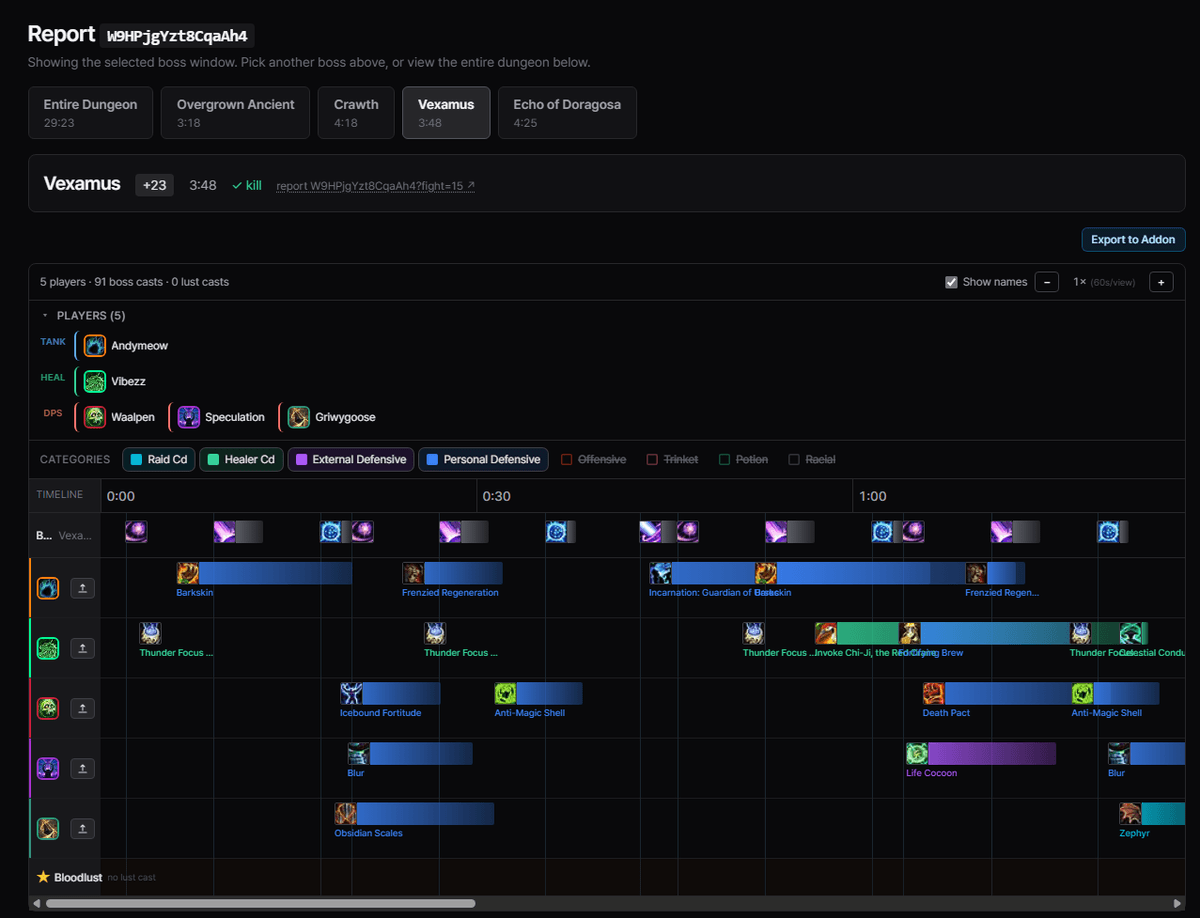
Plan a team's cooldowns on coolplan.team, export a string, import it in game. Reminders then fire automatically during the matching boss.
Plan on the web, play in game
| 1 · Plan on coolplan.team | 2 · Reminders fire in game |
|---|---|
 |
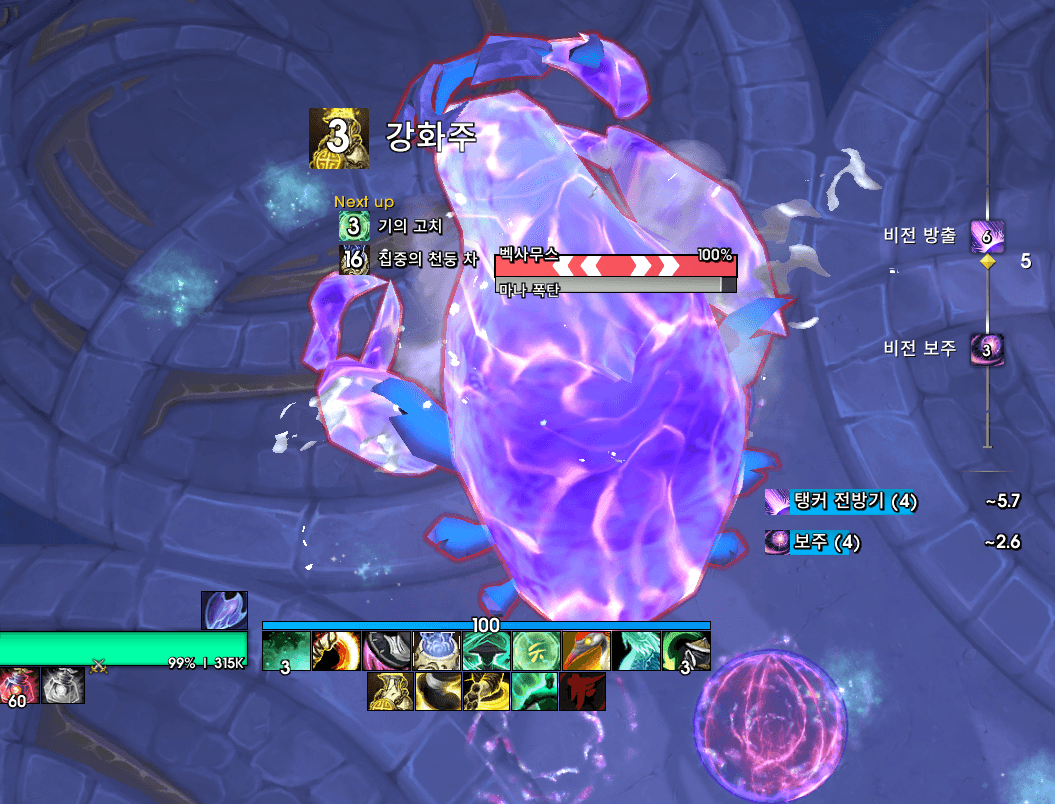 |
The website is the planning tool, this addon is the in-game display. Each player sees only their own cooldowns. Raid-wide defensives and Bloodlust are shown to everyone.
How it works
1. Export from the website. Open a boss timeline on coolplan.team and click Export to Addon. Rename each player to your real character names so reminders go to the right person, then copy the string.
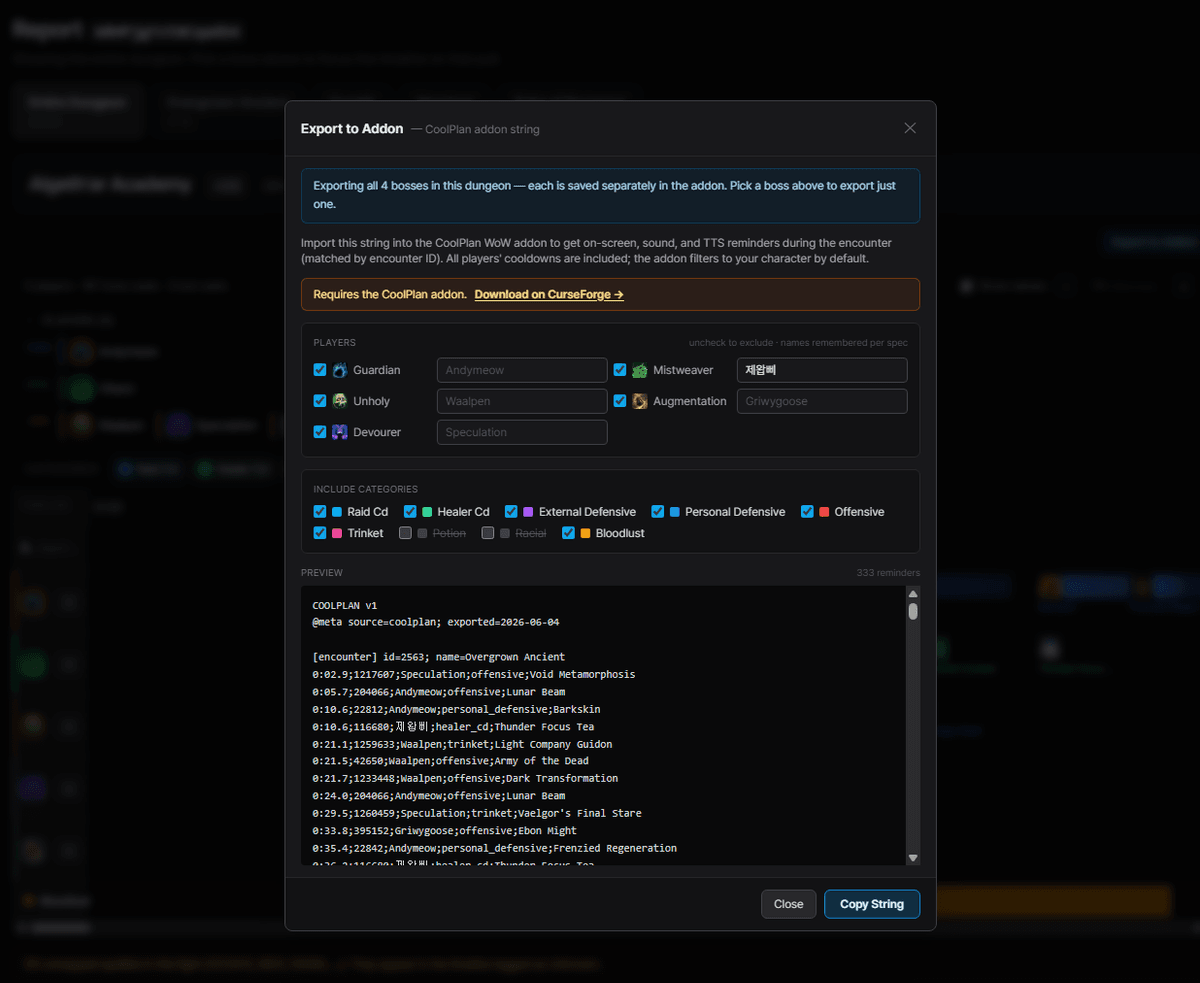
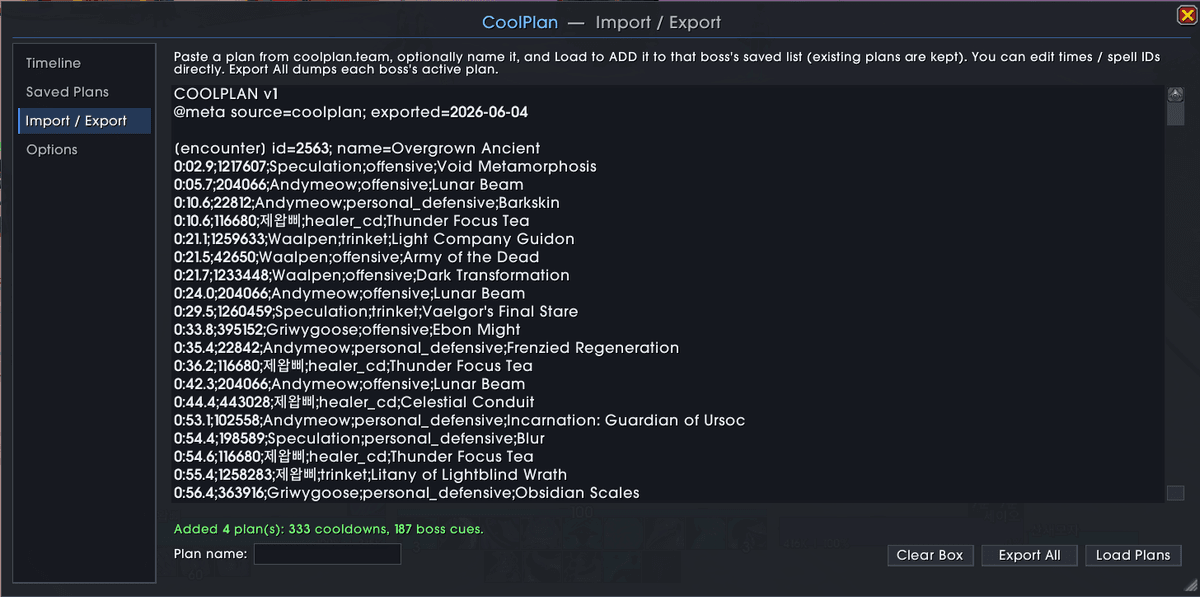
2. Import in game. /coolplan -> Import / Export -> paste -> Load Plans.
The plan format is plain text, so you can also hand-edit it in the box.
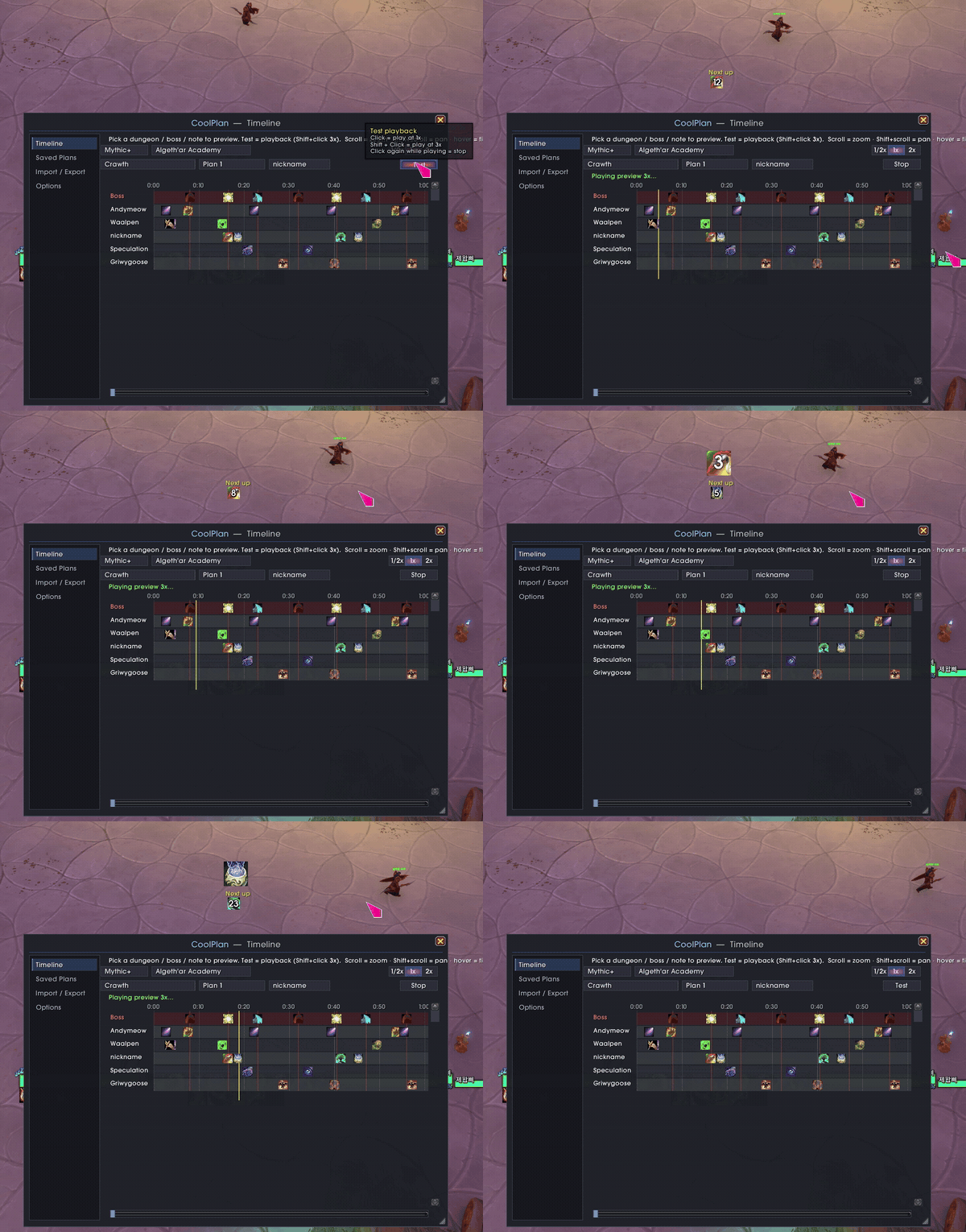
3. Pull the boss. The addon matches the encounter and shows each player their own cooldowns on a HUD, with a countdown and a depleting bar.
Features
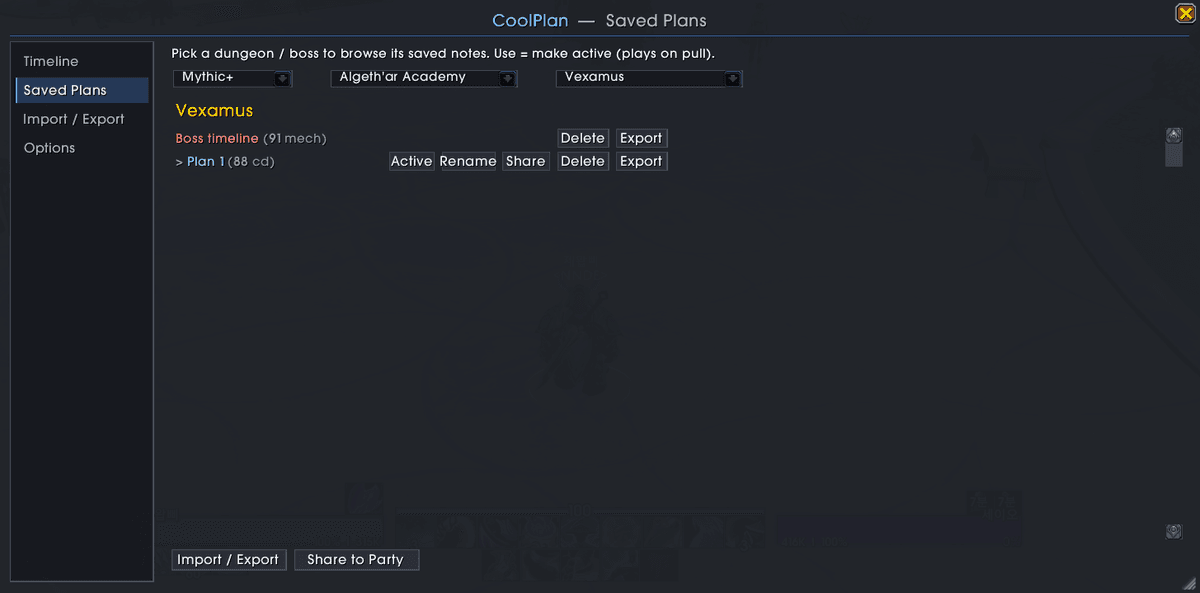
Saved plan library. Multiple named plans per boss, a dungeon to boss browser, Use / Rename / Share / Export per plan, and one-click Share to party.
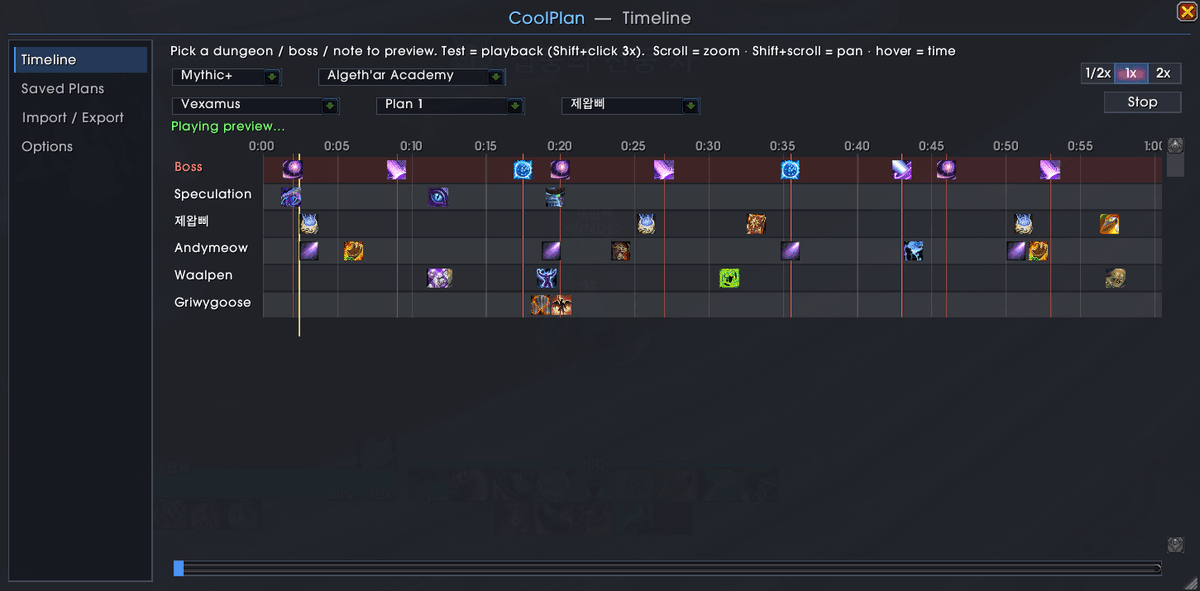
Timeline preview. Scrub the whole plan, zoom/pan, and Test the playback (1x, or Shift-click for 3x) to rehearse before the pull.
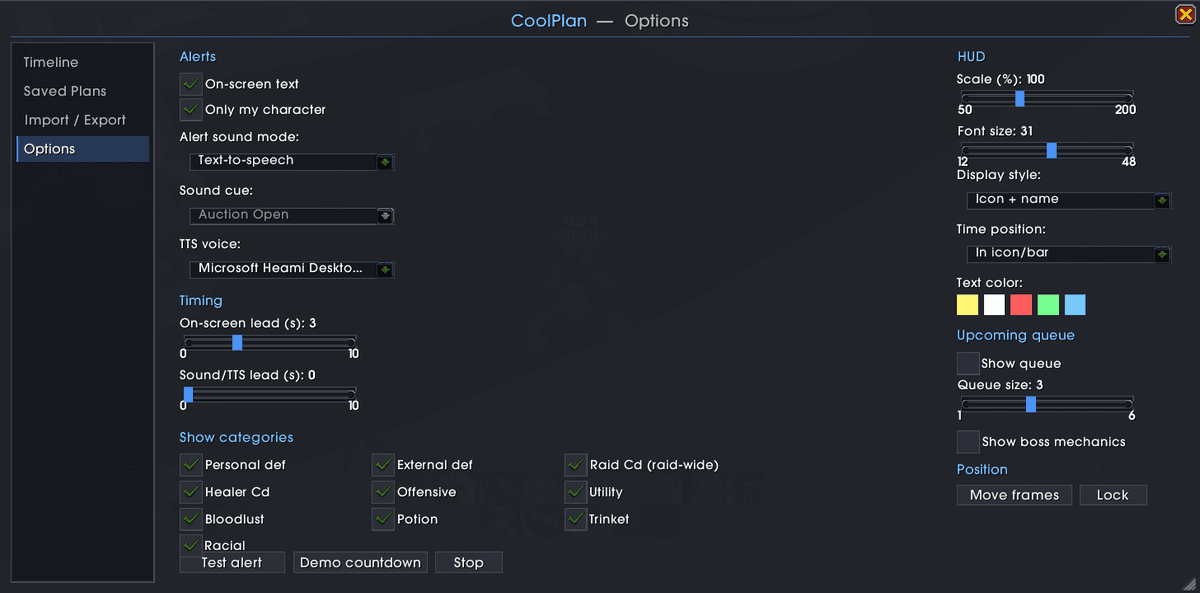
Fully configurable. HUD style (icon / icon+name / bar), lead time, position, scale, font and color. Sound or TTS alerts with separate timing, an upcoming queue, per-category show/hide, and an optional boss-ability timeline.
Also a minimap button (collects into MinimapButtonButton / Titan / etc.) and per-character saved data.
Slash commands
| Command | What it does |
|---|---|
/coolplan |
Open the main window |
/coolplan plans |
Saved Plans |
/coolplan edit |
Import / Export |
/coolplan options |
Options |
/coolplan timeline |
Timeline preview |
/coolplan share |
Share the active plan to your party |
/coolplan test / demo |
Preview an alert / a countdown |
/coolplan move / lock |
Move / lock the HUD frames |
/coolplan minimap |
Toggle the minimap button |
/coolplan errors |
Show suppressed Lua errors |
Install
- CurseForge: search for CoolPlan (recommended, it auto-updates).
- Manual: download, unzip, and copy the
CoolPlanfolder intoWorld of Warcraft/_retail_/Interface/AddOns/. Restart WoW.
Notes
- No external dependencies. It bundles LibStub, LibDataBroker-1.1, LibDBIcon-1.0,
LibDeflate and LibSharedMedia-3.0 under
Libs/(each under its own license). - Feedback and bug reports: the Discord linked on coolplan.team.
License
All Rights Reserved, see LICENSE. Bundled libraries keep their own licenses.
At-a-glance numbers
Performance highlights
- Peaked at Hot #509 on Jun 30, 2026.
- Peaked at Rising #99 on Jul 2, 2026.
- Featured on the Hot list across 6 distinct weeks.
- Shipped 3 releases in the last 30 days.
- Averaging 9 new downloads per day over the past week.
Visuals
Screenshots 8
Use real gameplay shots to assess the addon before installing.