
Trend Explorer
Recent download momentum
Hourly download deltas for the last 48 hours.
About this addon
What it does


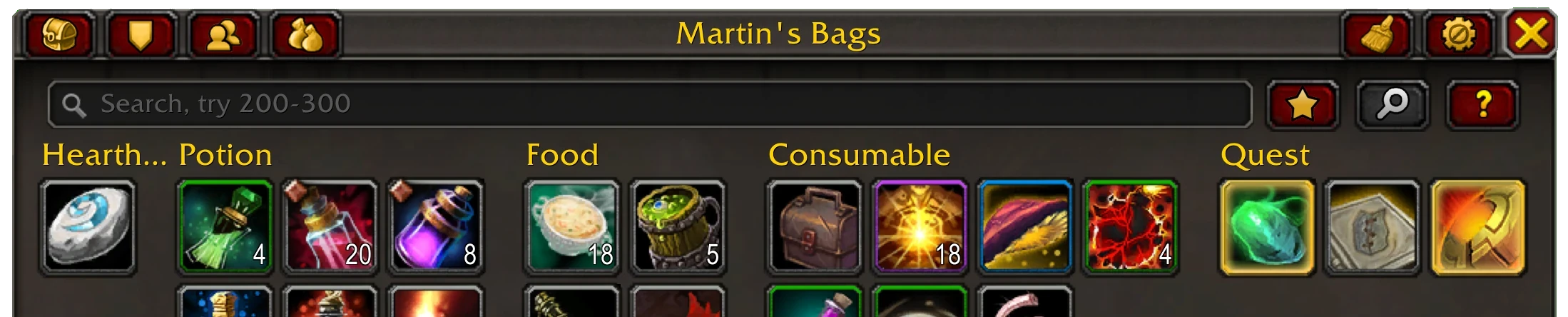
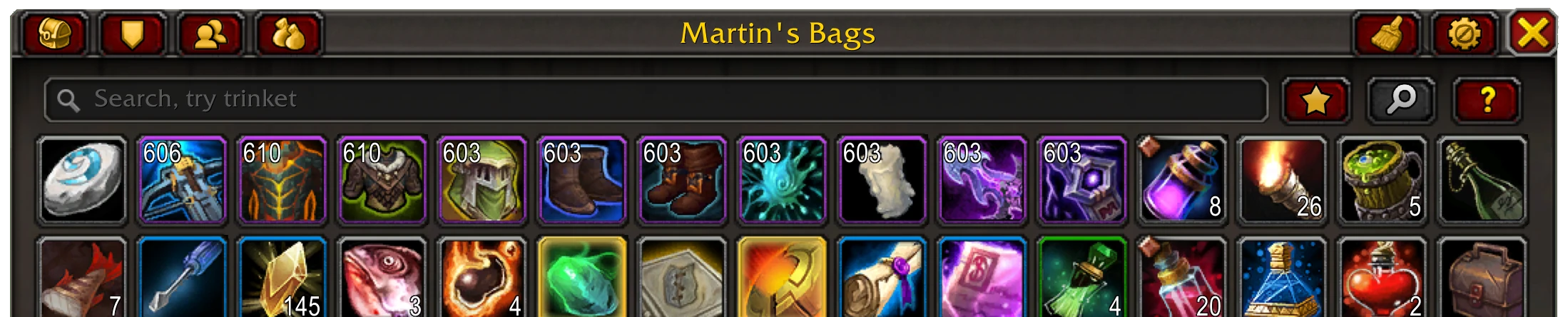
Baganator is an easy to use categories or single view bag addon for World of Warcraft.
Note: Requires Syndicator in order to work, installed automatically on the Curseforge client.
Why this addon?- Kept up to date, and has bugfixes applied before the latest patch is released.
- Just works, no configuration needed.
- The features you need are in it.
- It is fast, so fast it averages 4x faster than the Blizzard bag UI.
- Single or categories view bags and single or categories view bank, with sections for special containers.
- Inventory information in item tooltips, from bags, banks, guild banks, void storage, mail and active auctions.
- No taint/protected action errors caused by it.
- Browsing any characters' bags, bank and guild bank from anywhere.
- Sorting items built in. This includes ignoring slots, different ordering (type, quality, expansion), and doing the bank bags/reagent bank together.
- Simple, fast and efficient searches. Has keywords, by name, item type (armor/etc.), inventory slot (head/etc.), other keywords (like potion, food, etc.) and expansion (retail only, vanilla/df/etc.), item level searches (200-210, <190, >220), combining searches with & or | and inverting with !
- Supports common bag item icon enhancement addons.
- Can show BoE, item level, Pawn upgrade arrows etc. on the item icons and customise which corners the information shows on, prioritising the most wanted info.
- Guild bank view, split into tabs, that supports all the search/icon features the bags/bank do and remote guild bank viewing.
- Transfer button to move searched for items into the bank or bags or vendor/scrap/mail the items.
Supports Retail (The War Within) and all Classic versions (Cata, SoD, etc.)
Categories
- By default each item is placed in a category matching its item type.
- To add an item to a category pick it up and place it in the empty slot for the category that appears, or put it in the uncategorised empty slot to remove it from the category. Items can only be added to custom categories.
- Searches have a priority, and an item can only appear in one category, with the priority deciding which category the item appears in if there is a conflict.
- Stacks of items will be separated when at a vendor, mailbox, etc.
- Equipment sets each get their own category named after the set (can be disabled).
- Categories can be transferred to the bank/mail/scrapper/etc by right-clicking on the category's title.
- See the keywords for a given item in their tooltip by running
/bgr keywordsonce (run again to turn off) - See the categories matching a given item in their tooltip by running
/bgr categoriesonce - Remove any custom categories you aren't using with
/bgr removeunusedcategories
As well as searching by item name there is a lot more the Baganator search can do. See the Syndicator page for everything.
- You can use an item category like "consumable" or "glyph".
- A part of the item's tooltip, say "drakewatcher manuscript", "secrets of azeroth" or "reputation" for items that grant reputation.
- Combine any searches with "&" (and) "|" (or) and "!" (not) to get more exact results.
- A keyword, there's quite a few, such as "battle pet", expansion keywords like "dragonflight" or "mop" and bind on equip items with "boe".
- Equipment sets with "equipment set", or the equipment set name.
- By item level >110, <100, 50.
Transferring items

When at a vendor, bank or scrapping machine clicking the transfer button (top right next to the sort button) that appears in that scenario will vendor or transfer only the searched for items to the merchant or bank.
PluginsSeveral addons are automatically integrated with Baganator.
- Item Icon Styling: Masque
- Junk Management: Dejunk, SellJunk. Scrap, Vendor
- Item Upgrades: Pawn, Simple Item Levels
- Transmogs: Can I Mog It, AppearanceTooltip, Caerdon Wardrobe, Transmog Loot Helper
- Catalyst Information: Transmog Upgrade Master
- Equipment Manager: ItemRack Classic (classic only), Outfitter
- Battle Pets: Battle Pet BreedID
- Expansion: ItemVersion, All The Things
- Sorting: BankStack, SortBags, tdPack2
- Groups: TradeSkillMaster, All The Things
For addon authors the current API is documented here.
ThemesThemes are built in and will automatically activate when using a UI overhaul listed below.
GW2 UI (requires GW2 UI)
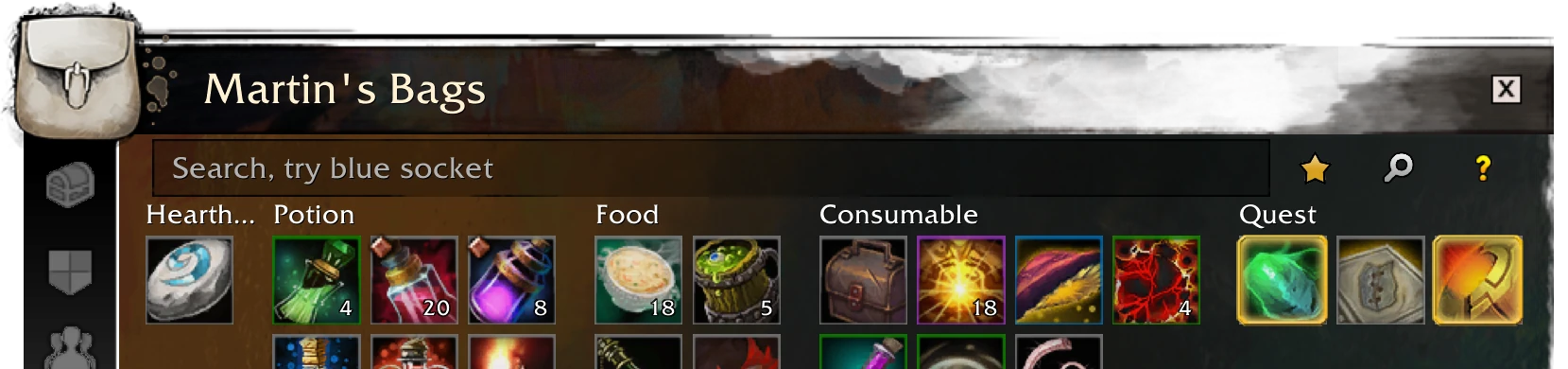
ElvUI (requires ElvUI)

Dark

NDui (requires NDui)

Feature requests are welcome.
CommentsFor any issues or feedback open a Github Issue or use the Discord server
At-a-glance numbers
Performance highlights
- Peaked at Hot #3 on Jun 25, 2026.
- Featured on the Hot list across 6 distinct weeks.
- Shipped 10 releases in the last 30 days.
- Averaging 25.4K new downloads per day over the past week.
Visuals
Screenshots 19
Use real gameplay shots to assess the addon before installing.