Activity summary
- downloads · 24h
- 0
- downloads · 7 days
- 4
- best Hot rank
- #1829
- best Rising rank
- #924
Retail status unknown
Retail files
- 11.0.5, 11.0.7 released Nov 26, 2024 no required dependencies
From the author
Excerpt from the author's description on CurseForge
Anime Style Threat/Aggro Indicator
This addon shows four anime style "anger marks" -- indicating the highest threat you have from all NPCs you are considered in combat with -- ranging from lowest (1 mark) to highest (4 marks).
This addon also shows crossed swords indicating that you're in combat.
Option to show on-screen aggro/threat warnings such as threat level changes between you and NPCs, along with the level, name and classification (elite, rare elite, world boss) of the NPC.
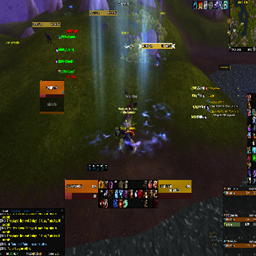
Screenshots 1
Recent downloads
Downloads per hour over the last 48 hours.
Recorded history
| List | Now | 24h | 7d | 30d |
|---|---|---|---|---|
| Hot | #1829 | #4026 | #6044 | #5490 |
| Rising | #924 | #2680 | #5502 | #2890 |
Daily figures, Sep 18, 2026 – Oct 18, 2026
| Day | Downloads | Lifetime | Hot | Rising |
|---|---|---|---|---|
| +0 | 2,057 | — | — | |
| +0 | 2,057 | — | — | |
| +1 | 2,057 | #4844 | #4143 | |
| +0 | 2,056 | #4498 | #4272 | |
| +2 | 2,056 | #4570 | #4351 | |
| +0 | 2,054 | — | — | |
| +1 | 2,054 | #3730 | #2862 | |
| +0 | 2,053 | — | — | |
| +3 | 2,053 | #1829 | #932 | |
| +0 | 2,050 | #3458 | #2673 | |
| +1 | 2,050 | #3701 | #2819 | |
| +1 | 2,049 | #3781 | #2746 | |
| +1 | 2,048 | #3805 | #2788 | |
| +0 | 2,047 | #3118 | #1909 | |
| +2 | 2,047 | #3237 | #2036 | |
| +0 | 2,045 | — | — | |
| +0 | 2,045 | — | — | |
| +0 | 2,045 | — | — | |
| +0 | 2,045 | — | — | |
| +0 | 2,045 | — | — | |
| +0 | 2,045 | — | — | |
| +1 | 2,045 | #3475 | #2472 | |
| +0 | 2,044 | — | — | |
| +2 | 2,044 | #3982 | #2815 | |
| +0 | 2,042 | — | — | |
| +0 | 2,042 | — | — | |
| +0 | 2,042 | — | — | |
| — | — | #2812 | #1338 |
Downloads is the change in CurseForge's lifetime download total since the previous recorded day. Ranks are the last Now rank published that day; a dash means none was recorded.