Trend Explorer
Recent download momentum
Hourly download deltas for the last 48 hours.
About this addon
What it does
AbyssUIClassic works in any version of Classic wow!




Please consider donating, if a function that you asked was added, or simple because you like AbyssUI, anything that you can, it helps and means a lot to me! 🖤
AbyssUIClassic is a minimalist World of Warcraft interface.This UI was supported by Addict, it's a old version of AbyssUI with less features, but remaining classic to the original version of AbyssUI back when the servers started, it's made to work better with classic versions of wow (Classic, Classic Hardcore, Classic WOTLK). If you want me to continue share with your friends, and please consider making a donation. This helps a lot and give me energy to make it even better! Thanks for all the support.
Default Profile Previews
Classic: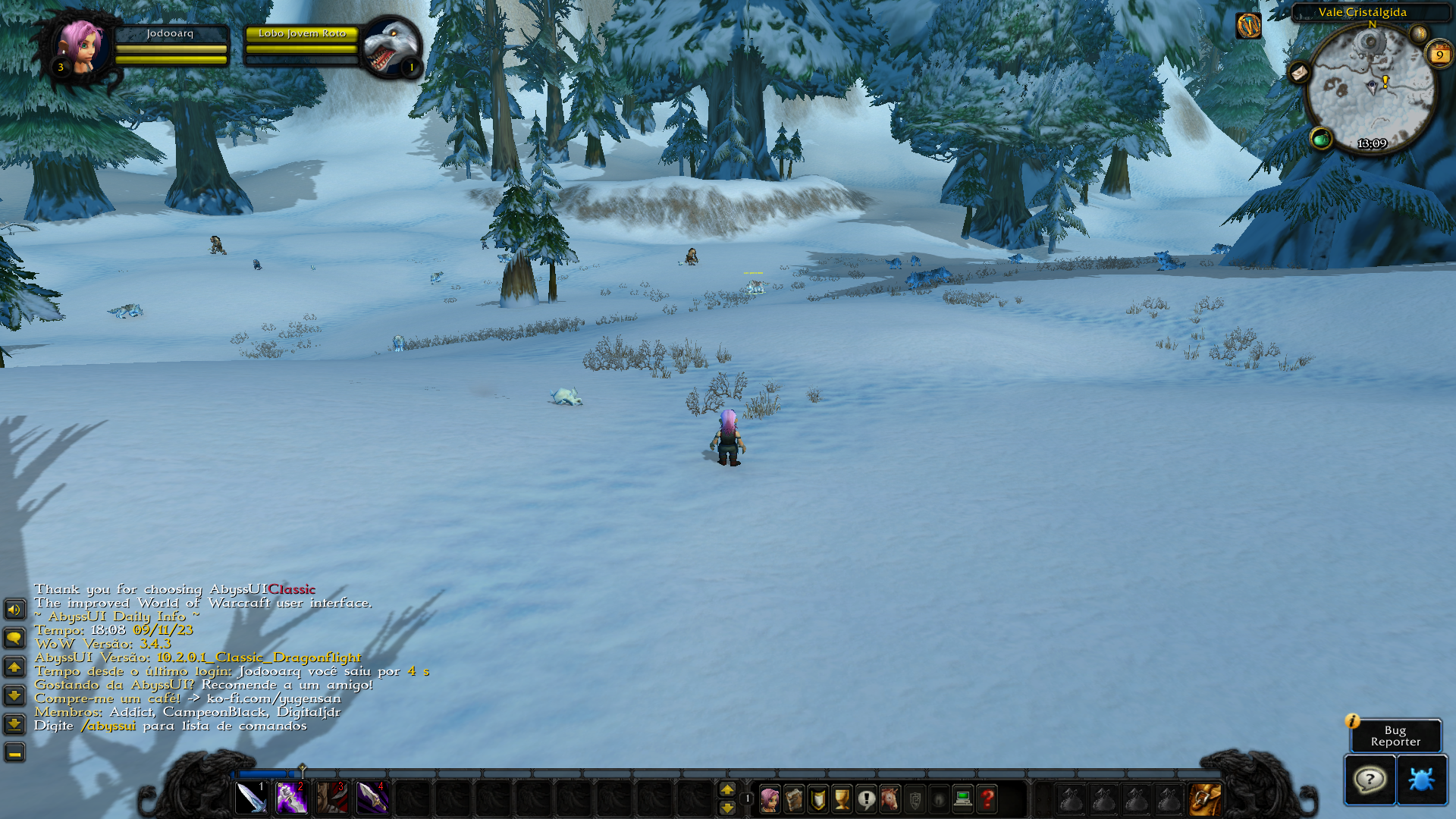
Modern: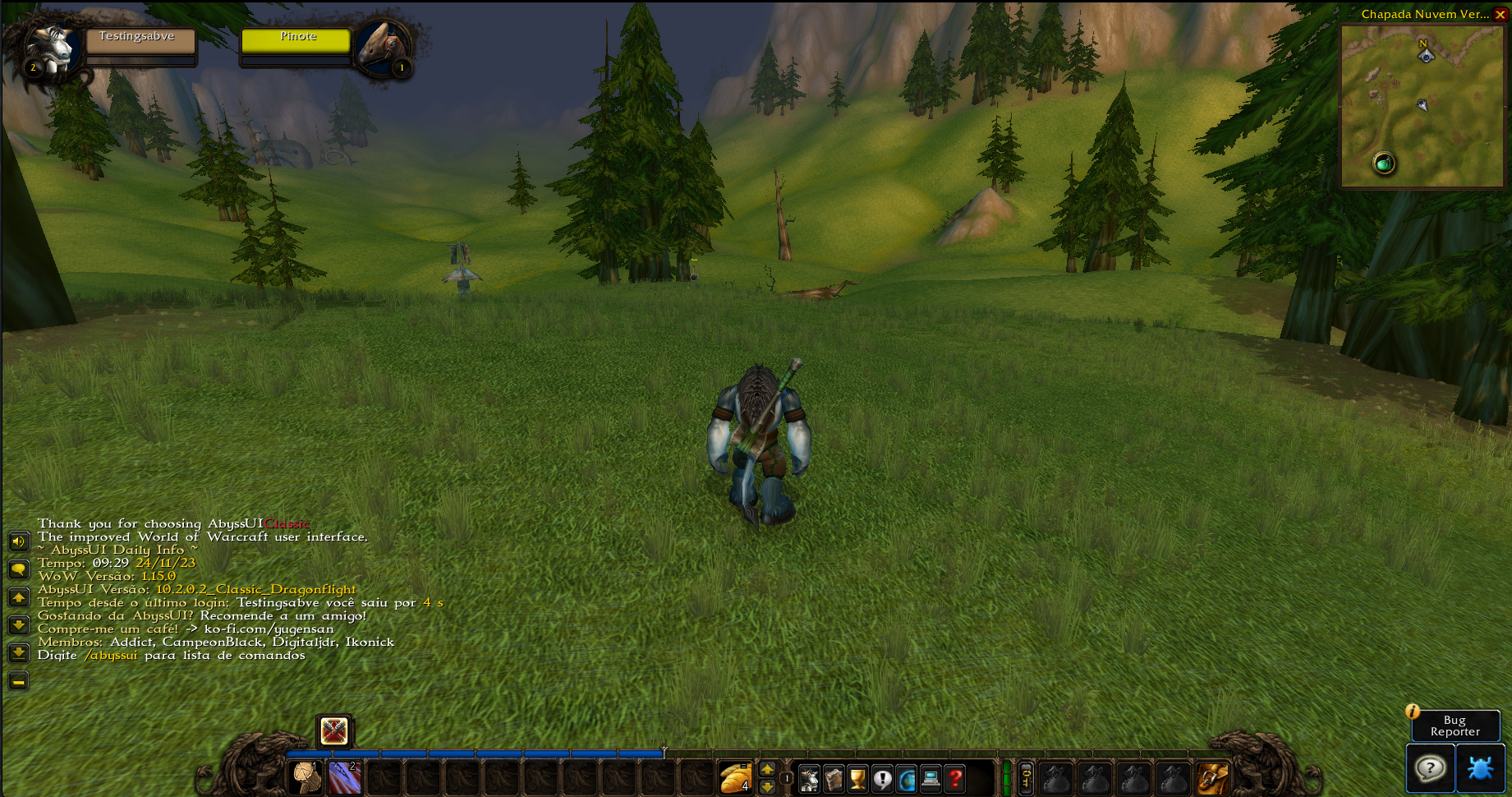
Always check the FAQ before posting. AbyssUI is lightweight and does not slow down your PC.
*This interface support any language
FAQ
- How to change fonts?
A: Go to AbyssUI folder, and search for the folder "texture" then "font" (AbyssUIClassic\textures\font). To change the fonts rename "global" and damagefont" to something else or remove it, add the fonts you want to the folder and name it "global" and "damagefont" so AbyssUI can load them.
- Do you plan to add save profiles to the UI?
A: No, at least it's not on my plans right now. At this point, the interface have so many options and I have short time to work on it, so it's not planned because of time and resources.
- Where can I find support?
A: Easy way is to go to the AbyssUI discord channel.
- Some texture are looking/acting weird or Texture/Image is not right or cropped??
A: You are probably using a old version of AbyssUI, try a fresh installation, delete the old version and re-download it.
- Buttons are gray or in another color instead of the default, and I don't want this?
A: Go to the AbyssUI options (/abyssui options) and check "Disable Button Color Text".
- Does the interface looks the same in every version of wow?
A: AbyssUI follows the Blizzard style of the version that are you playing, so it changes based in what expansion you are playing.
Please Report any bug.
At-a-glance numbers
Performance highlights
- Peaked at Hot #1772 on Jul 25, 2026.
- Peaked at Rising #4812 on Jul 25, 2026.
- Featured on the Hot list across 6 distinct weeks.
- Shipped 1 release in the last 30 days.
- Averaging 12 new downloads per day over the past week.
Visuals
Screenshots 2
Use real gameplay shots to assess the addon before installing.