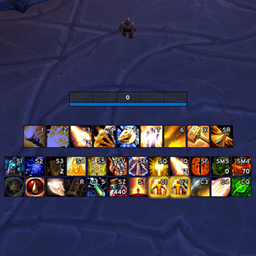
#1641
EllesmereUI: Standalone Action Bars
Standalone version of EllesmereUI Action Bars, a lightweight, high-performance replacement for Blizzard action bars with modern visuals and powerful customization.
Smaller addons whose downloads are growing fastest.
Standalone version of EllesmereUI Action Bars, a lightweight, high-performance replacement for Blizzard action bars with modern visuals and powerful customization.

Find and advertise WoW crafters easily with profession details, crafting qualities, pricing, and more, all directly in-game.

This addon provides a detailed insight into wealth progression by tracking gold and currencies across all characters and displaying them over time.
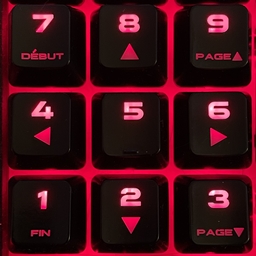
Perform live music in Musician using simplified keyboard

Shows text if someone took your body or not after you died in a battleground, preventing you from being able to body res.
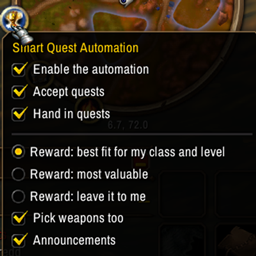
Automatically accept / hand in quests and choose reward that fits you.
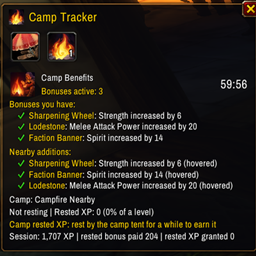
See what your campfire is giving you: buffs, timers, bonuses and rested experience.

GravityUI is a complete UI replacement built on top of popular addons and includes many quality of life improvements.

Synchronize, manage, and instantly switch addon profiles across your entire UI from one centralized interface.

SoundPack for the AllTheThings Addon
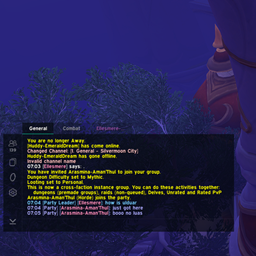
Standalone version of EllesmereUI Chat, a modern chat with quality-of-life features

Addon to permanently set your max camera distance

Quick call-outs for battlegrounds. Lightweight, no bloat.
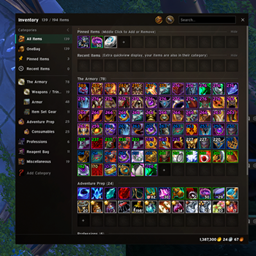
Standalone version of EllesmereUI Bags, a beautiful aesthetic bag replacement with powerful organization tools and an intuitive UI
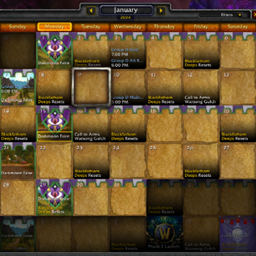
Addon to load imported raid data from Discord into the game for use with Classic Calendar - Revived

Ever wondered if you have all the quests for that dungeon?

A leveling addon for WoW Classic that hosts Alenya's Guides, plus any guide packed with Alenya's Guides Writer.
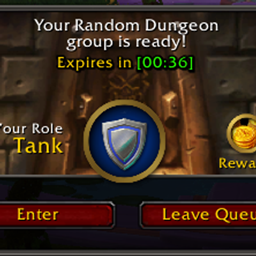
Better wait timers, inline queue countdown, and color-coded progress bar for every active queue ; stacked and always visible.

Fades your HUD when idle to protect OLED screens. Every element and trigger is optional.

A must have for calling INCs. Just click a button on a GUI interface.