
#2641
DBM Voicepack Ivina (이비나)
DBM Voicepack Ivina
Smaller addons whose downloads are growing fastest.
DBM Voicepack Ivina

EnglishLinks replaces names inside links with English ones when you insert them into chat. Other players receive English link labels, while your interface stays in your client language. It is built for WoW Forever.
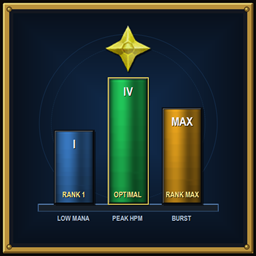
Live Heal-Per-Mana (HPM), Damage-Per-Mana (DPM), and optimal downrank calculator for WoW: Forever tooltips and action bars.

Clean, modern restyle of Blizzard's UI for WoW Forever that keeps Edit Mode in charge of your layout.
Additional artworks for the simple viewport addon

XenQuest is a lightweight, customisable quest tracker for World of Warcraft. Featuring a clean, modern interface, real-time objective tracking, progress bars, collapsible quests, and fully adjustable positioning and appearance.

Cinematic, customizable notifications for level-ups, achievements, bosses, quests, world quests, scenarios and delves.

The all-in-one chat addon for WoW Forever: custom tabs, spam filter, whisper messenger and dungeon abbreviation tooltips.
A lightweight addon for herb and ore harvesting.

This AddOn allows you to create multiple anchor points with customizable rows to display cooldowns exactly where you want them.

A chat addon that removes the message size limit on chat messages.

XPBar Enhanced displays a detailed experience bar with session timers, XP/hour rate, rested XP, and quest XP tracking, plus a delve companion faction bar — inspired by the work of Luxthos and Ogait.

Tracks your biggest hits, heals, and “how am I still alive?” moments, because big number good.

It´s an Fishing Addon which allows you to fish with only one button

A lightweight, visually dynamic experience bar plugin built natively for Sharpie's Gear Judge (SGJ)

A minimal, flat player health bar with a shield overlay, inspired by ARPG health bars - no portrait, no frame art, and hidden outside combat.
Adds zone level ranges and dungeon & raid entrance icons to the World Map.
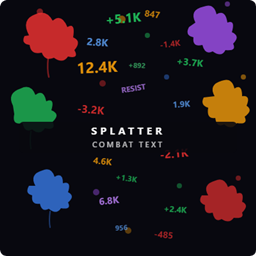
Customizable floating combat text with dynamic damage placement, color-coded schools, themes, profiles, and combat summaries

See which quests need your items, where those quests are located, and whether your character has already completed them—all in the item tooltip.
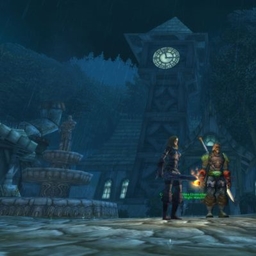
- Turn/zoom the camera exactly where you want it. - Click Save on Camera 1-4. - Check any conditions that should trigger that camera. - Set that camera's delay from 1 to 30 seconds with -/+. - Preview smoothly moves toward the saved camera,