Untrack Completed Achieves

Achievements 1 more category

Automatically untrack completed achievements

WoW 12.1.0 Actively Maintained

Trend Explorer

Recent download momentum

Estimated downloads/hour over observed intervals in the last 48 hours.

Latest interval +1.99 /h 1h observed interval · ending Sep 11, 3 PM
Peak estimate +4.98 /h 1h observed interval · ending Sep 10, 7 PM
Average estimate +0.696 /h Time-weighted · 47.4h covered of 48h

Lines connect interval estimates, not hourly measurements. Unobserved time is not counted as zero or extrapolated to now.

About this addon

What it does

Untrack Completed Achieves

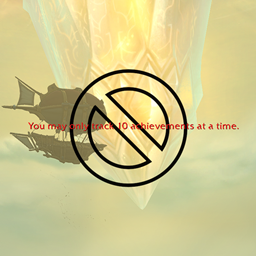
Some players have encountered a situation where, when trying to track a new achievement, they are told "You may only track 10 achievements at a time." despite definitely not having 10 achievements listed on their tracker.

Usually, completing an achievement will untrack it automatically. Sometimes, possibly if the game crashes without a clean save after an achievement is completed, OR if an achievement was tracked on one character but completed on another, the achievement will be left tracked even though it it is completed.

This leaves it using up one of the 10 tracking slots but not showing up on the achievement tracker. And since it isn't listed on the tracker, the only way to find an achievement would be to manually search every page of achievements and hope to spot the ones left tracked and complete.

This addon solves that issue, by automatically scanning for and untracking already-completed achievements when a character logs in. It prints a message for each achievement it clears, if any.

This addon has no settings or interface; it just does its thing and lets you get on with your game.

At-a-glance numbers

Performance highlights

  • Peaked at Hot #95 on Aug 14, 2026.
  • Peaked at Rising #337 on Aug 14, 2026.
  • Featured on the Hot list across 5 distinct weeks.
  • Shipped 2 releases in the last 30 days.
  • Averaging 22 new downloads per day over the past week.

Visuals

Screenshots 2

Use real gameplay shots to assess the addon before installing.

Discover more

Keep exploring

Similar addons you might also want to check out.

More by RubioTwitch

Same creator, different utilities.

Similar in Achievements

Comparable addons in the same lane.

ZamestoTV: Delves Helper #7
385.3K downloads

Useful functionality for Delves

Warband Nexus #13
157.8K downloads

All your alts in one window: account-wide item search, Great Vault & raid lockouts, currencies, reputations, professions, gold, mount try counter, collections, and weekly to-do plans. The alt manager built for Midnight warbands.

SpecBisTooltip Spec Bis List Tooltip #19
3.1M downloads

Shows if the item is BIS

RareScanner #49
136.8M downloads

RareScanner, a World of Warcraft addon to alert you when a rare, event or treasure appear in your minimap.

HandyNotes: Midnight (Treasures and Rares) #70
7.2M downloads

Officially a HandyNotes plugin for the Midnight expansion, showing where everything is: treasures, rares, achievements, secrets

SilverDragon - Rare Scanner #75
30.7M downloads

Scan for rare mobs so you can find them and their loot

RestedXP Guide #76
25.5M downloads

In-game Leveling Guides

Decor Vendor: Housing & Decor Emporium #85
4.7M downloads

Your ultimate tool for discovering and organizing WoW housing decor vendors.

Home Bound [12.1 Player Housing completionism] #91
6.0M downloads

Your ultimate companion for collecting housing rewards

Narcissus #95
13.0M downloads

An immersive character pane and in-game studio

Dungeon Screenshot #98 #1222
31.4K downloads

Dungeon Screenshot is an add-on for World of Warcraft that automatically takes a screenshot after completing a dungeon or raid. Its main purpose is to save memorable moments of your progress in the game without having to manually take screenshots.

Krowi's Achievement Filter #114
2.5M downloads

Achievement Filter completely replaces the default Achievements tab and adds several tabs to the Achievement Window that order the achievements by expansion, pvp, events or other curated lists.