Trend Explorer
Recent download momentum
Hourly download deltas for the last 48 hours.
Latest hour +0 Jul 26, 2 PM
Peak hour +4 Jul 27, 12 AM
Average +0 per hour
About this addon
What it does
TripleScreen
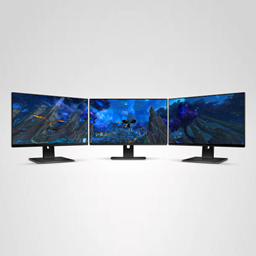
Play WoW on 3 monitors. Enlarge you FoV! 🍆
Installation
- Download and install AutoHotkey. You need this free software to force the WoW window to spread on your monitors.
- Install the add-on under the
Interface/AddOnsfolder. TripleScreen works with all WoW versions. - Launch WoW.
- Open the main Menu > System > Graphics.
- Set Display mode to Fullscreen (windowed) and Window size to Default or Auto.
- Click OK to save.
How to use
- Launch WoW.
- Make sure your Display mode is set to Fullscreen (windowed) and Window size to Default or Auto under the graphics options.
- Run the .ahk script that matches your monitor setup.
- Enjoy!
If there is no .ahk script matching your monitor setup, make a copy of one of the scripts, open it in a text editor then change the values for monitorWidth and monitorHeight.
At-a-glance numbers
Performance highlights
- Peaked at Hot #2615 on Jul 19, 2026.
- Peaked at Rising #5187 on Jul 19, 2026.
- Featured on the Hot list across 6 distinct weeks.
- Shipped 1 release in the last 30 days.
- Averaging 1 new downloads per day over the past week.
Visuals
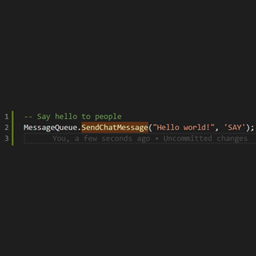
Screenshots 2
Use real gameplay shots to assess the addon before installing.