Trend Explorer
Recent download momentum
Hourly download deltas for the last 48 hours.
About this addon
What it does
A addon for managing and visualizing farming, dungeon routes across all WoW versions.
What you get:
- Create & manage routes - Save routes with waypoints, assign colors, toggle loop mode
- Visualize on minimap - Display route dots that update with player position and zoom level
- Visualize on world map - Show route lines with full interactive waypoint editor
- Record routes - Click on the map to place waypoints and build routes in real-time
- Export/import routes - Share routes with other players (version-specific format)
- Share through ingame chat (say, group, instance, guild, raid)
- Customize appearance - Adjust line thickness, dot size, waypoint labels, colors
- Multi-version support - Works on Retail, Classic Era, TBC Classic, and Cata Classic
- 100% dynamic zone discovery (no hardcoded zone lists)
- Language-independent (works with all WoW localizations)
- Automatic WoW version detection
- Visual waypoint editor with drag-and-drop
- Real-time coordinate conversion via HereBeDragons library
- Full API support
- Full chat support
-----------------
How it works?
Route Creation (Create, Save):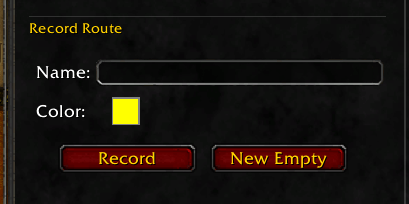
There are 3 options to create routes.
Option 1: Recording by walking. Enter a name for your new route and press the Record button to create a route by tracking your player character. You will get a small popup window to track your recording: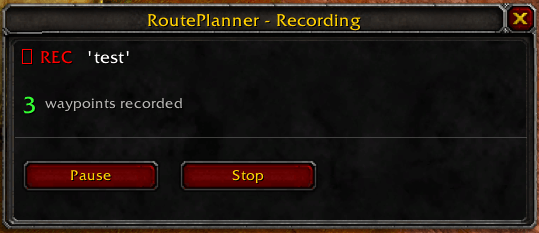
Use “Pause” to pause the current recording to resume later. Use “Stop” to stop the recording.
Option 2: New Empty. This will open your world map and you will be asked to navigate to the zone you want to create the route for. Enter a name for the route and press “Create”.
From there, you will jump directly into edit mode. See the Edit chapter below.
Option 3: Import. There is an Export/Import function in this addon. You can always import routes from other players by simply importing a text string. See the Export/Import chapter below.
Route Edit (Edit, Loop, Save):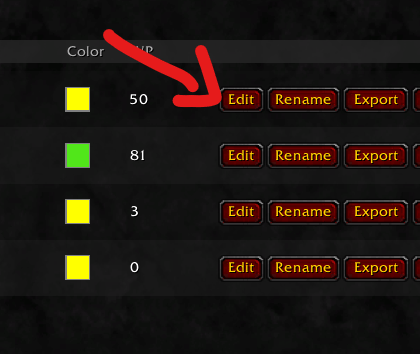
You always have the option to manually edit routes by pressing the Edit button to fine-tune your routes.
By pressing “Edit,” your WorldMap will open and you can easily edit the waypoints by drag and drop: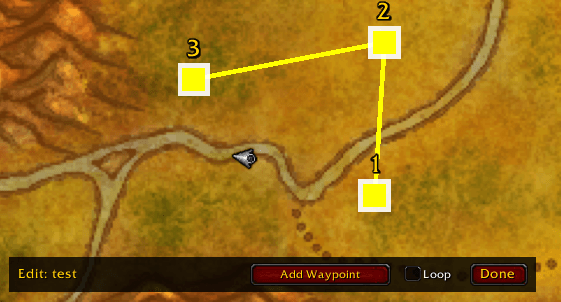
Functions in Edit mode:
1. Add Waypoint - By pressing “Add Waypoint,” you can easily left-click new waypoints into your route. By pressing right-click, you can remove waypoints.
2. Move Waypoints - By holding left-click on a waypoint, you can easily move waypoints.
3. Loop - When you activate Loop, your route will be a “Loop”. These are good for farming routes. You can disable Loop for one-way routes. Good for dungeons and raids, for example.
AI Route Helper
This is an experimental feature to convert pictures of routes and notes for zones into an import string.
Let's say you find a helpful picture of mining notes in Tanaris or something else and you don't want to manually create a route. With AI Route Helper, you get a preconfigured prompt for your ChatGPT, Claude....
1. Look up the zone for which you want to create the route: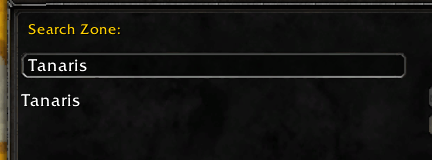
2. Copy this prompt text with all the necessary information.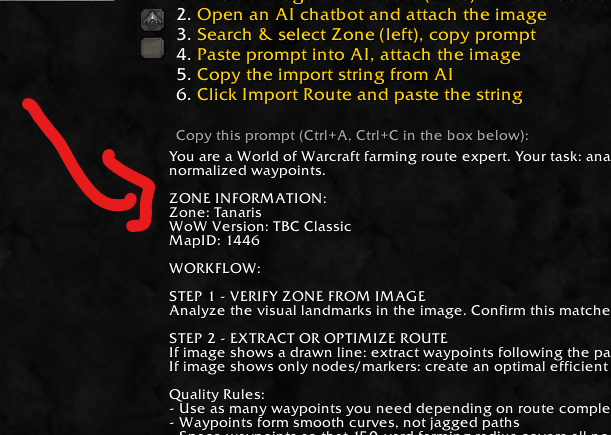
3. Paste this together with a picture of the farming route you are looking for in an AI chat (ChatGPT, Claude, whatever).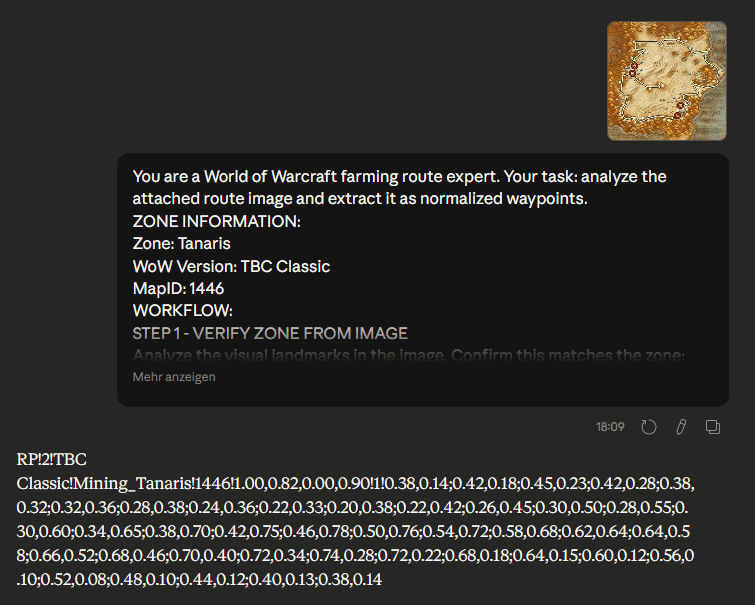
4. Your AI will try to find the best possible route for your farming zone. If there is already a farming route line on your image, the AI will try to replicate this existing line. If you choose an image with only farming notes without a route line, the AI will try to create the best possible route for you. At the end, you will receive an import string for your addon. See the next chapter to learn how to export/import.
Depending on how good the AI is, you will end up with a good template. Of course, every AI makes mistakes and does not deliver a 100% 1:1 copy. Feel free to use the edit mode afterwards to adjust the route.
Export/Import
You can always export/import routes to your addon to easily share them with your friends or community through in-game chat or text string.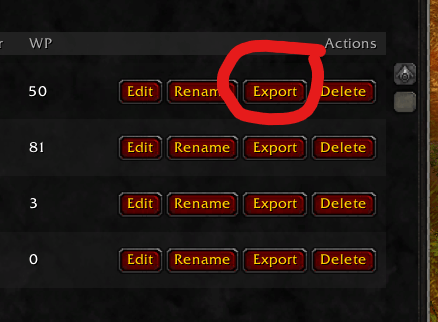
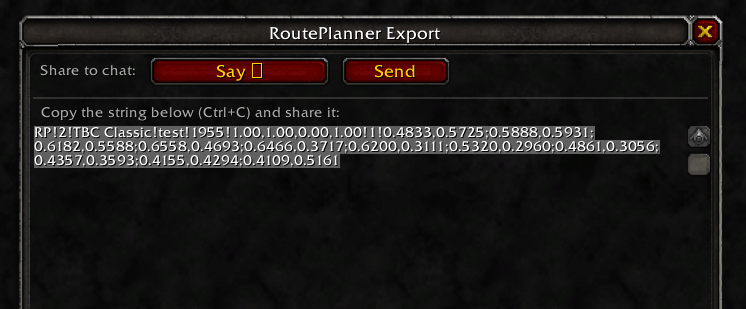
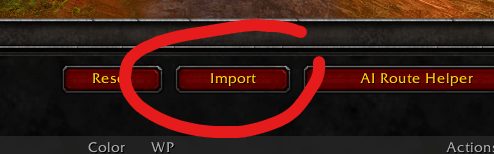
Please understand that there is a restriction when exporting/importing. Routes cannot be shared between different WoW versions. This means that TBC Classic routes cannot be imported into Retail and vice versa. This is simply because the existing maps have changed due to the various expansions.
However, routes can be freely shared between Horde, Ally, Realms and Patches as long as it comes from the same WoW version (WoW Retail, WoW TBC Classic, etc.), everything is fine.
API
This addon can now be controlled by other addons to fully manage routes. Here are the features. If you want to know exactly how it works, check out the files in the RoutePlanner folder: API_EXAMPLES.lua and API_README.md.
Core Functions
- ImportRoute(routeData, version) — Import a route
- GetRoute(name, version) — Get specific route
- GetRoutes(version) — Get all routes of a version
- ExportRoute(name, version) — Export route as table
Callback System
- RegisterCallback(event, callback) — Register event listener
- Events: "RouteImported", "RouteDeleted", "RouteModified"
- OnVersionChanged(callback) — Listen for version changes
Search & Filtering
- GetRoutesByZone(zoneName, version) — Routes by zone
- GetRoutesByMapID(mapID, version) — Routes by mapID
- SearchRoutes(searchTerm, version) — Routes by name
- GetZoneMap(version) — Which zones have routes?
- GetRoutesByZoneName(zoneName, version) — Alias for GetRoutesByZone
Route Modification
- SetRouteColor(name, color, version) — Change color
- SetRouteVisible(name, visible, version) — Change visibility
- SetRouteLoop(name, loop, version) — Change loop setting
- UpdateRoute(name, routeData, version) — Update route
- DeleteRoute(name, version) — Delete route
Waypoint Manipulation
- AddWaypoint(name, waypoint, index, version) — Add waypoint
- RemoveWaypoint(name, index, version) — Remove waypoint
- SetWaypoints(name, waypoints, version) — Replace all waypoints
Statistics & Info
- GetRouteStats(name, version) — {waypointCount, estimatedDistance, boundingBox}
- GetNearestWaypoint(name, playerX, playerY, mapID, version) — Nearest waypoint
Export & Batch
- GenerateExportString(name, version) — Export string for sharing
- ImportRoutes(routesData, version) — Import multiple routes at once
Route Locking
- LockRoute(name, version) — Protect route from deletion
- UnlockRoute(name, version) — Remove lock
- IsRouteLocked(name, version) — Check lock status
Important: Version parameter is optional (defaults to current version), coordinates are normalized zone coordinates (0-1).
Chat commands
From now on, route planner can also be managed via chat commands.
Import
- /rp import — Open import dialog
- /rp import <string> — Import route directly from string
Manage
- /rp delete <name> — Delete a route
- /rp update <name> <string> — Update route with new data
Info
- /rp help — Show help popup
- /rp version — Display version information
- /rp debug — Show debug information
- /rp — Open settings
Aliases: /routeplanner works the same as /rp
Debug
If you encounter errors or something unusual occurs, feel free to send a description of the problem in the comments and always include the text from the Debug button on the main UI at the bottom left. This greatly helps us to obtain some basic information and resolve your problem.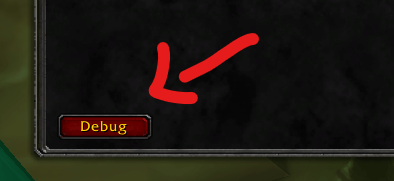
Let's help each other out. Feel free to share your farming route here in the comments.
Thanks to following bug reporters:
March 4, 2026 - AsuraTraitor: General performance issue (High CPU usage). Status: resolved.
At-a-glance numbers
Performance highlights
- Peaked at Hot #617 on Jul 13, 2026.
- Peaked at Rising #301 on Jul 13, 2026.
- Featured on the Hot list across 6 distinct weeks.
- Shipped 2 releases in the last 30 days.
- Averaging 15 new downloads per day over the past week.
Visuals
Screenshots 7
Use real gameplay shots to assess the addon before installing.