Trend Explorer
Recent download momentum
Hourly download deltas for the last 48 hours.
About this addon
What it does
A complete overhaul of the Midnight expansion's Prey Hunt screen. Open the Adventure Map and PreyTracker swaps in a full Hunt Board — every active hunt, its difficulty, zone, and rewards, all in one clean view. No more squinting at tiny map pins! 🗺️
✨ Features
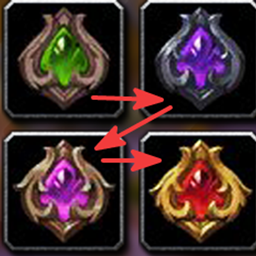
🎯 Hunt Board overview Replaces the map screen with a board listing all currently available Prey Hunts, organized by zone (Eversong Woods, Zul'Aman, Harandar, Voidstorm) and difficulty (Normal / Hard / Nightmare), with reward previews so you can plan your run before committing.
📊 Custom progress bar Swaps out Blizzard's built-in Prey Hunt widget for a sleek 3-segment bar tracking your current hunt and Anguish currency balance.
🏆 Achievement tracking For Nightmare-difficulty hunts, see at a glance whether each hunt's "Prey: Nightmare Mode III" criterion is already done — trophy vs. checkmark — plus a footer progress bar and tooltip with remaining criteria.
🧭 Minimap button Quick access from anywhere.
⌨️ Slash Commands
/prey— open the Hunt Board/prey bar— toggle the custom progress bar/prey widget— toggle Blizzard's native widget/prey hide— force-hide the board/prey reset— rebuild the board
📝 Notes
⏳ All hunt data is gathered client-side from the Adventure Map (there's no official Prey Hunt API), so the board may take a moment to populate the first time you open the map each session while rewards are cached.
🌐 Difficulty and zone detection rely on English text, so results may be less accurate on non-English clients.
🛡️ Compatibility
Built for the Midnight expansion. Settings are saved per-character and per-account, so your layout preferences persist across alts.
At-a-glance numbers
Performance highlights
- Peaked at Hot #1156 on Jun 29, 2026.
- Peaked at Rising #893 on Jun 29, 2026.
- Featured on the Hot list across 6 distinct weeks.
- Shipped 1 release in the last 30 days.
- Averaging 24 new downloads per day over the past week.
Visuals
Screenshots 2
Use real gameplay shots to assess the addon before installing.