Trend Explorer
Recent download momentum
Hourly download deltas for the last 48 hours.
About this addon
What it does
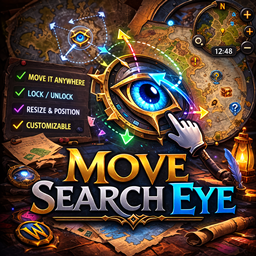
MoveSearchEye lets you freely move the LFG eye and the Minimap Tracking (magnifier) icon anywhere on your screen—no more being stuck to the minimap’s edge. It uses safe “holder” frames you drag (Alt + Left-Click), stores per-character positions, and works with the modern Settings UI. Zero taint hooks, combat-safe behavior, and simple commands.
Features
Drag to move (hold Alt + Left-Click) — positions are per-character.
Move both Queue/LFG eye and Minimap Tracking (magnifier) icon.
Settings panel (Interface → AddOns) with:
Lock/unlock dragging
Show/Hide each icon
Scale (0.5 → 2.0)
Reset positions
Safe design: no SetPoint hooks, no re-parenting Blizzard frames; uses external holders.
Resilient to minimap addons; auto-reanchors when Blizzard/UI tries to move icons.
Slash Commands
/mse → help
/mse lock → lock movement
/mse unlock → unlock (Alt + Left-Click to drag)
/mse scale 1.2 → set icon scale (0.5–2.0)
/mse reset → reset positions near the minimap
/mse enable tracking → show the tracking (magnifier) icon
/mse disable tracking
/mse enable lfg → show the LFG eye
/mse disable lfg
Installation
Unzip to: World of Warcraft/_retail_/Interface/AddOns/MoveSearchEye/
Files: MoveSearchEye.toc, MoveSearchEye.lua, MoveSearchEye_Options.lua
Make sure ## Interface: matches your client build (Retail 11.x).
(Re)start the game or /reload, enable MoveSearchEye on the AddOns screen.
How to Use
Hold Alt, Left-Click on the icon’s area (there’s a small invisible holder under it) and drag.
Use the AddOns settings panel for scale, visibility toggles, lock, and reset.
Works alongside minimap overhaul addons; the addon re-applies your positions automatically.
Compatibility & Notes
Retail Dragonflight / The War Within (Settings API).
Classic support possible (frame names differ) — open an issue with your exact version and we’ll provide the Classic build.
In combat, moving is disabled by design to avoid protected frame operations.
Troubleshooting
Icons don’t move? Check /mse unlock and hold Alt while dragging.
Settings panel missing? You might be on an older client; the addon includes a legacy fallback.
Crashes/taint in other builds? Update to the latest version of MoveSearchEye (safe holders build).
At-a-glance numbers
Performance highlights
- Peaked at Hot #3466 on Jul 6, 2026.
- Peaked at Rising #765 on Jun 29, 2026.
- Featured on the Hot list across 6 distinct weeks.
- Shipped 1 release in the last 30 days.
- Averaging 2 new downloads per day over the past week.
Visuals
Screenshots 2
Use real gameplay shots to assess the addon before installing.