Trend Explorer
Recent download momentum
Hourly download deltas for the last 48 hours.
Latest hour +1 Jul 25, 11 PM
Peak hour +2 Jul 26, 3 PM
Average +0 per hour
About this addon
What it does
Modern Character UI
High-resolution UI for the character, dressing room, and inspect windows with Midnight-style design and quality of life features
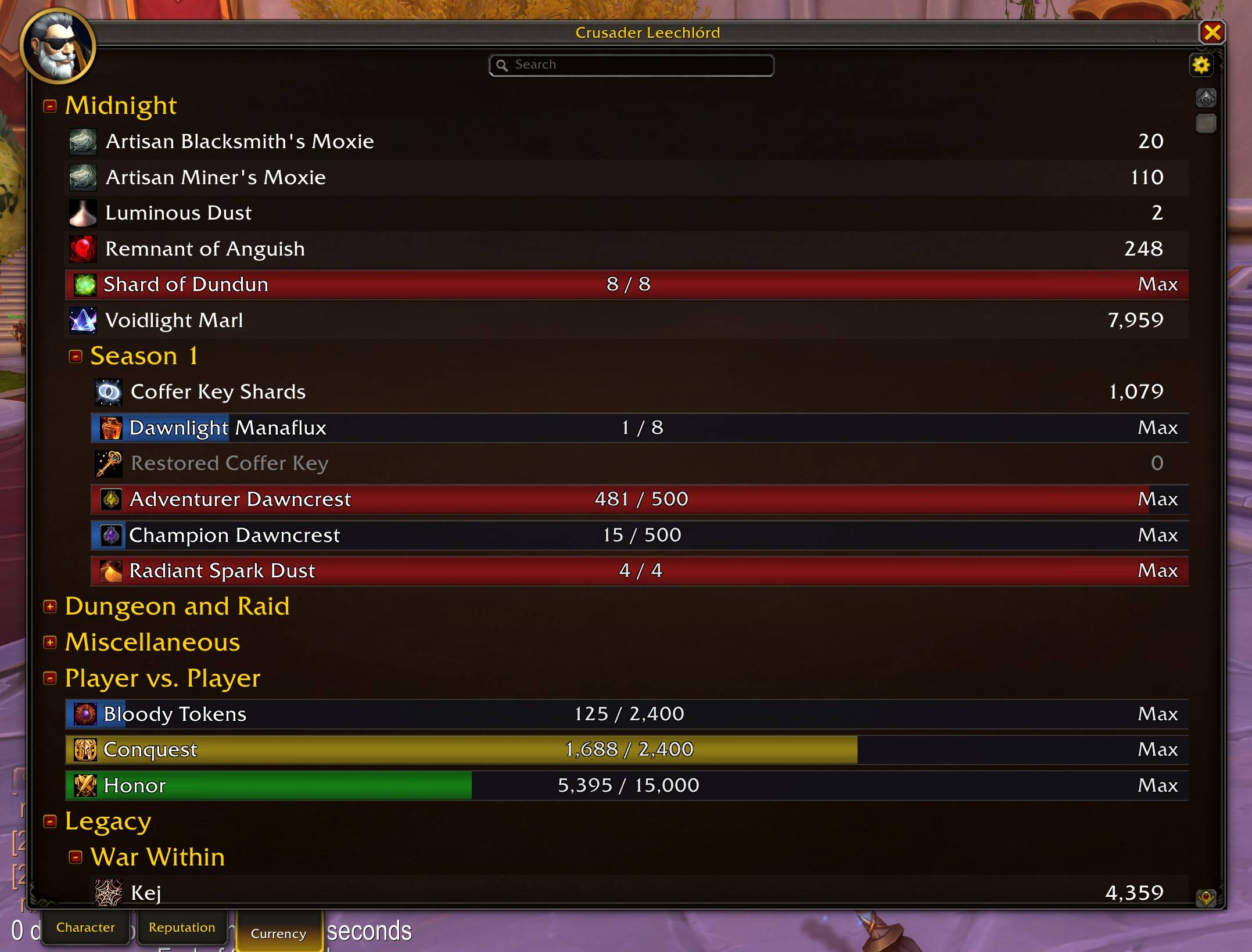
Character Panel
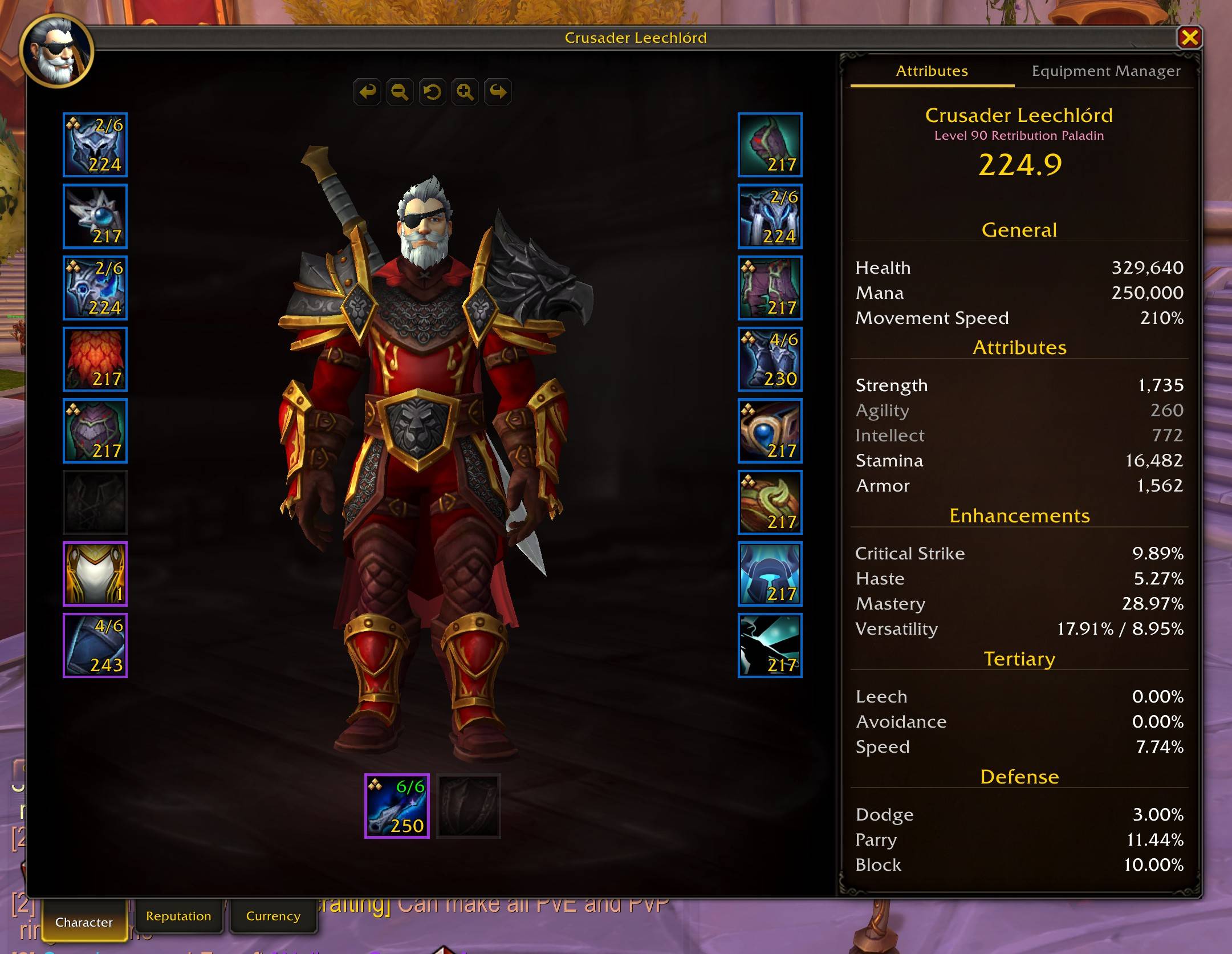
- 3x larger window with a clean design inspired by the new Midnight UI
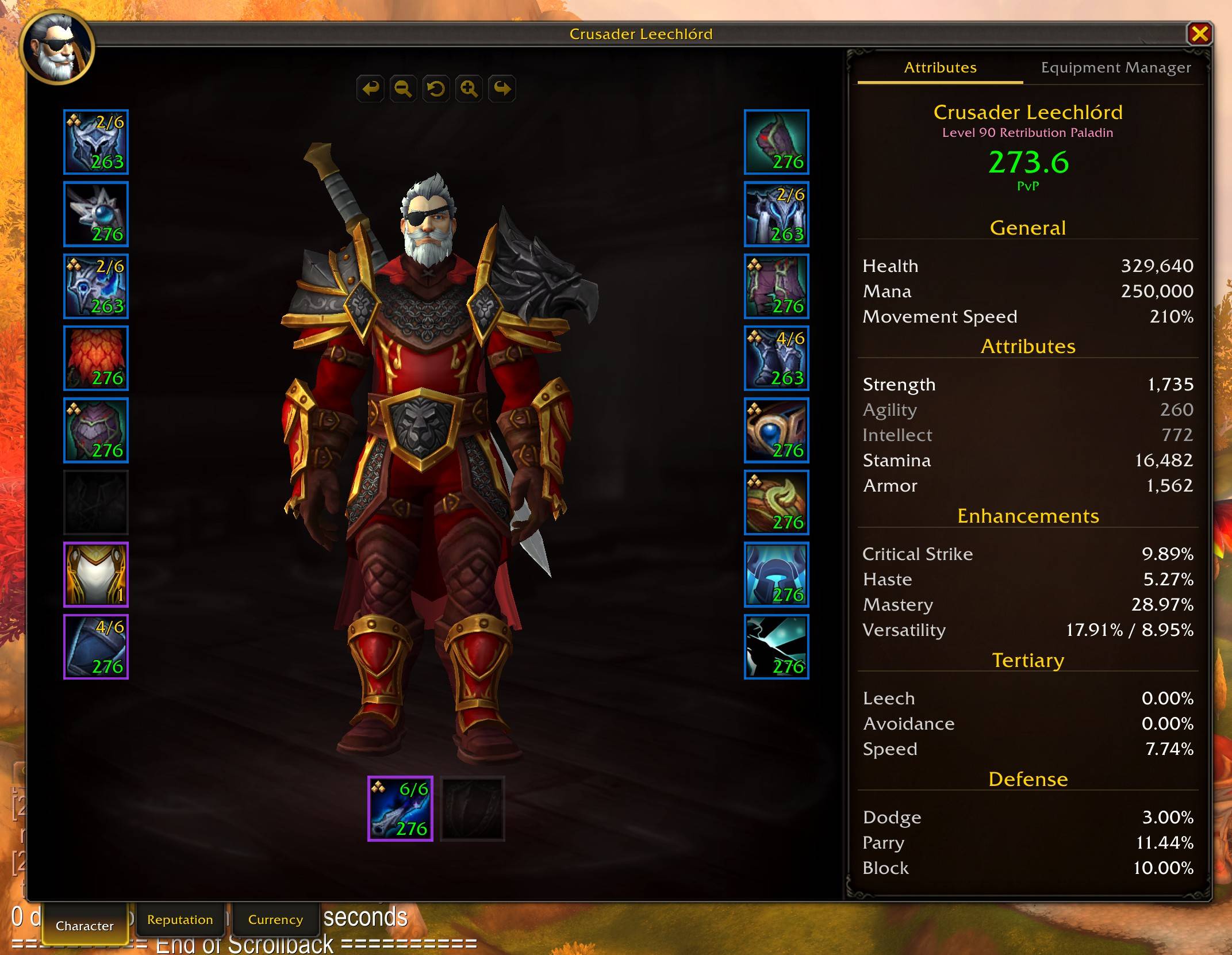
- Per-slot item level, quality-colored borders, gem/socket indicators, cooldown overlays
- Click your name to change title, specialization shown in subtitle
- Equipment Manager tab to save, load, rename, and delete gear sets
- PvP Item Levels show for items and your character while in PvP content
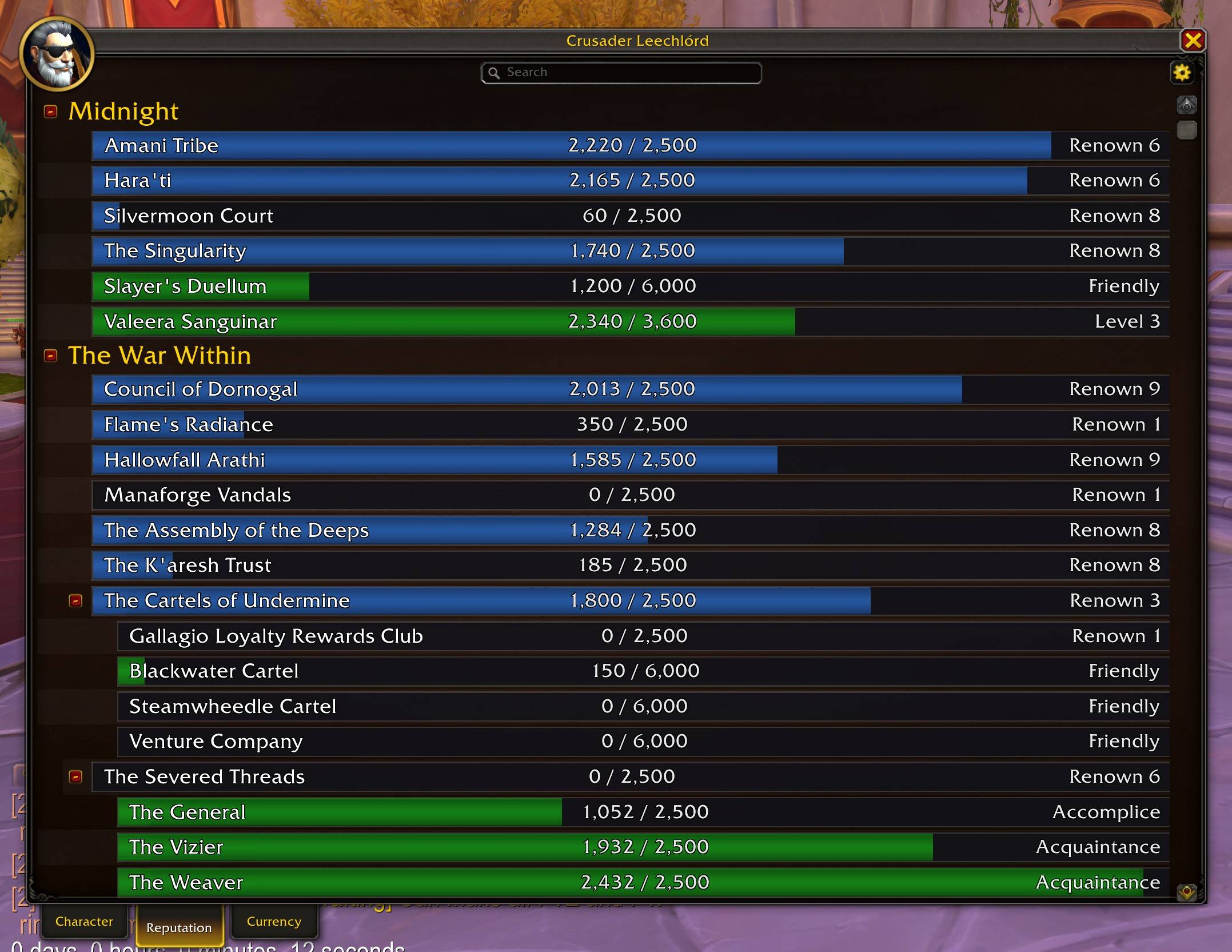
- Reputation tab with search, filters, color-coded standing bars, and detail panel
- Currency tab with search, filters, backpack tracking (Shift+click), and transfer log
- Movement Speed tracking based on stats and the current movement mode
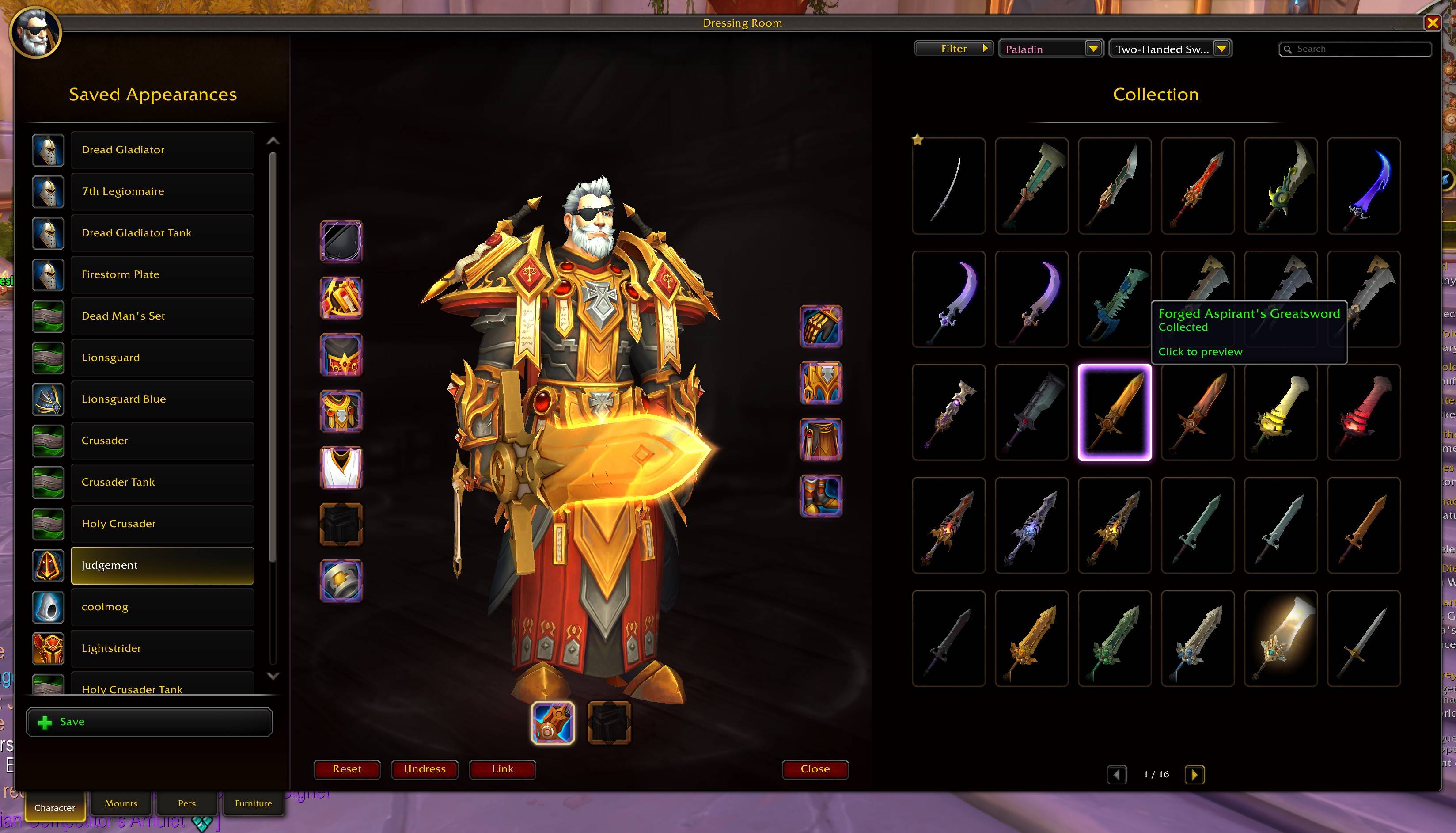
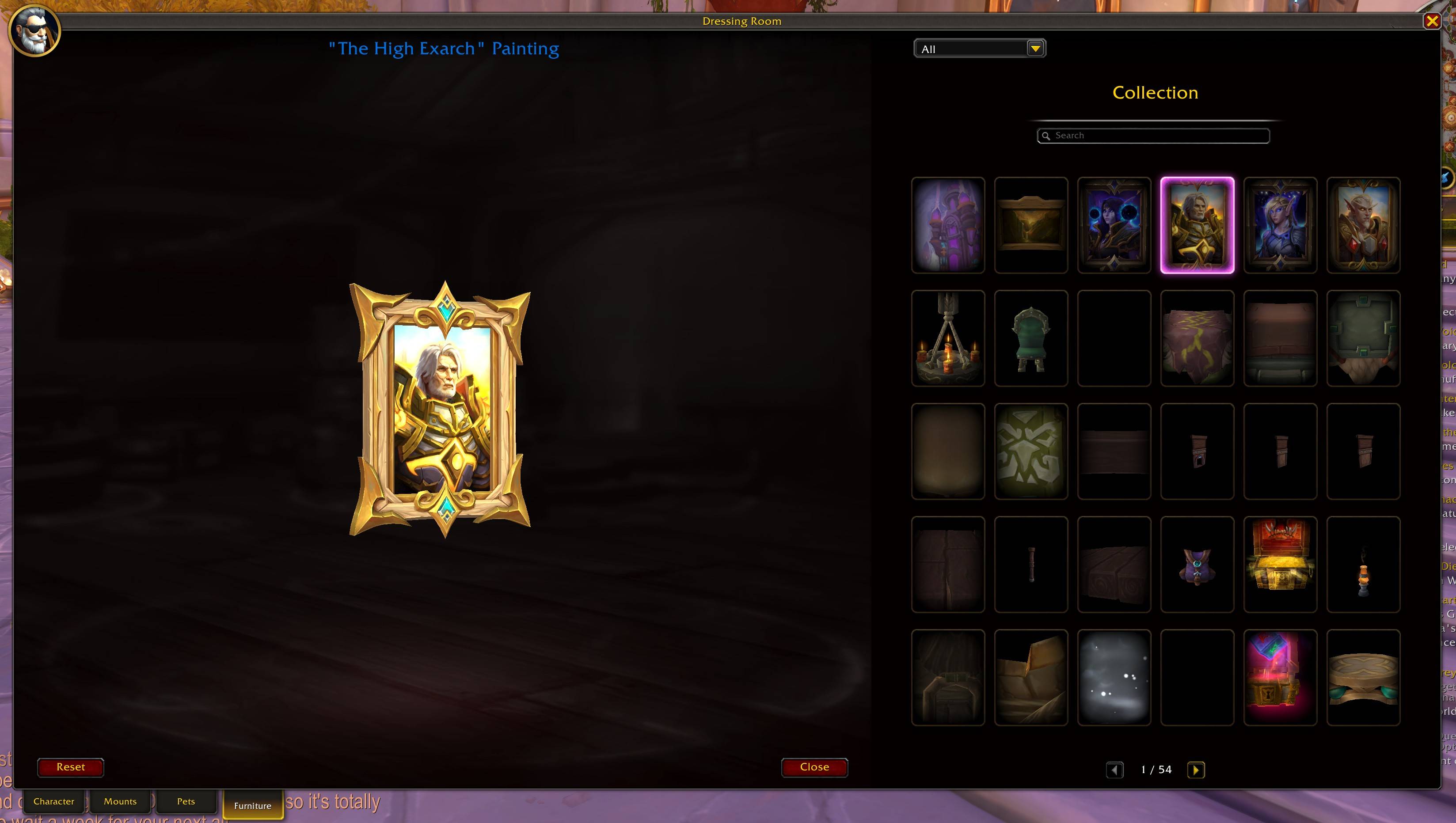
Dressing Room
- Full Transmog-style 3-panel layout with outfit list, character preview, and built-in appearances browser
- 5x6 model grid with search, source filters, and paging
- Weapon category dropdown and class filter to browse appearances for any class
- Click any appearance to preview it instantly; previewed items are highlighted with page navigation
- Click equipment slots to browse appearances, right-click to undress
- Save and load custom outfit sets
- Click any item slot being previewed to view it in your collection instantly
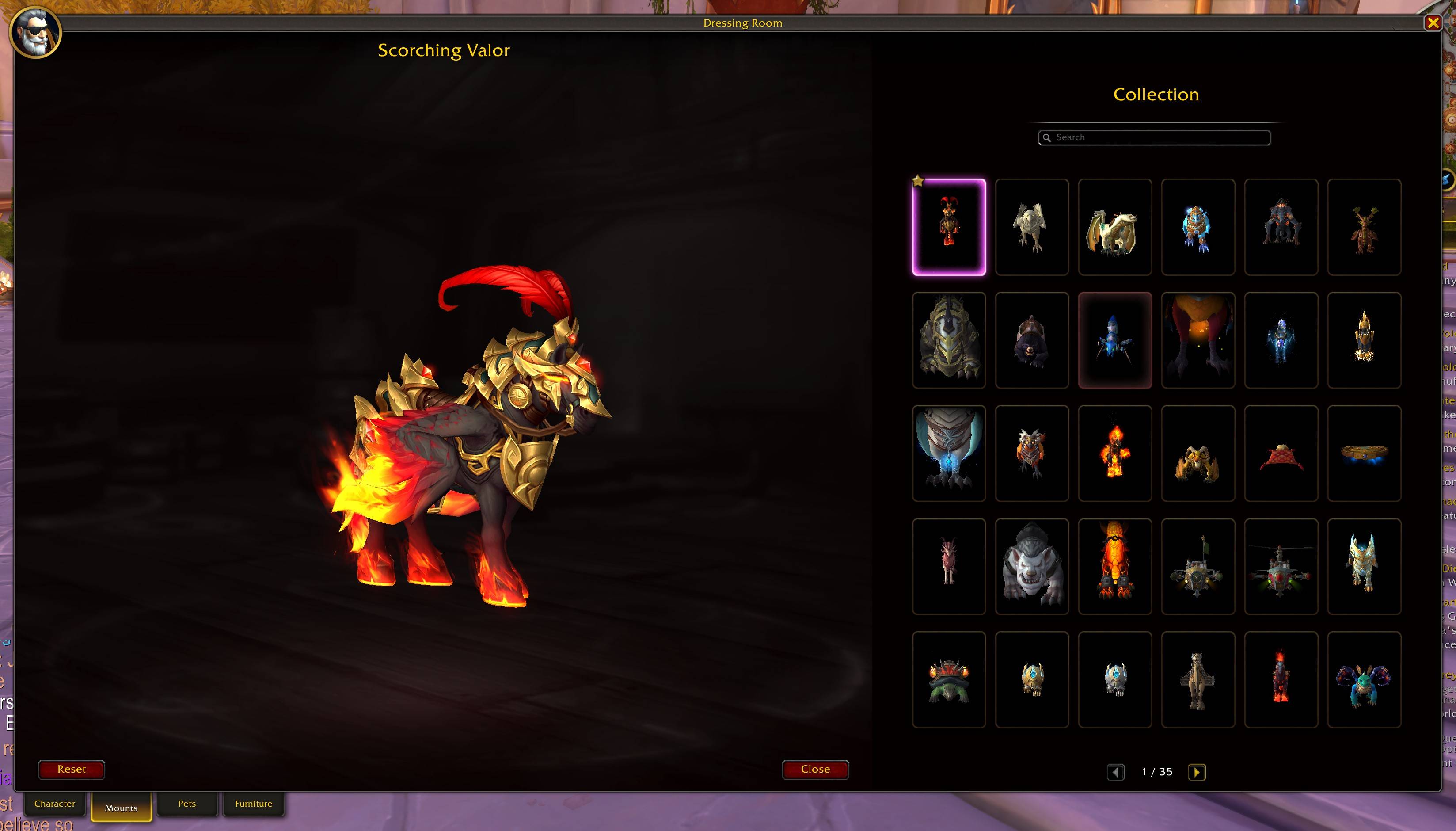
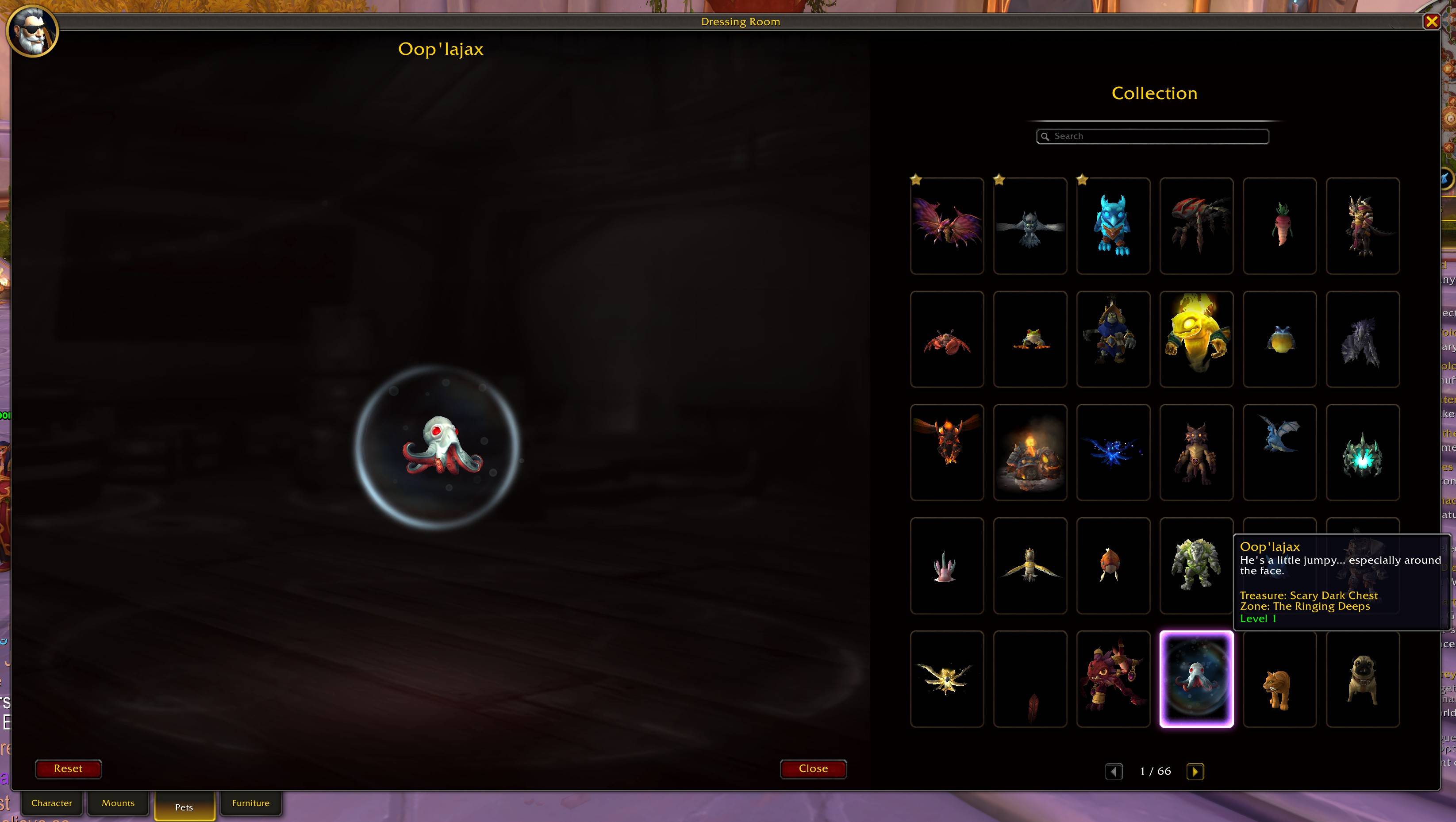
- Tab-based navigation: Character, Mounts, Pets, and Furniture modes
- Mount preview with 3D model browser, search, and paging across all mounts
- Battle pet preview with 3D model browser, search, and paging across all pets
- Housing furniture preview with 3D model browser, category filter, search, and paging
- Ctrl+click any mount, pet, or furniture link to preview it instantly
Inspect Window
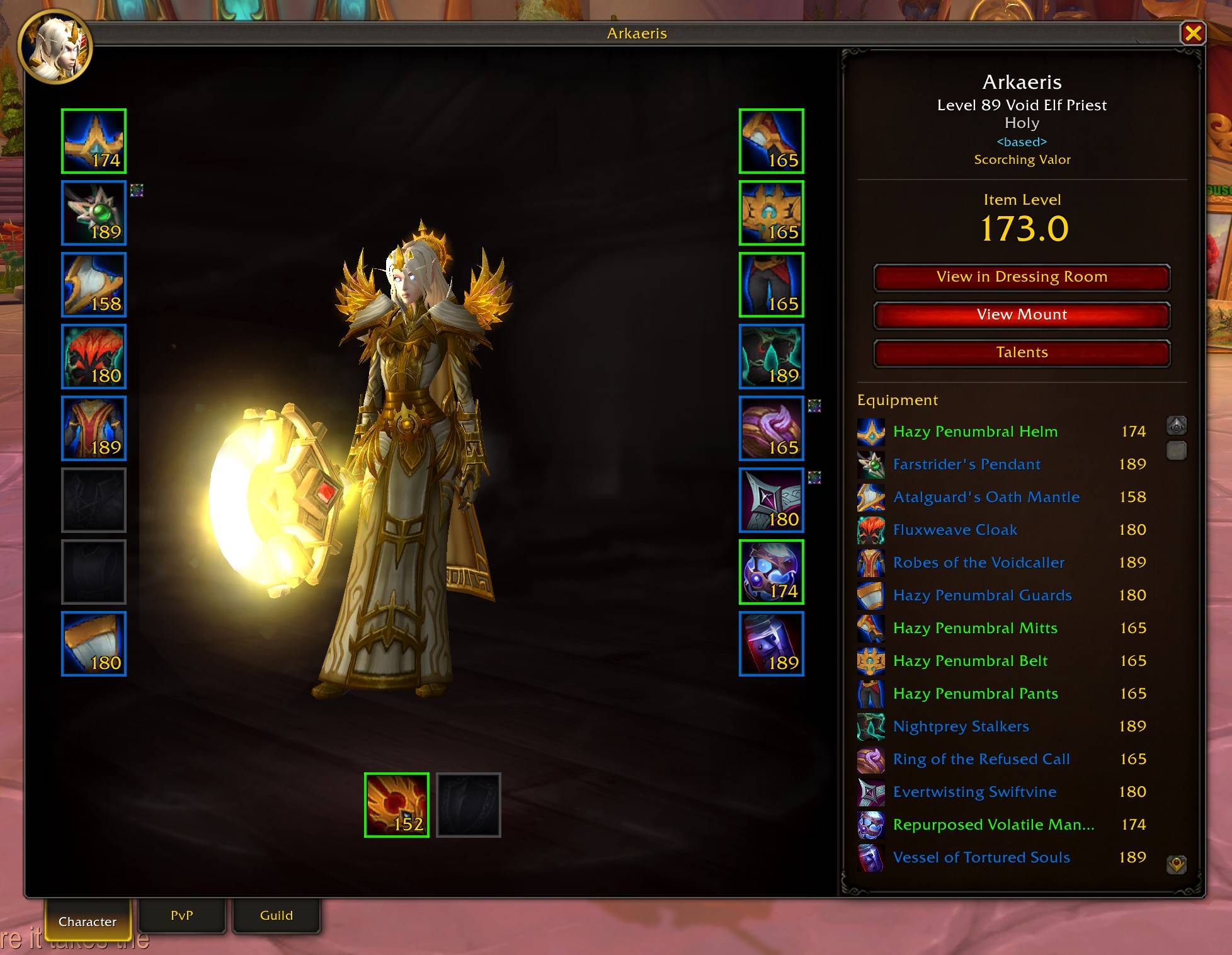
- Same design as the character panel with 3D model and 18 equipment slots
- Item level, specialization, and class-colored name display
- Character, PvP, and Guild tabs matching the legacy inspect window
- View in Dressing Room and View Talents buttons
- View Mount button to preview the target's current mount in the dressing room
- PvP tab shows honor level, arena ratings, solo shuffle, RBG, and blitz ratings
- Guild tab shows tabard, name, faction, rank, and member count
Quality of Life
- Combat lockout option to prevent Character window from opening mid-fight
- Optional enchant status and upgrade track overlays on equipment slots
- Configurable window scaling (50-200%) for Character Panel, Inspect, and Dressing Room
- Preview any item in the dressing room and then click the item slot to view it in your collection
- Inspect another class and browse their collection in the dressing room with automatic class filtering
- Search & Filter support for the Reputation and Currency tabs to quickly find what you need
- Preview mounts in the dressing room with a dedicated mount browser, search, and paging across all mounts in the game
- Preview housing furniture with 3D models, category filtering, and collection browsing
- All windows remember their position between sessions
Installation
- Download from CurseForge or GitHub.
- Place the
ModernCharacterUIfolder in yourInterface\AddOnsdirectory.
Configuration
/mcu or Interface > AddOns > Modern Character UI.
- Override Legacy Character Panel: On
- Override Legacy Dressing Room: On
- Override Legacy Inspect Window: On
- Block Opening in Combat: On
- Show Enchant Status: Off — displays an indicator on enchanted equipment slots
- Show Upgrade Track: Off — displays upgrade progress (e.g. 2/6) on equipment slots
- Slot Overlay Font Size: 8-16 (default 10) — adjusts font size for item level, upgrade track, and other slot text
- Overlay Readability Style: Gradient Strips (default) — choose a background style for slot overlays: None, Thick Outline, Gradient Strips, Darkened Icon, Corner Darkening, or Drop Shadow
- Rounded Equipment Icons: Off — applies rounded corners to equipment slot icons
- Stats Panel Font Size: 8-18 (default 12) — adjusts font size for stat labels and values
- Stats Header Font Size: 8-20 (default 13) — adjusts font size for section headers
- Reputation Panel Font Size: 8-18 (default 16) — adjusts font size for faction names and standing text
- Reputation Category Font Size: 8-24 (default 20) — adjusts font size for reputation category headers
- Currency Panel Font Size: 8-18 (default 16) — adjusts font size for currency names and quantities
- Currency Category Font Size: 8-24 (default 20) — adjusts font size for currency category headers
- Character Panel Scale: 50-200% (default 100%)
- Inspect Window Scale: 50-200% (default 100%)
- Dressing Room Scale: 50-200% (default 100%)
Commands
/mcu: Open settings/mcu character: Toggle character panel/mcu dress: Toggle dressing room/mcu mounts: Open mount preview/mcu pets: Open pet preview/mcu furniture: Open furniture preview
Feedback and Support
Found a bug or have a suggestion? Visit the issue tracker on GitHub.
Contribution
Pull requests are welcome on the GitHub repository.
License
Released under the MIT License.
At-a-glance numbers
Performance highlights
- Peaked at Hot #3082 on Jul 8, 2026.
- Peaked at Rising #1310 on Jul 9, 2026.
- Featured on the Hot list across 6 distinct weeks.
- Shipped 1 release in the last 30 days.
- Averaging 3 new downloads per day over the past week.
Visuals
Screenshots 9
Use real gameplay shots to assess the addon before installing.