Trend Explorer
Recent download momentum
Hourly download deltas for the last 48 hours.
About this addon
What it does
**Details Framework is a powerful, standalone framework for World of Warcraft addon development.** For **10+ years**, it has helped addon authors build WoW addons faster by providing a complete foundation for addon objects, saved variables, profiles, UI widgets, options panels, charts, tooltips, localization, timers, async tasks, and more. **Trusted by major addons** like Details!, Plater, World Quest Tracker, ClassUIEnhanced, NorthernSkyRaidTools, and many others.
Source Code: https://github.com/Tercioo/Details-Framework
If you're creating a World of Warcraft addon and want to avoid rebuilding common systems from scratch, Details Framework gives you a ready-to-use library for both backend structure and user interface development. **Actively maintained** with ongoing development, it's designed to reduce boilerplate, simplify maintenance, and speed up addon creation.
Core Features
**Backend Systems:**
- Addon object creation with built-in saved variables and profiles
- Aura panels for buffs/debuffs with direct profile integration
- Complete options panel system with Build Menu feature
- Encounter Journal data retrieval with one function call
- Advanced scheduling that expands `C_Timer`
- Async support for heavy tasks (work distributed across frames)
**UI Framework:**
- 30+ customizable frame types and widgets
- Standalone tooltip system (replaces `GameTooltip`)
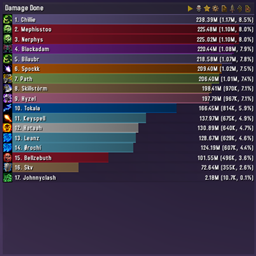
- Charts and graphics for user data/statistics
- Full localization support for any language
- Math library and table serialization utilities
**Available UI Components:** Buttons, containers, dropdowns, text editors, text entries, rounded frames, simplified panels, scroll boxes, headers, icon rows, text labels, status bars, scale bars, title bars, textures, sliders, tab containers, time bars, health bars, power bars, cast bars, unit frames, wheel menus, options editors, elapsed time bars, frame icons, keybind setting frames, load condition frames, timelines.
Documentation
- Each library file includes `.md` documentation
- LuaDoc / EmmyLua annotations on all objects
- Centralized function signatures for editor integration
Quick Start - Add to Your Addon
-
Place framework folder anywhere in your project
-
Add framework `load.xml` to your `.toc` file
-
Access in Lua code:
local detailsFramework = DetailsFramework
**No LibStub required** - completely standalone.
-
Create your addon object:
local MyNewAddon = detailsFramework:CreateNewAddOn( addonFolderName, globalSavedVariablesName, profileTemplate )
**Your addon is now ready to use the framework.**
At-a-glance numbers
Performance highlights
- Peaked at Hot #6 on Jul 5, 2026.
- Featured on the Hot list across 6 distinct weeks.
- Shipped 7 releases in the last 30 days.
- Averaging 100 new downloads per day over the past week.
Visuals
Screenshots 9
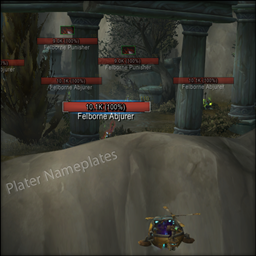
Use real gameplay shots to assess the addon before installing.