Trend Explorer
Recent download momentum
Hourly download deltas for the last 48 hours.
Latest hour +1 Jul 25, 11 PM
Peak hour +17 Jul 27, 10 PM
Average +3 per hour
About this addon
What it does

Gladius adds enemy unit frames to arenas for easier targeting and focusing. It is highly configurable and you can disable most features of this addon.
Modules
- Uses the 3.0 Arena Unit IDs, this enables full functionality even if the enemy is seen first while in combat.
- General arena unit frame features:
- HP bar + Text
- Mana bar + Text
- Cast bar + Text
- Class icon
- PvP trinket status:
- Five display options:
- Name icon.
- Name text.
- Big icon (big, scalable icon to the right).
- Small icon (small icon to the right on top of the mana bar).
- Grid-style icon (colored square to the right on top of the mana bar that turns red when the trinket has been used).
- Five display options:
- Target of Target - displays a class icon representing the enemy's target.
- You can click on the icon to target your enemy's target or use mouseover macros.
- Announcements
- New enemy announcement - announces new enemies.
- Trinket announcement - announces when the trinket is used/is ready again.
- Drinking announecment.
- Enemies on low health - announces enemies that are about to die, you can set the percentage yourself.
- Aura announcement - announces aura used.
- Cooldown announcement - announces cooldown used.
- Auras - shows important buffs and debuffs on the arena enemies.
- You can add/delete/edit auras via the configuration screen.
- Cooldown Tracker - shows enemy cooldowns
- You can enable/disable single cooldowns or entire classes.
- DR Tracker - shows diminishing returns on the arena enemies.
- You can enable/disable single diminishing returns types or show/hide the diminishing returns value.
- Click actions - you can select what is going to happen when you click on a Gladius button.
- Ten editable click actions.
- Three modifiers: SHIFT, CTRL and ALT.
- Four different action types: Target, Focus, Cast Spell and Macro.
Slash commands
- /gladius ui/config/options - displays the configuration screen.
- /gladius test1-5 - shows a test frame with the chosen amount of test units.
- /gladius hide - hides the test frame.
- /gladius trinket - simulates a trinket being used for the first arena target.
At-a-glance numbers
Performance highlights
- Peaked at Hot #628 on Jul 17, 2026.
- Featured on the Hot list across 6 distinct weeks.
- Shipped 1 release in the last 30 days.
- Averaging 59 new downloads per day over the past week.
Visuals
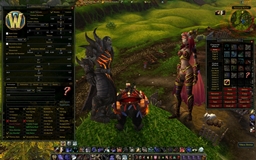
Screenshots 1
Use real gameplay shots to assess the addon before installing.