Trend Explorer
Recent download momentum
Hourly download deltas for the last 48 hours.
Latest hour +0 Jul 26, 3 AM
Peak hour +7 Jul 28, 12 AM
Average +1 per hour
About this addon
What it does
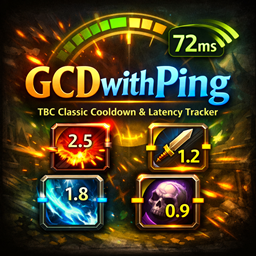
GCDwithPing is a World of Warcraft addon that displays cooldown text on action buttons with latency (ping) compensation.
It helps cooldown timers feel more “real” by subtracting network delay from the remaining time, so what you see is closer to when you can actually press the ability.
What it does
- Shows cooldown numbers directly on action buttons
- Compensates cooldown display using your current ping (adjustable strength)
- Optional GCD (Global Cooldown) display
- Color-coded timer text based on remaining time
- Decimal formatting for short cooldowns
- Movable optional ping panel (average ping + optional Home/World split)
- Works with Blizzard bars and common bar addons (Bartender4, ElvUI, Dominos, Neuron, LibActionButton)
- Optional support for Blizzard Cooldown Manager icons (Retail)
- Custom tabbed settings window (General / Display / Timing / Integrations)
- Minimap button (left-click: settings, right-click: toggle addon)
- Multi-language UI (English, Ukrainian, Russian, and more)
Key commands
/gcdp— enable/disable addon/gcdp gcd— toggle GCD display/gcdp panel— toggle ping panel/gcdp decimals— toggle decimal seconds/gcdp size <10-36>— set cooldown font size/gcdp comp <0-100>— ping compensation strength/gcdp alpha <20-100>— text opacity/gcdp status— quick status & ping summary/gcdp options— open settings window/gcdp debug— toggle debug logs/gcdp reset— reset settings/gcdp help— show command list
Why use it
If you want cooldown text that better matches real button availability in live conditions (especially with non-zero latency), GCDwithPing gives a cleaner and more practical timing readout than raw client-side cooldown numbers.
At-a-glance numbers
Performance highlights
- Peaked at Hot #681 on Jul 11, 2026.
- Peaked at Rising #319 on Jul 17, 2026.
- Featured on the Hot list across 6 distinct weeks.
- Shipped 8 releases in the last 30 days.
- Averaging 27 new downloads per day over the past week.
Visuals
Screenshots 4
Use real gameplay shots to assess the addon before installing.