Trend Explorer
Recent download momentum
Hourly download deltas for the last 48 hours.
About this addon
What it does
BETA RELEASE, THERE WILL BE BUGS.
You move your Unit Frames, but your Cast Bar stays behind. You change specs, your Cooldown Manager changes sizes, and now all your pixel perfect alignment is out the window. Want to add an actionbar extension to your Cooldown Manager?
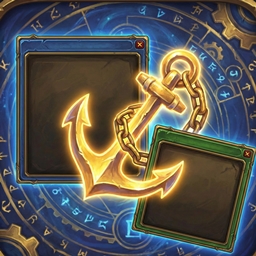
FrameAnchor is a lightweight utility for keeping your UI strictly organized. It allows you to "glue" any frame (Child) to any other frame (Parent). When the Parent moves, the Child moves with it.
Why use FrameAnchor?
- Build "Frame Groups": Anchor your Cast Bar to your Player Frame, your Buffs to your Minimap, or your Damage Meter to your Chat Box.
- Pixel Perfect Precision: Set exact X and Y offsets to get that clean look.
- Zero-CPU "Strict Mode": FrameAnchor features a smart Strict Mode. Once your frames are set, the addon goes to sleep, letting the game engine handle the movement for 0% CPU usage during combat.
- Visual Picker Tool: Don't know the frame's name? No problem. Use the visual Picker Tool to hover over any element on your screen and grab it instantly.
Key Features:
- Smart Performance: Choose between Light (smart updates), Strict (zero-cpu), or YOLO (force update) modes to suit your use case.
- Profile Management: Each character gets their own independent layout, or you can copy/paste profiles to share with friends.
- Import/Export: Backup your entire layout to a simple string string.
- Works with Everything: Supports Blizzard frames, ElvUI, Danders, Grid2, Unhalted Unitframes, Details, and more.
How to Use:
- Type /fa to open the menu.
- Click "Create New Anchor" and use the Pick button to select your "Parent" (the anchor) and your "Child" (the mover).
- Adjust the X/Y Offsets until it looks perfect.
- That's it! If you want to move them later, enable Edit Mode for 5 minutes of unrestricted dragging.
At-a-glance numbers
Performance highlights
- Peaked at Hot #3614 on Jul 24, 2026.
- Peaked at Rising #4863 on Jul 24, 2026.
- Featured on the Hot list across 6 distinct weeks.
- Shipped 1 release in the last 30 days.
- Averaging 2 new downloads per day over the past week.
Visuals
Screenshots 3
Use real gameplay shots to assess the addon before installing.