
Trend Explorer
Recent download momentum
Hourly download deltas for the last 48 hours.
About this addon
What it does
All the favorite mount lists you could ever want!
What is Favorite Mounts Enhanced?
Favorite Mounts Enhanced is an add-on for retail WoW that allows users to create their own mount lists to summon from. It's an extended version of the built in favorites list. You can create as many lists as you want with multiple ways to summon from your lists. The two available options right now are Random (summoning a random mount from the list) and Cycled (summoning the mounts in order).
How do I use Favorite Mounts Enhanced?
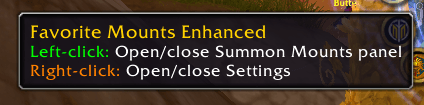
Start by clicking the minimap icon. This will open the Summon Mounts panel.
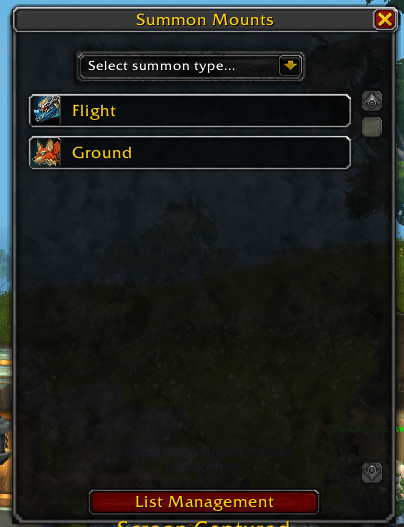
If you don't have any lists, the Summon Mounts panel will show texts that says so. Simply click "Manage Lists" to open the Manage Lists panel.
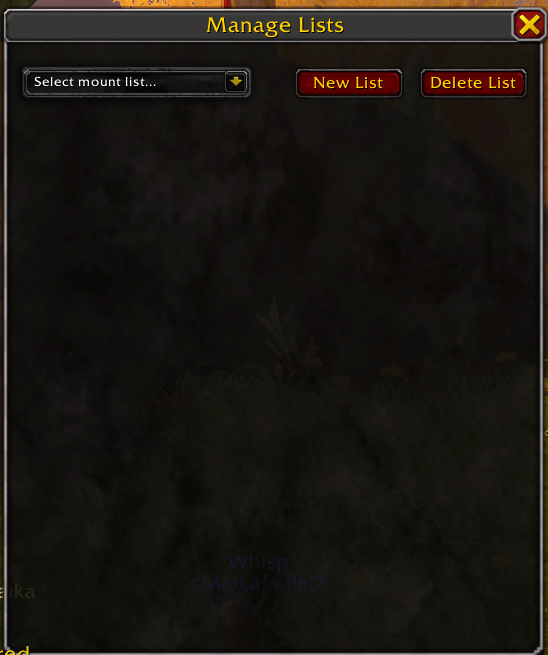
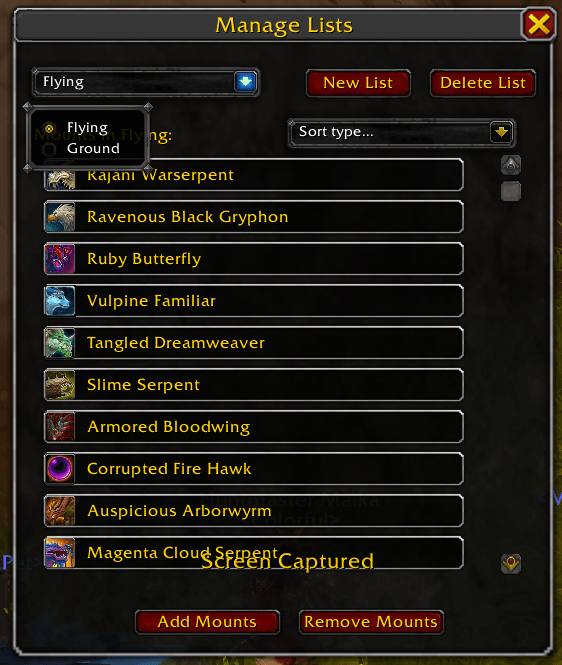
Click the "New List" button to add a new list. It'll open a small popup window for you to enter a name. The "Delete List" button will delete the list currently selected in the dropdown. When you create a list, it will be automatically selected. Then hit the Add Mounts button to add some mounts.
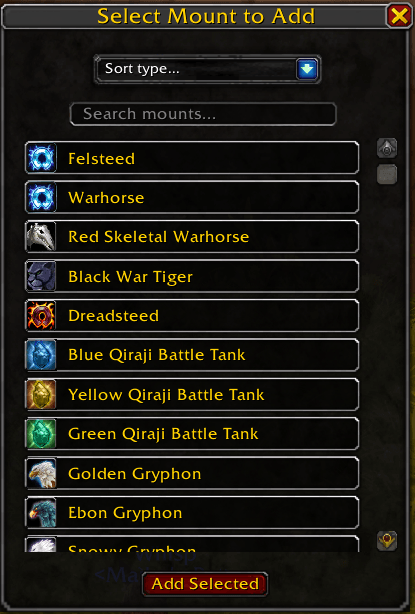
Use the dropdown to sort your mounts, or the search bar to search for them directly. Click on a mount to select it--you can select as many as you want. When you're ready, hit the "Add Selected" button. They will appear in your list in the Manage Lists panel. To remove mounts, selected them in the same way in the Manage Lists panel and hit the "Remove Mounts" button.
Now you're ready to summon some mounts!
Summoning Mounts
There are three ways to summon mounts from your lists. Start by selecting a summon method from the dropdown in the Summon Mounts panel. This is required for this first two methods.
The first method is left clicking on a list in the Summon Mounts panel. This will use your selected summoning method to summon a mount from the list you clicked.
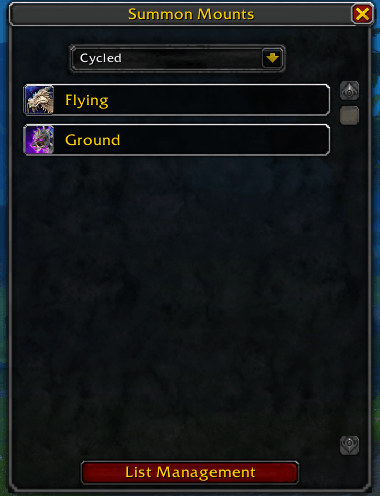
The second method is by using the custom action bar. You will first need to enable it in the settings menu covered below. In the Summon Mounts panel, right click to open the slot assignment window. Click a slot to assign the list to that slot.
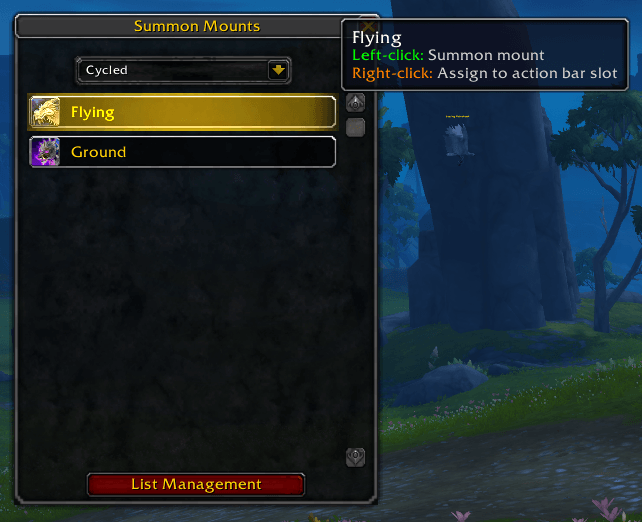
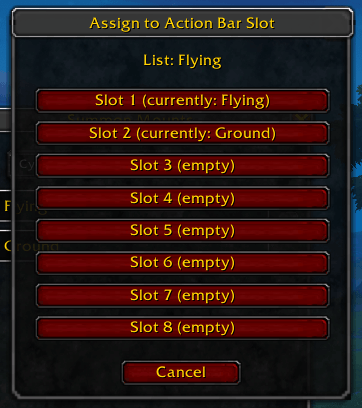
You will now see that list appear in the custom action bar slot. Clicking on the icon will use your selected summoning method to summon a mount from that list. To remove a list from the custom action bar, simply right click the icon. Use the small button on the side with the three dots to drag the custom action bar to your desired location.
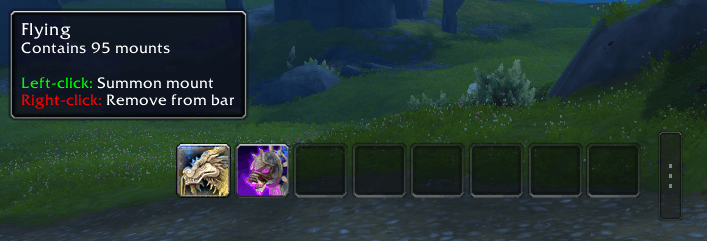
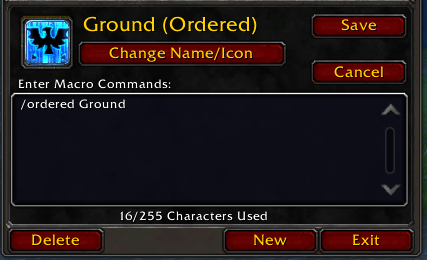
The final method is macros. If you'd prefer to use a built-in action bar, you can make macros with the summoning commands. To summon a mount using the cycled summoning method use the orddered command. To summon a mount using the random summoning method use the random command.
`/ordered <list_name>`
`/random <list_name>`
Settings
Right clicking on the minimap icon will open a simple settings panel. It has three toggleable options.
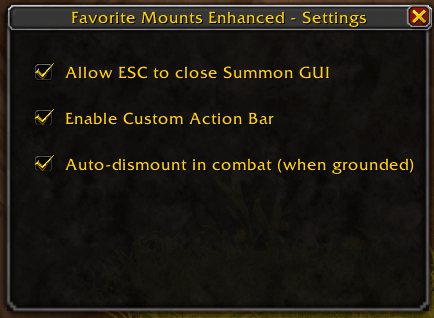
The first setting allows the ESC (escape) key to close the Summon Mounts panel. This is on by default. For those that prefer to use that panel over the action bar or macros, turning this off makes it persistent and more convenient.
The second setting turns on and off the custom action bar covered in the above section.
The third setting turns on and off the auto-dismount. If you are on the ground and are attacked or enter combat, it will automatically dismount you. This makes switching from Skyriding to combat faster.
Help! Everything's Broken!?
If the addon explodes, or you need help with something, Join my Discord Server and head over to the WoW AddOn Support forum.
At-a-glance numbers
Performance highlights
- Peaked at Hot #1670 on Jun 30, 2026.
- Peaked at Rising #527 on Jul 17, 2026.
- Featured on the Hot list across 6 distinct weeks.
- Shipped 1 release in the last 30 days.
- Averaging 0 new downloads per day over the past week.


