
Trend Explorer
Recent download momentum
Hourly download deltas for the last 48 hours.
About this addon
What it does
Eavesdropper helps you stay immersed in busy RP environments by focusing on the interactions that matter most.
Key Features:
- History Window: A focused, real-time feed for your current target or mouseover.
- Dedicated Windows: Create unique, independent windows for specific targets to track multiple conversations simultaneously.
- Group Windows: Combine multiple targets into a single shared window for party or small-group interactions.
- Keyword Highlights: Custom keywords highlighted in chat with optional sound alerts.
- Notification Support: Play a sound and flash the taskbar when your target performs an action, a Blizzard emote is directed at you, or a Dedicated/Group Window receives a message.
- Seamless Multi-Message Compatibility: Built-in support for multi-message addons like Chattery, EmoteSplitter, and Yapper.
- Advanced RP Name Formatting: Replaces standard names with RP names in rolls, Blizzard emotes, NPC dialogue, and Quest Text (via Dialogue UI).
Available on CurseForge, Wago.io, and WoWInterface!
History Window
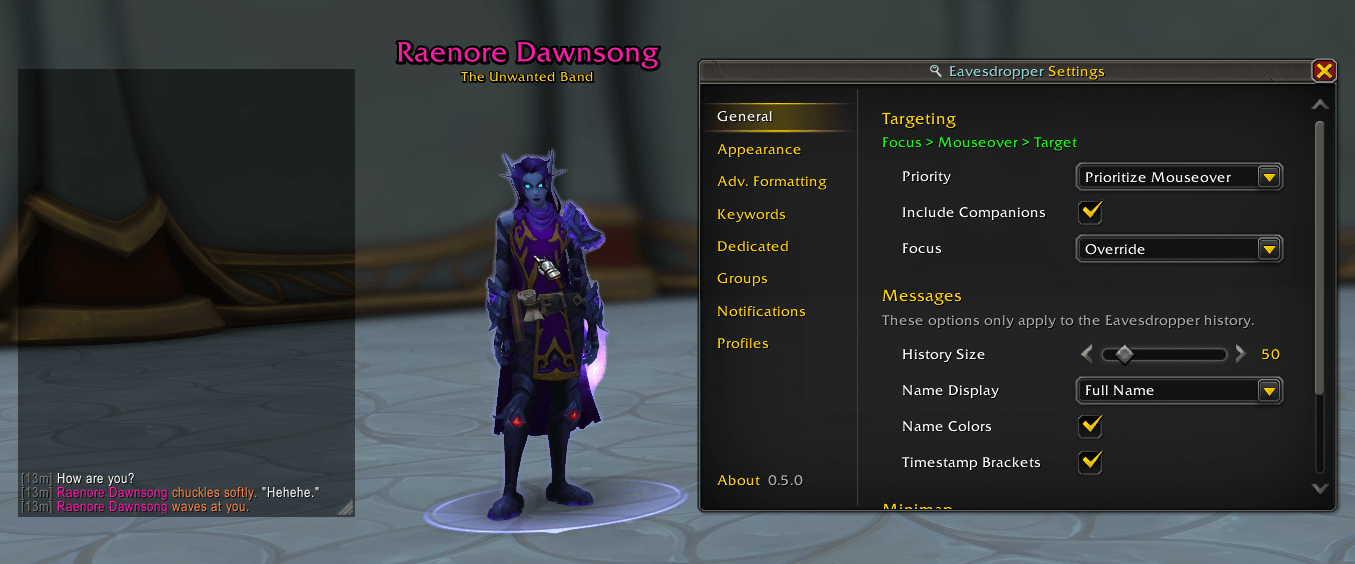
Keep track of the conversation with a customizable frame that displays the recent action history of your target or mouseover.
Customization Options:
- History Size: Change the number of stored actions displayed (default: 50).
- Visuals: Full control over window styling (background colors, opacity) and typography (font, size, etc.).
- Name Formatting: Choose how names appear: Full, First Name Only, or OOC.
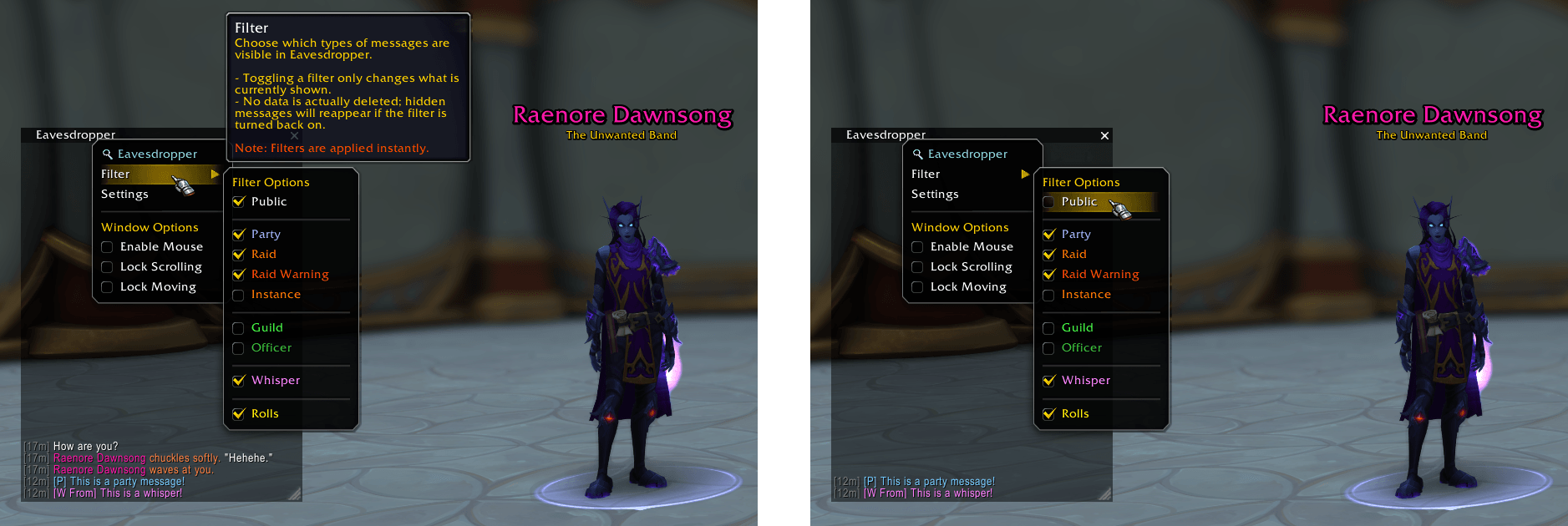
Filters
Toggle visibility on the fly. You can filter the history window to show only specific types of interactions at any time.
Dedicated Windows
Create individual Eavesdropper windows for specific targets by right-clicking a unit portrait or chat name and selecting "Eavesdrop On".
Each Dedicated Window has its own unique:
- Filters
- Font Size
- New Message indicator
- Notifications (Sounds & Flash)
Note: Dedicated Windows are session-based and do not persist through UI reloads or logouts.
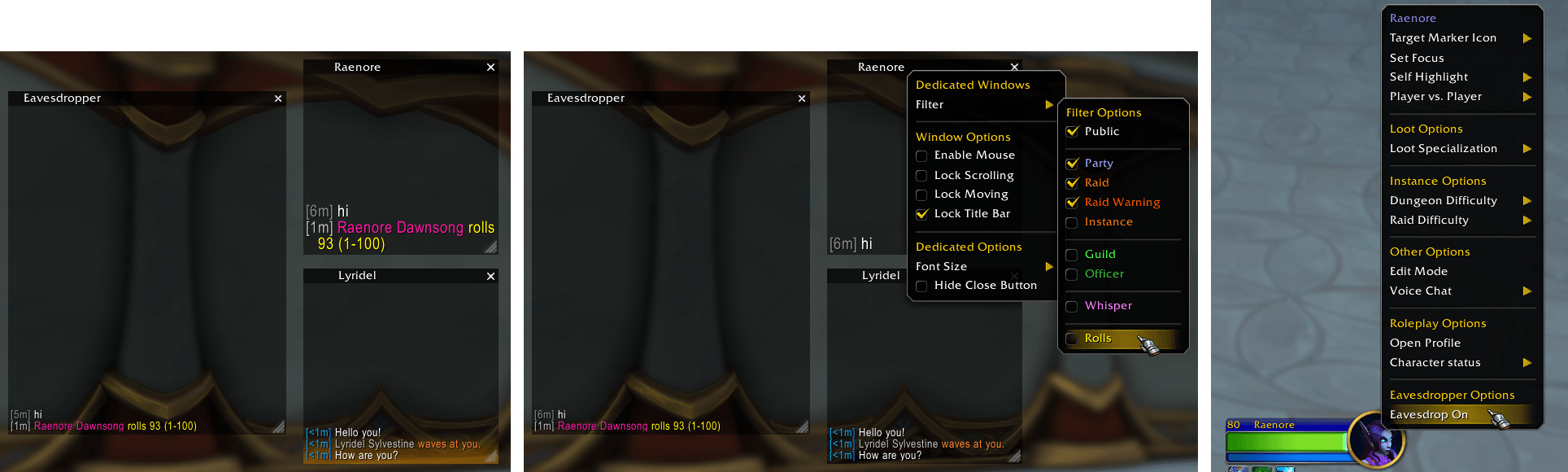 Click the image above to view it in full size.
Group Windows
Consolidate interactions from multiple specific players into a single Eavesdropper window by right-clicking a unit portrait or chat name, selecting "Eavesdrop Group", and either creating a new group or adding the player to an existing one.
Ideal for keeping track of a small party or a specific "circle" of characters within a crowded environment.
Each Group Window has its own unique:
- Filters
- Font Size
- New Message indicator
- Notifications (Sounds & Flash)
Note: Group Windows offer partial persistence: Group Name, Player List, and Display Mode are saved through UI reloads or logouts.
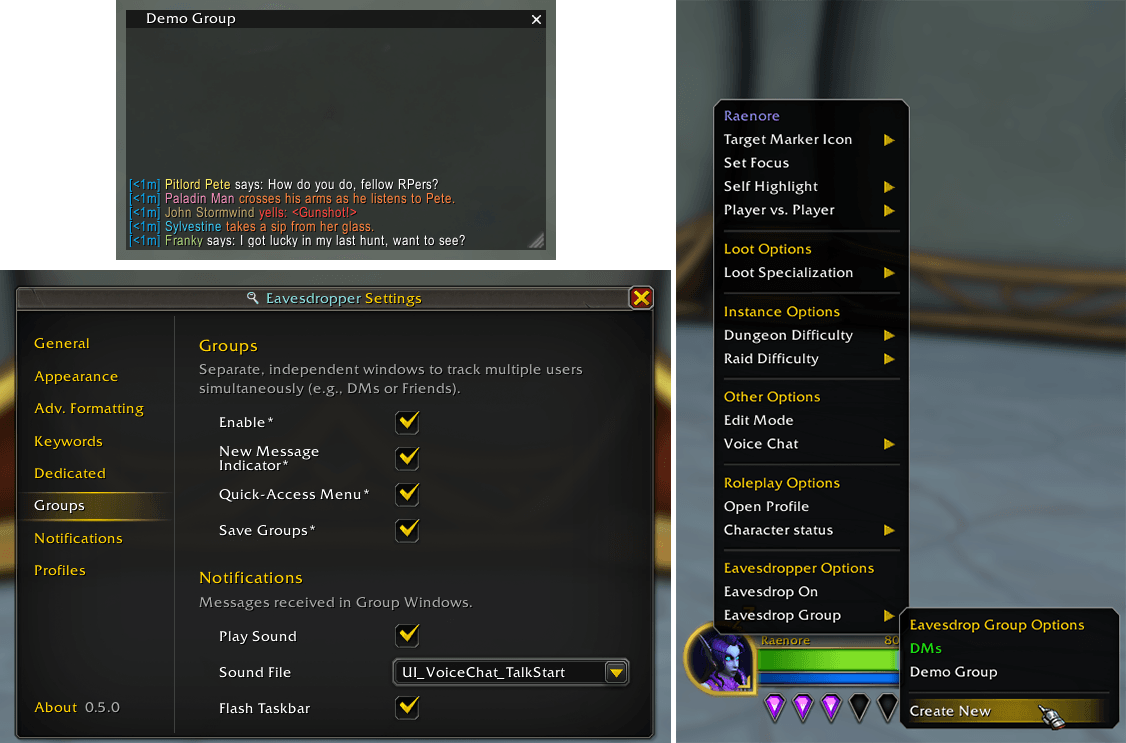
Click the image to view it in full size.
Keywords
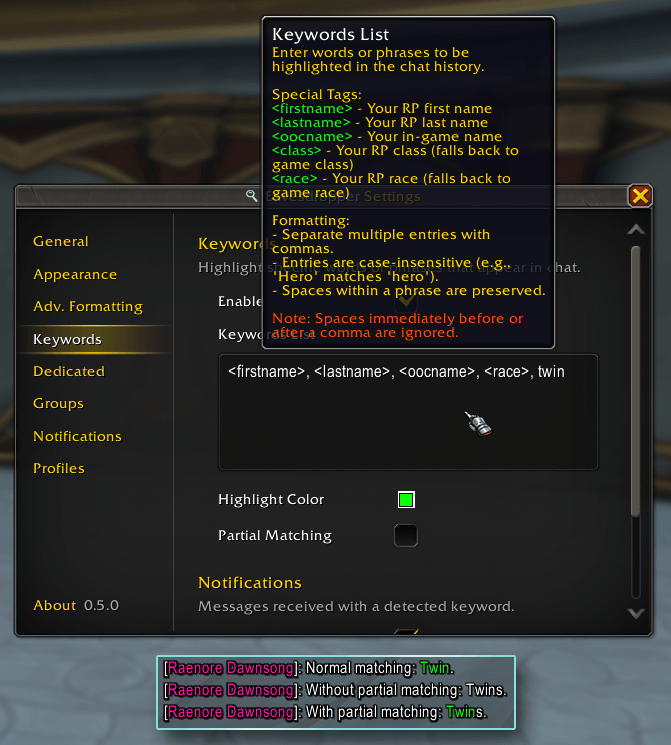
Never miss a mention. Define custom keywords to be highlighted in the main chat window and set up optional audio notifications for when they are triggered.
Notifications
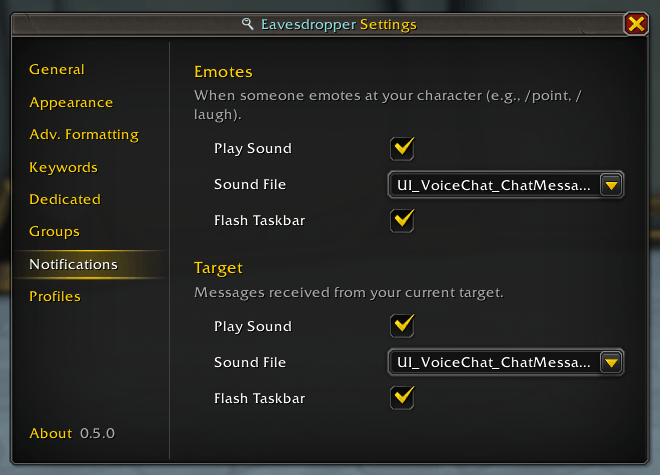
Eavesdropper can play a sound notification and flash the taskbar when:
- Your current target takes an action (e.g.,
/say, emotes, etc.). - A Blizzard emote is directed at you (e.g.,
/pointor/wave).
Note: Notifications for Dedicated and Group windows are configured individually within their respective Dedicated and Group settings pages.
Multi-Message Support
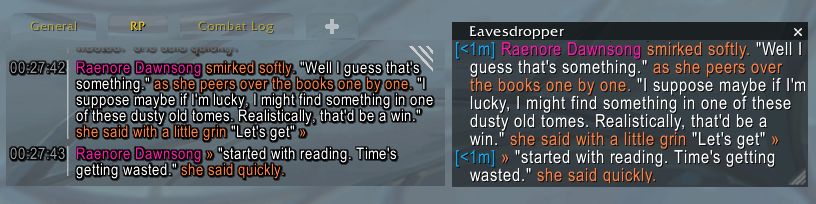
Eavesdropper intelligently handles long-form RP by detecting split messages from various addons, ensuring your history window stays cohesive even when an emote spans multiple posts.
While Eavesdropper is designed to be broadly compatible, the following addons are explicitly supported:
Advanced RP Name Formatting
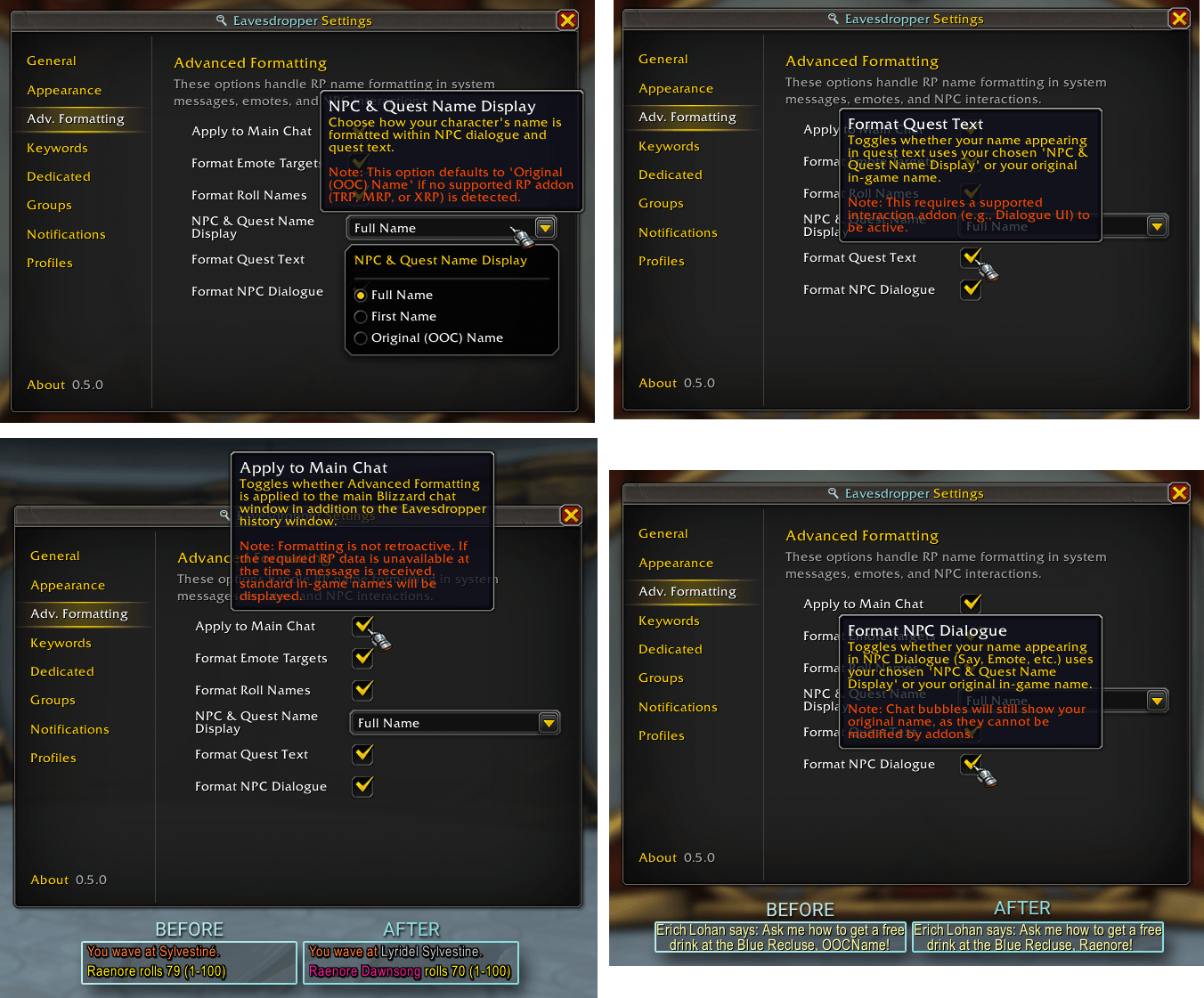
Eavesdropper can replace standard character names with their respective RP names across the entire UI.
This formatting applies to all Eavesdropper windows (History, Dedicated, and Group) and can optionally be enabled for the main chat window.
Supported Situations:
- Blizzard Emotes: Replaces names in emotes like
/point,/wave, or/bow. - Rolls: Shows RP names in
/rollresults. - NPC Dialogue: Replaces your name when NPCs speak to you in chat (
/say,/whisper, etc.). - Quest Text: Seamlessly integrates with Dialogue UI to show your RP name during quest interactions.
Note: This feature requires your client to have the player's RP data cached (via MSP) before the replacement can occur.
 Click the image above to view it in full size.
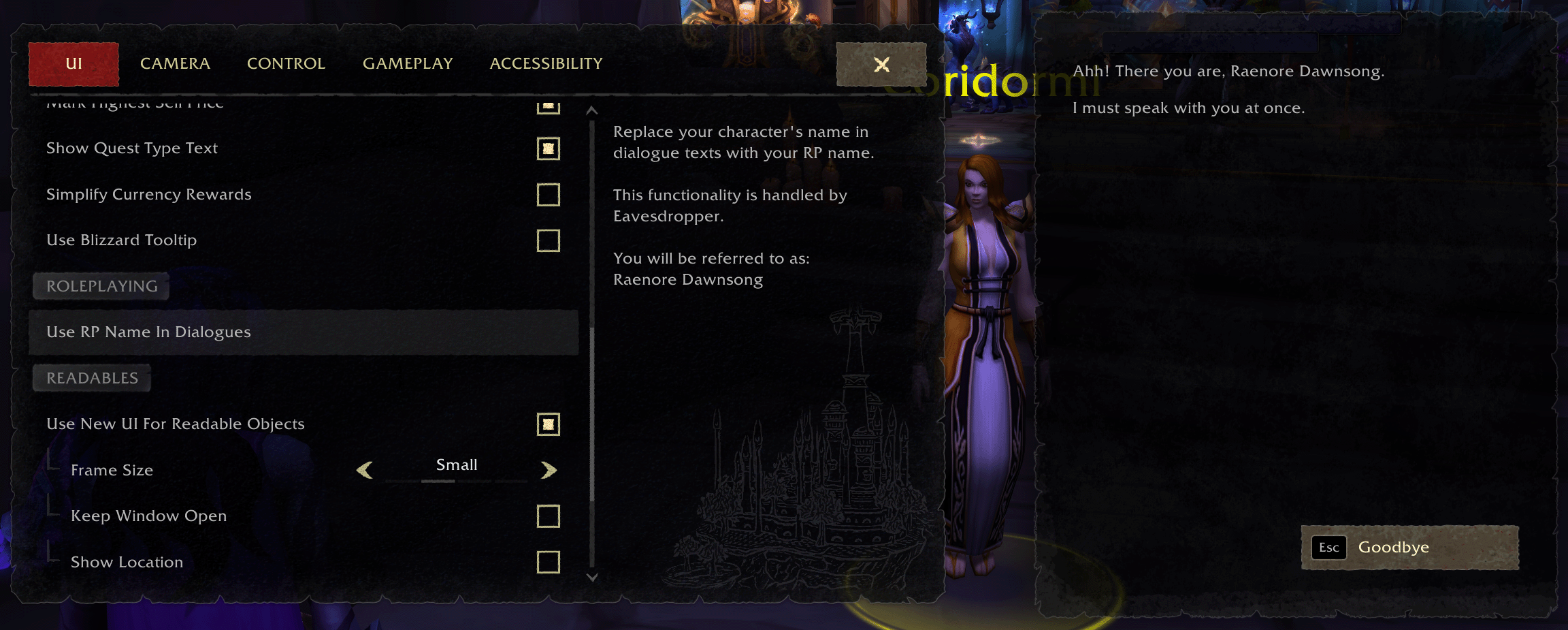 Click the image above to view it in full size.
At-a-glance numbers
Performance highlights
- Peaked at Hot #402 on Jun 30, 2026.
- Peaked at Rising #179 on Jun 30, 2026.
- Featured on the Hot list across 6 distinct weeks.
- Shipped 3 releases in the last 30 days.
- Averaging 10 new downloads per day over the past week.
Visuals
Screenshots 13
Use real gameplay shots to assess the addon before installing.