Trend Explorer
Recent download momentum
Hourly download deltas for the last 48 hours.
Latest hour +0 Jul 26, 12 AM
Peak hour +2 Jul 27, 12 AM
Average +0 per hour
About this addon
What it does
DjLust - Play music and display an animation during Bloodlust and other similar spells.
Combat 'state' tracked using players relative haste percentage by sampling every 0.3 seconds.
Usage:
- Click the new bloodlust icon on your minimap to bring up settings menu OR use the following commands
/djlust- Prints available commands to the chat./djlust settings- Open Settings Menu <sub>/djlavailable alias for/djlust</sub>
Features:
- Choose Between 2 Default Music Clips
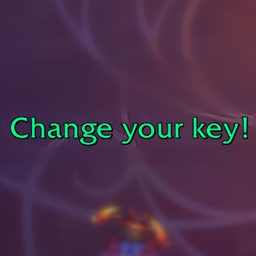
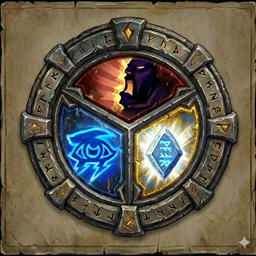
- Choose Between 2 Animations OR Optionally Configure Custom Text to display
- Dont like sound? Select
noneunder Music and only see the Animation. - Dont like seeing anything on screen? Hide the Animation and only hear the Sound track.
Commands:
- /djlust                - Show All available commands
- /djlust settings       - Open settings window
- /djlust test           - Test music & animation
- /djlust stop           - Stop music & animation
- /djlust status         - Shows current combat status and haste metrics.
- /djlust reset          - Manually reset haste baseline
- /djlust volume <0-100> - Set volume (`/djlust volume 80` - set volume to 80%)
- /djlust minimap        - Toggle Minimap button on/off.
- /djlust <lock|unlock>  - Lock/Unlock Animation position.
[TIP] use /djl as alias for /djlust
Bugs/Issues/Feature-Requests:
- Please create a Issue on Github
- For faster response email: [email protected]
Known Limitations:
- not exclusively checking bloodlust. Spells like Chronowarden Preservation Evoker 'tip of scales' will trigger the music. This can be tweaked in
/djlust settingsmenu - Droping Comabat and Rejoining Combat while lust is active will not restart the animation/music from displaying.
- Does NOT work outside of combat.
- No localization framework (planned on or before v1.5.0)
Inspired by Pedro Lust Weakaura ❤️
At-a-glance numbers
Performance highlights
- Peaked at Hot #1848 on Jul 16, 2026.
- Peaked at Rising #633 on Jun 30, 2026.
- Featured on the Hot list across 6 distinct weeks.
- Shipped 1 release in the last 30 days.
- Averaging 3 new downloads per day over the past week.
Visuals
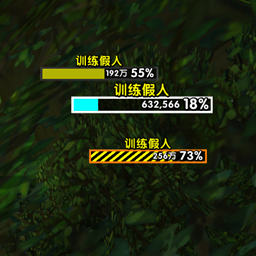
Screenshots 3
Use real gameplay shots to assess the addon before installing.