Trend Explorer
Recent download momentum
Hourly download deltas for the last 48 hours.
About this addon
What it does



DialogKey - Numy Edition
There have been various different versions of DialogKey, sadly the original version by Foxthorn hasn't been updated since the beginning of Shadowlands. This version is loosely a continuation from ItsNoich's updated version, with a couple of big improvements, rewrites, and additions.
Our versions are not compatible with eachother, and should not be enabled at the same time; but all your settings will remain intact and untouched.
DialogKey is an AddOn designed to make handling dialogs and quest frames less of a hassle by allowing you to use the keyboard to control them. View the settings by typing /dialogkey, /dkey, or /dk
Note: Due to restrictions from Blizzard, this addon will not function during combat; once you drop combat you will once more be able to spam spacebar to skip conversations to your heart's content :)
It has two primary functions:
1. Button Clicking
DialogKey lets you bind a key which can be used to "click" on certain buttons without the hassle of moving your mouse over to it. By default it's Spacebar, but you can change it or add a second key as well. Note that this isn't a traditional keybind: the button will still perform its normal function if none of the buttons are visible. For example, your Spacebar will still make you jump, but if one of the buttons is visible, it'll click it instead of jumping.
By default, the following buttons are clicked when you press the key:
- The first available option when talking to an NPC. This could be a conversation topic or a quest.
- Accept quest button
- Continue quest button (When you click on a quest at an NPC and are about to hand it in)
- Complete quest button
- (Retail only) Start crafting order, Craft crafting order, Complete crafting order
- Player Choice buttons, such as Delve powers, Torghast Anima Powers, and anything else using the same UI
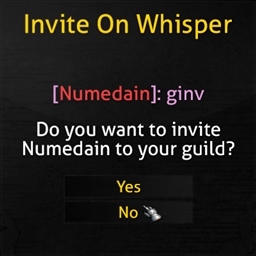
- The OK/Accept button in popups, this click is done securely, which means you won't get any "AddOn 'DialogKey_Numy' tried to call the protected function .." errors!
- Popups include:
- "Are you sure you wish to exchange <currency> for <item>?"
- "Looting <item> will bind it to you."
- "Do you wish to set your hearthstone to <location>?"
- <Player> has invited you to a group"
- And more!
You can also include other buttons for DialogKey to click. Just hover over the button and type /dialogkey add to start tracking it. Type /dialogkey remove to stop tracking the button under the cursor. You may also track/untrack by name, by typing, for example, /dialogkey add GameMenuButtonContinue. Capitalization matters!
Custom buttons run securely, which means there should not be any "Action blocked"/"Taint" errors!
You can also do this from within the Options (type /dialogkey to open them)
2. NPC Option Selection
DialogKey allows you to press a number key to select a dialog option at an NPC. Pressing 1 will select the first conversation topic or quest, 2 will select the second one, etc. It also adds numbers at the beginning of each line. Pressing the bound key (e.g. Spacebar) will also select the first option.
At-a-glance numbers
Performance highlights
- Peaked at Hot #33 on Jul 22, 2026.
- Featured on the Hot list across 6 distinct weeks.
- Shipped 3 releases in the last 30 days.
- Averaging 540 new downloads per day over the past week.
Visuals
Screenshots 2
Use real gameplay shots to assess the addon before installing.