Trend Explorer
Recent download momentum
Hourly download deltas for the last 48 hours.
About this addon
What it does
Welcome to CraftScan!
Scan chat for crafting requests that you can fulfill.
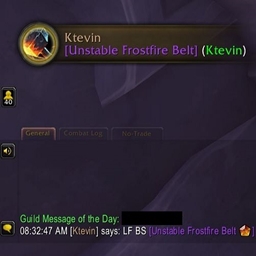
Remember recent crafting requests, even after swapping characters:
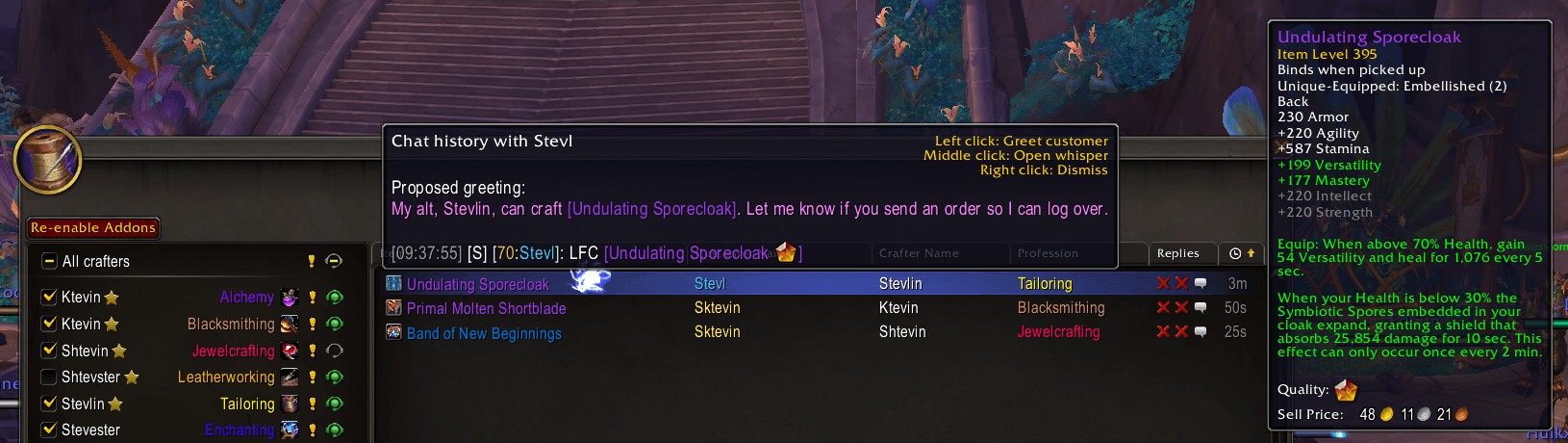
If the request includes an item link, CraftScan makes sure your crafter can make the item.
Pop up and sound notifications can be enabled when a new request is detected:
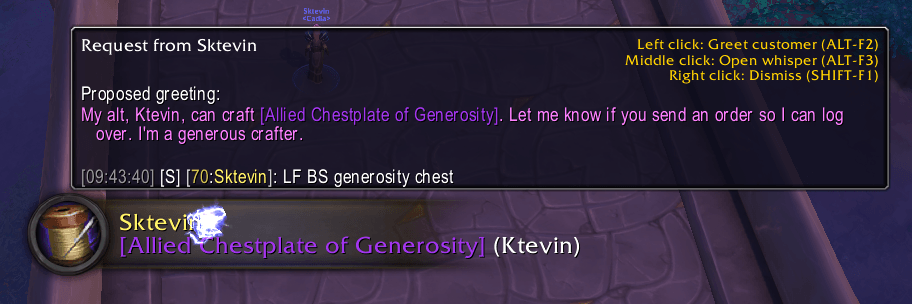
For requests without an item link, keywords can be configured per item, category, or profession. If an item keyword is detected, CraftScan responds with an item link.
Initial Setup
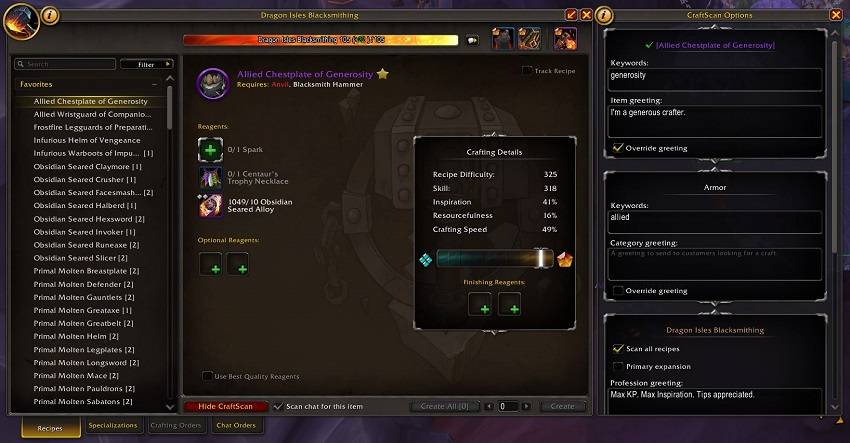
To get started, open a profession and click the new 'Show CraftScan' button along the bottom.
Scroll to the bottom of this new window and work your way up. The things you need to rarely change are at the bottom, but those are the setting to care about first.
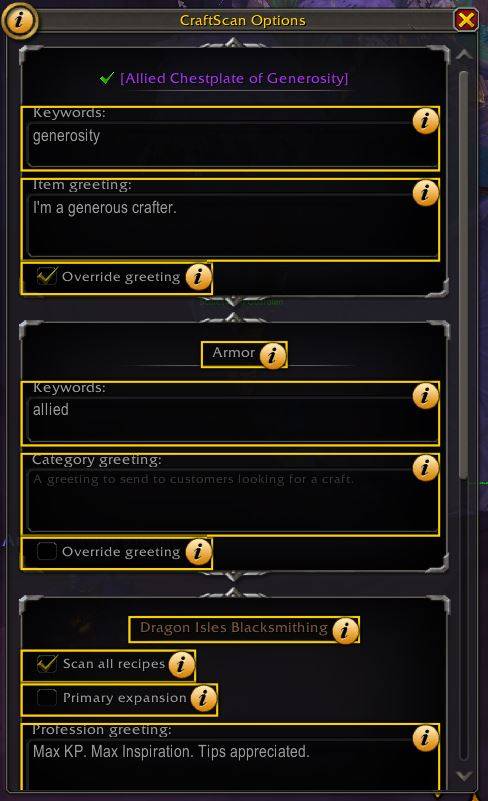
Click the help icon in the top left corner of the window if you need an explanation of any input.
The menu:
Help is available:
Initial Testing
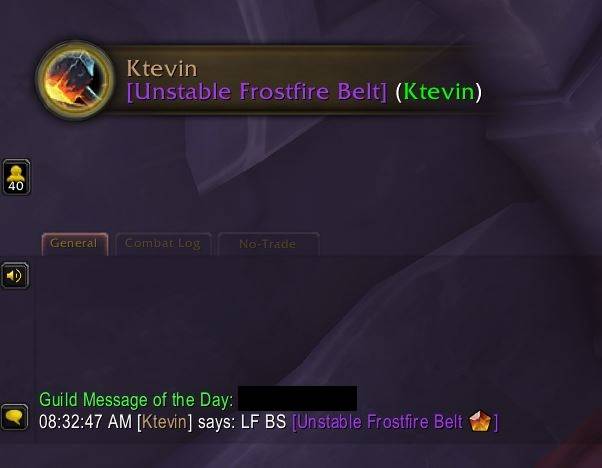
Once configured, type a message in /say chat, such as 'LF BS' for Blacksmithing, assuming you have left the 'LF' and 'BS' keywords. A notification should pop up.
Click the notification to immediately send a response, right-click it to dismiss the customer, or click on the circular profession button itself to open the orders window.
Duplicate notifications are suppressed unless they have already been dismissed, so right-click your test notification to dismiss it if you want to try again.
A notification:
Managing Your Crafters
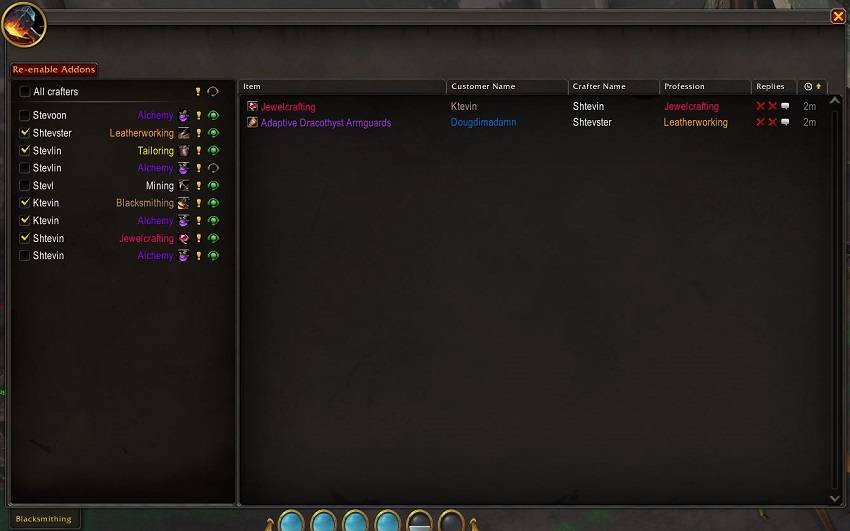
The left-hand side of the orders window lists your crafters. This list will be populated as you log in to your various characters and configure their professions. You can select which characters should be actively scanned at any time, as well as whether the visual and auditory notifications are enabled for each of your crafters.
Right click a crafter to disable it or remove a stale character (such as after you have deleted a profession). You can also mark a crafter as your primary, giving priority to that crafter if you have multiple characters that can fulfill the same request.
Managing Customers
The right-hand side of the orders window will populate with crafting orders detected in chat. Left-click a row to send the greeting if you did not already do so from the pop-up banner. Left-click again to open a whisper to the customer. Right-click to dismiss the row.
Rows in this table will persist across all characters, so you can log over to an alt and then click the customer again to restore communication. Rows time out after 10 minutes by default. This duration can be configured in the main settings page (Esc -> Options -> AddOns -> CraftScan).
Hopefully, most of the table is self-explanatory. The 'Replies' column has 3 icons. The left X or check mark is whether you have sent a message to the customer. The right X or check mark is whether the customer has replied. The chat bubble is a button that will open a temporary whisper window with the customer, and populate it with your chat history.
The order page:
Keybinds
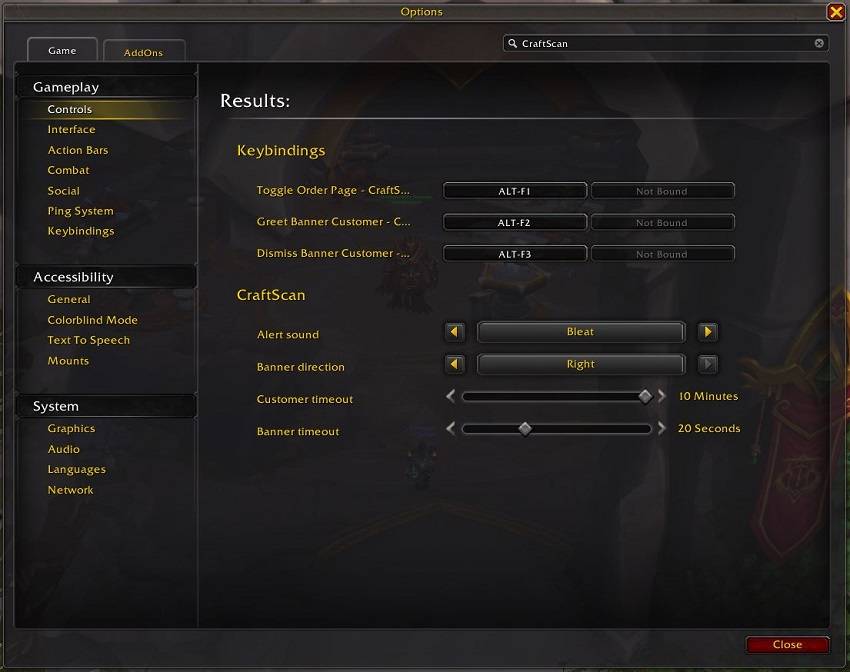
Keybinds are available for opening the orders page, responding to the latest customer, and dismissing the latest customer. Search for 'CraftScan' to find all available settings.
Available options:
At-a-glance numbers
Performance highlights
- Peaked at Hot #64 on Jul 16, 2026.
- Featured on the Hot list across 6 distinct weeks.
- Shipped 1 release in the last 30 days.
- Averaging 26 new downloads per day over the past week.
Visuals
Screenshots 7
Use real gameplay shots to assess the addon before installing.