Trend Explorer
Recent download momentum
Hourly download deltas for the last 48 hours.
Latest hour +0 Jul 26, 12 AM
Peak hour +19 Jul 26, 5 PM
Average +7 per hour
About this addon
What it does




Class Reminders is a comprehensive, highly configurable utility addon that tracks important class buffs, pet and stance state, consumables, external raid buffs, and resource bars — all from a single addon with a clean, class-aware options UI that only shows what's relevant to your character.
Core Features
- Class Buff & Ability Reminders — On-screen visual reminders for missing buffs, pets, weapon imbues, poisons, auras, and more, with optional sound/TTS alerts and click-to-cast support.
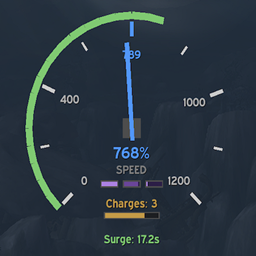
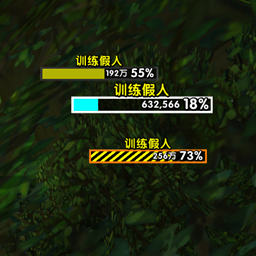
- Custom Resource Bars — Configurable resource bars for every class: Soul Shards, Insanity, Rage, Focus, Energy, Combo Points, Runic Power, Runes, Holy Power, Chi, Mana, Maelstrom, Maelstrom Weapon, Essence, Ebon Might, Arcane Orbs, Astral Power, Fury, Stagger, and more. Supports LibSharedMedia textures, width-matching to Essential Cooldowns Viewer, and Blizzard-style display modes.
- Consumable Tracking — Tracks augment rune, flask, food, and weapon buff status with clickable icons that use the correct item from your bags.
- External Buff Tracking — Detects missing raid buffs (Battle Shout, Arcane Intellect, Power Word: Fortitude, Mark of the Wild, Blessing of the Bronze, Skyfury) based on your group's actual composition.
- Custom Cast Bar — Optional replacement for the Blizzard cast bar with full customization (colors, fonts, textures, anchoring) and Evoker empowered spell support with stage pip markers.
- Profile System — Save, load, import, and export named profiles scoped by category (full, reminders-only, resources-only, CDM-only, castbar-only). Share settings between characters or with other players via compressed strings.
Supported Classes
| Class | Reminders & Bars |
|---|---|
| Warlock | Pet, Healthstone, Soulstone, Burning Rush, Grimoires (Imp Lord / Fel Ravager), Gateway Control Shard, Soul Shard Bar |
| Warrior | Defensive Stance, Battle Shout, Rage Bar |
| Mage | Arcane Intellect, Arcane Familiar, Water Elemental pet, Freezing Bar (Frost), Arcane Orbs Bar |
| Priest | Power Word: Fortitude, Shadowform, Insanity Bar, Mana Bar |
| Druid | Mark of the Wild, Symbiotic Relationship, Astral Power Bar |
| Evoker | Blessing of the Bronze, Source of Magic, Essence / Mana / Ebon Might Bars |
| Shaman | Skyfury, Lightning / Earth / Water Shield, Windfury & Flametongue Weapon, Earthliving Weapon, Maelstrom Bar, Maelstrom Weapon Bar |
| Rogue | Lethal & non-lethal poison upkeep, Energy Bar, Combo Points Bar |
| Paladin | Devotion Aura, Crusader Aura, Beacon, Rites (Lightsmith), Holy Power Bar |
| Hunter | Pet reminders, Focus Bar |
| Death Knight | Pet reminders, Runic Power Bar, Runes Bar |
| Demon Hunter | Fury Bar, Void Meta / Soul Fragments Bar |
| Monk | Chi Bar, Stagger Bar |
Customization
- Fully configurable visuals per reminder: icon, text, font, size, scale, glow color, frame strata, and anchor-point positioning
- LibSharedMedia integration for custom fonts, textures, and sounds (pairs well with SharedMedia)
- Global Display Options to apply one shared style across all eligible reminders
- Tab visibility controls to hide unused sections of the options panel
- Essential Cooldowns Viewer integration (anchoring, centering, width-matching)
- Minimap button + slash commands
Smart Suppression
- Per-reminder load conditions (dungeons, raids, rest areas, combat, BG/Arena filters)
- Automatic suppression in Battlegrounds and Arenas for consumable and external buff reminders
- First-pull suppression in dungeons — consumable and external buff reminders hide after first combat
- M+ active-key suppression for group buff reminders to avoid post-death rebuff spam
- Zone-load grace period to prevent false alerts during loading screens
Credits
- Wildu, author of Cooldown Manager Centered, gave me solid tips on optimizing the CDM centering logic to be the most CPU-friendly.
Slash Commands
/cr,/wr, or/classreminders— Open options/cr lock//cr unlock— Lock or unlock frame positions/cr reset— Reset all frame positions/cr test— Preview all reminders
At-a-glance numbers
Performance highlights
- Peaked at Hot #1 on Jul 10, 2026.
- Featured on the Hot list across 6 distinct weeks.
- Shipped 3 releases in the last 30 days.
- Averaging 182 new downloads per day over the past week.
Visuals
Screenshots 18
Use real gameplay shots to assess the addon before installing.